In February 2024 Google and Yahoo started enforcing a shared set of rules for anyone sending a lot of email to their users. Microsoft followed with similar rules for Outlook.com in 2025. If you send newsletters, product email or cold outreach at any real volume, these rules decide whether your mail reaches the inbox, lands in spam or gets rejected outright.
The Gmail and Yahoo bulk sender requirements are not complicated, but they are spread across help-centre pages that change. This post collects them in one place and ends with a checklist you can work through in an afternoon.
Who counts as a bulk sender?
Google defines a bulk sender as one that sends close to 5,000 or more messages a day to personal Gmail accounts. Yahoo uses similar language without publishing a precise number. A few details matter:
- The count is per sending domain, so mail from your main domain and its subdomains can add up.
- Once you are classed as a bulk sender, Google has said you stay classed that way, even if your volume drops.
- Messages to Google Workspace business accounts do not count toward the Gmail threshold, but good practice is the same for both.
If you are under the threshold, you still have to meet a smaller set of rules that apply to everyone.
Rules for all senders
Google applies these to everyone who sends to Gmail, regardless of volume:
- Authenticate with SPF or DKIM.
- Have valid forward and reverse DNS for your sending IPs. The IP's PTR record should resolve to a hostname that resolves back to the same IP.
- Use a TLS connection to transmit mail.
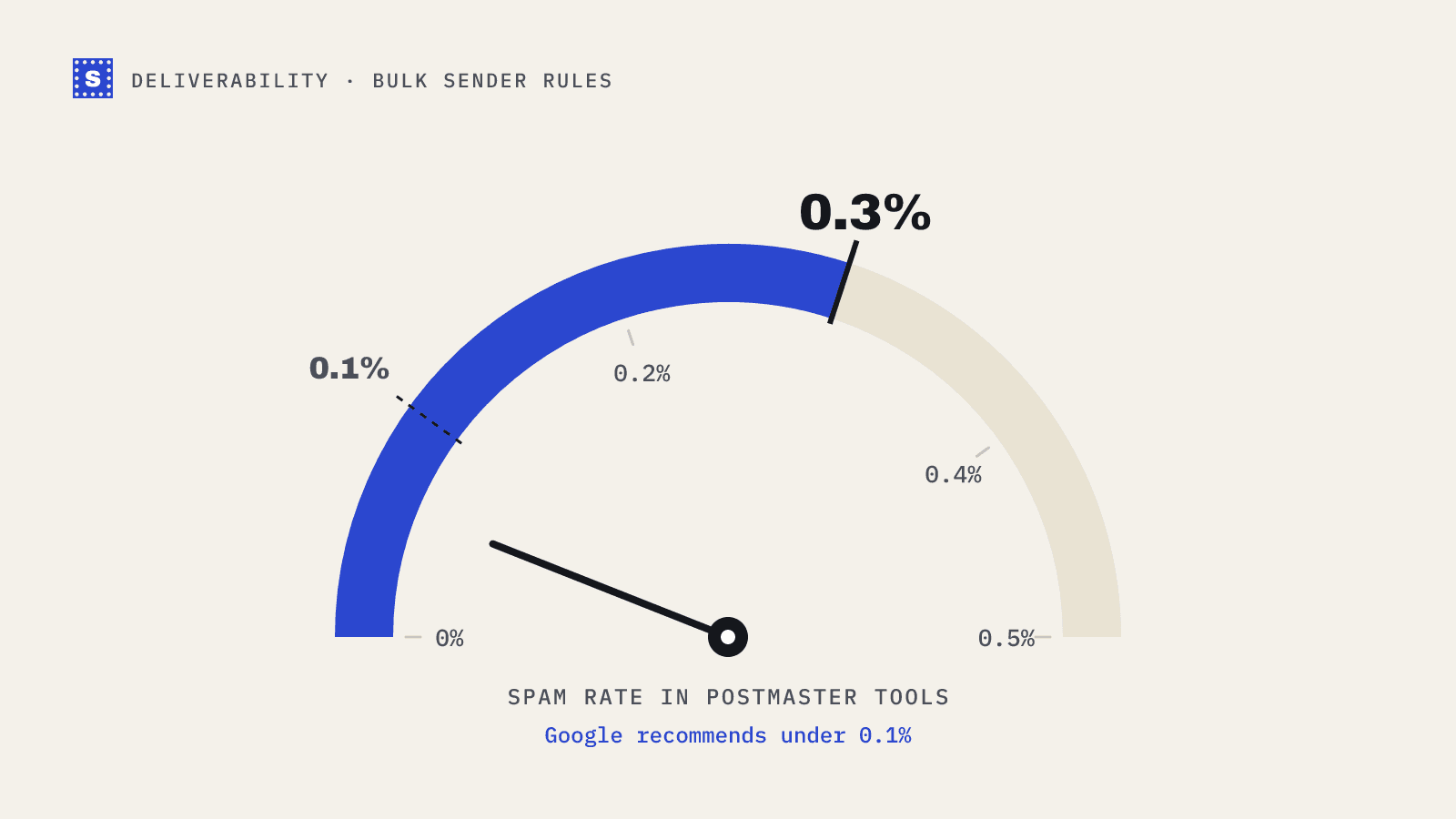
- Keep the spam rate reported in Google Postmaster Tools below 0.3%.
- Format messages according to the internet message standard (RFC 5322).
- Do not impersonate Gmail in your From header.
Extra rules for bulk senders
On top of the above, bulk senders must:
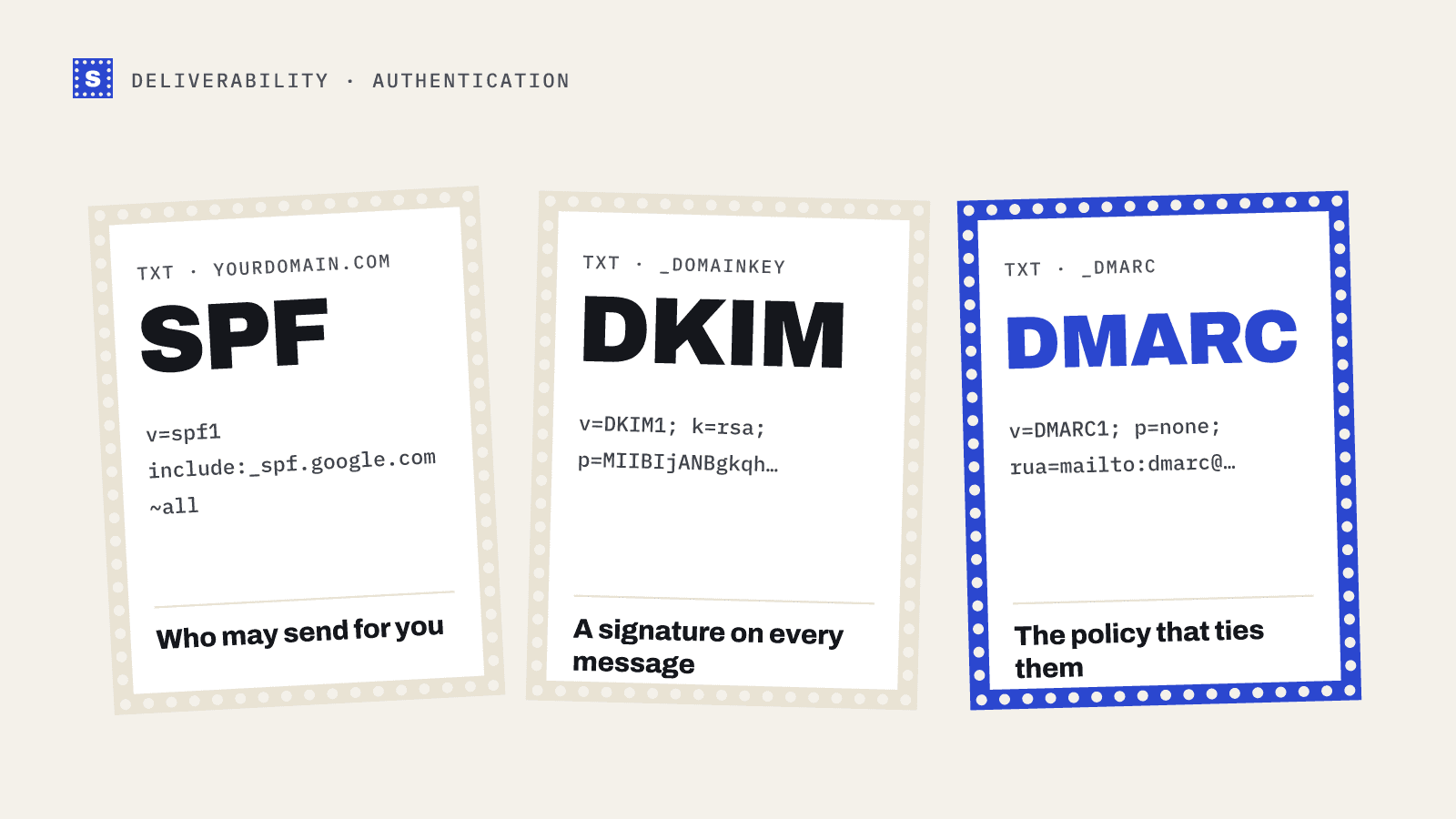
- Set up SPF and DKIM, not just one of them.
- Publish a DMARC record. The policy can be
p=none, which only monitors, but the record must exist. - Align the From domain with either the SPF domain or the DKIM signing domain. This is what DMARC checks.
- Support one-click unsubscribe for marketing and subscribed messages, using the
List-UnsubscribeandList-Unsubscribe-Postheaders described in RFC 8058, and show a clearly visible unsubscribe link in the body. - Honour unsubscribe requests within two days.
- Keep the spam rate below 0.3%. Google recommends staying below 0.1%, and treats anything at or above 0.3% as a serious problem.
Yahoo's published requirements match on the important points: authentication with SPF and DKIM, a DMARC policy, one-click unsubscribe for bulk mail, and a spam complaint rate kept below 0.3%.
What about Outlook and Microsoft?
Microsoft announced requirements for high-volume senders to Outlook.com, Hotmail.com and Live.com addresses, taking effect in May 2025. Senders of more than 5,000 messages a day need SPF, DKIM and DMARC (at least p=none, aligned with SPF or DKIM). Microsoft said non-compliant mail would first be routed to junk and later rejected. It also recommends the same hygiene practices: working unsubscribe links, list maintenance and removing invalid addresses.
Does cold email have to follow these rules?
Yes. The rules are about how mail is sent and how recipients react, not about whether the email is marketing or one-to-one. A cold outreach program that sends a few thousand emails a day across several mailboxes on one domain can cross the bulk threshold quickly.
Cold email teams usually feel the spam-rate rule more than anything else. Recipients who did not ask for your email are more likely to hit "report spam," and they do it on the first message. Two things help:
- Tight targeting. Fewer, better-matched recipients produce fewer complaints.
- Clean lists. Sending to addresses that bounce, or to spam traps sitting in old data, damages reputation in ways that make every later complaint count for more.
One-click unsubscribe is formally required for marketing and subscribed messages. Many cold emailers add a plain-text opt-out line anyway, and honouring it fast is also a legal requirement in most places. Our post on GDPR and cold email covers the legal side.
How to check where you stand
- Google Postmaster Tools shows your spam rate, domain reputation and authentication results for mail sent to Gmail. You need to verify your domain to use it, and data only appears once you send enough volume.
- DMARC aggregate reports (the
ruaaddress in your DMARC record) tell you which servers are sending as your domain and whether they pass SPF and DKIM. - Free DNS checkers confirm your records are published correctly. You can use our SPF checker, DKIM checker and DMARC checker.
The compliance checklist
Work through these in order. Most teams can do all of them in a day.
| # | Task | How to confirm |
|---|---|---|
| 1 | Publish one SPF record that lists every service that sends for you | SPF checker shows a single record under 10 DNS lookups |
| 2 | Turn on DKIM signing in each sending tool | DKIM checker finds the selector; test message headers show dkim=pass |
| 3 | Publish a DMARC record, starting with p=none and a reporting address | DMARC checker reads the policy |
| 4 | Make sure the visible From domain aligns with SPF or DKIM | Message headers show dmarc=pass |
| 5 | Add List-Unsubscribe and List-Unsubscribe-Post headers to marketing mail | Gmail shows an unsubscribe link next to the sender name |
| 6 | Process unsubscribes within two days | Test it yourself |
| 7 | Set up Google Postmaster Tools | Domain verified, dashboards populate |
| 8 | Verify lists before sending, and remove undeliverable addresses | Bounce rate on the next send drops |
| 9 | Check PTR records for any dedicated sending IPs | Reverse lookup matches forward lookup |
For a fuller explanation of the three authentication records, read SPF, DKIM and DMARC in plain words.
Where list quality fits
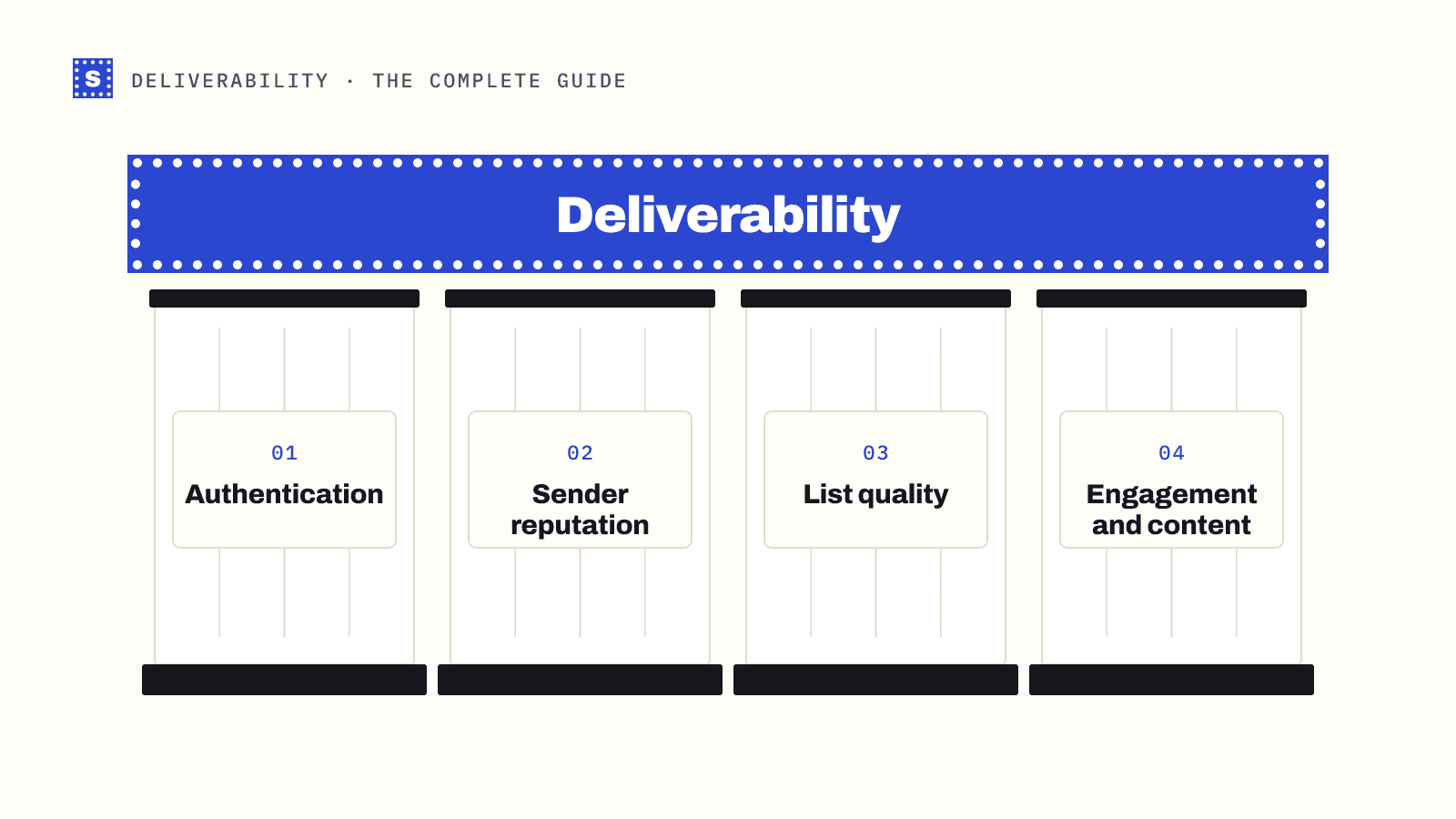
None of these rules mention verification directly. But bounces and spam traps feed the reputation signals mailbox providers use, and a list full of dead addresses makes everything else harder. Verifying a list before a campaign is cheap insurance next to rebuilding a domain's reputation.
If you are preparing a send to an older or purchased-from-elsewhere list, run it through the bulk email verifier first, then work through the checklist above. Both together put you in a much better position than either one alone.