"Undeliverable" shows up in a lot of places: in the subject line of a mailer-daemon message, in your ESP's campaign report, in a verification result. It does not always mean the same thing. Sometimes the address does not exist. Sometimes the address is fine and the receiving server refused you. Sometimes the message will be delivered in an hour.
Getting the meaning right matters, because each case needs a different fix. Removing a good contact because of your own authentication problem is a mistake; retrying a mailbox that no longer exists is another.
The short definition
An undeliverable email is one the receiving mail system would not accept or could not deliver. When that happens, the sending server usually generates a delivery status notification (DSN), also called a non-delivery report or bounce message, and sends it back to the sender. That is the "Mail Delivery Subsystem" or "Mailer-Daemon" email you see in your inbox.
Inside the DSN is the piece that matters: an SMTP reply code and, usually, an enhanced status code that says why.
Three things people call undeliverable
1. Bounces about the recipient
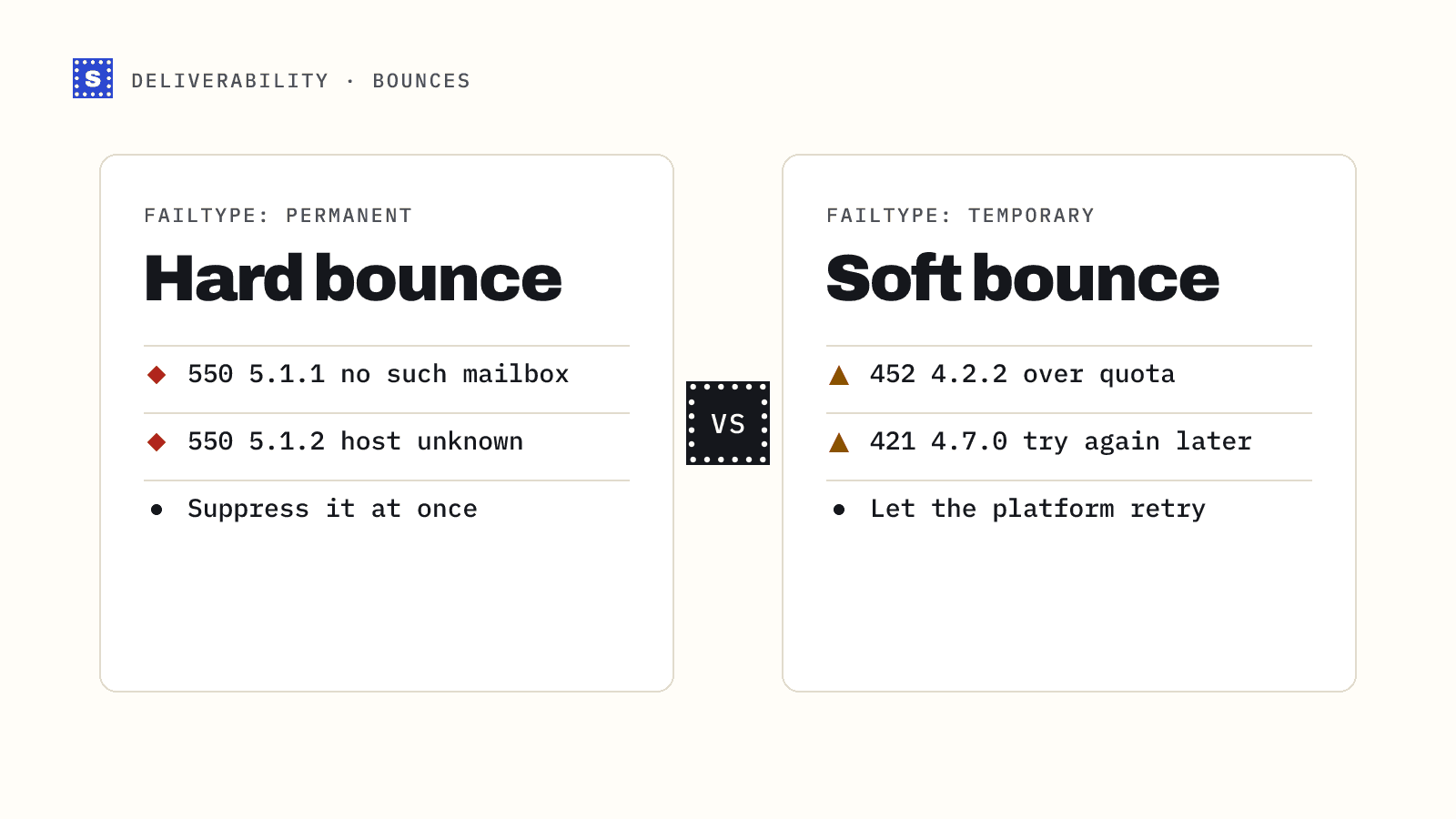
The receiving server says the address itself is the problem. The mailbox does not exist, the account is disabled, or the domain has no mail servers. These are hard bounces when permanent. Typical codes:
550 5.1.1- user unknown / mailbox does not exist550 5.1.10- recipient not found (common wording from Microsoft)5.1.2- bad destination system, often a domain problem
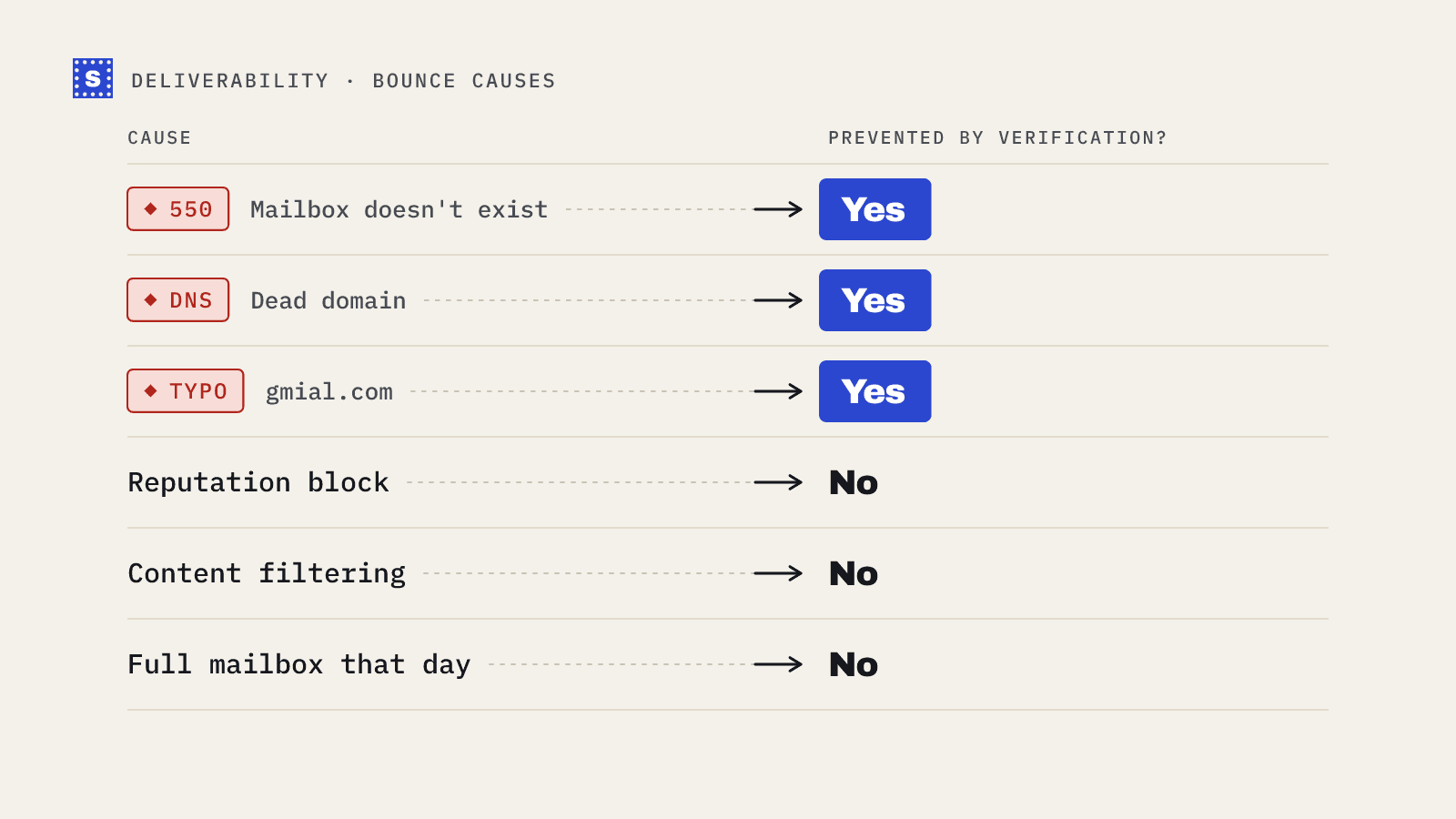
Fix: remove the address and suppress it. This is the kind of undeliverable email that verification catches before you send.
2. Blocks about the sender
The receiving server refused the message because of something about you: your IP, your domain, your authentication or your content. The recipient may be perfectly valid. Typical codes:
550 5.7.1- delivery not authorised or message refused, often policy or reputation5.7.26and similar - authentication failures (Gmail uses this for unauthenticated mail)- Responses mentioning a blocklist by name
Fix: do not remove the contact. Check SPF, DKIM and DMARC, check blocklists, look at your recent complaint and bounce rates. Our SPF, DKIM and DMARC explainer and the blacklist checker are good starting points.
3. Temporary failures (deferrals)
The server said "not now." The mailbox may be full, the server busy, or you may have been greylisted or rate-limited. These use 4xx codes:
421- service not available, try again later450/451- mailbox unavailable or local error, try later452- insufficient storage
Your sending server normally retries automatically for a while. If it eventually gives up, the message bounces and you get a DSN. These are soft bounces. One soft bounce is no reason to remove someone; repeated ones to the same address usually are. See hard bounce vs soft bounce for the details.
How to read a DSN
DSN layouts vary by provider, but the useful lines look similar. Here is a simplified example:
From: Mail Delivery Subsystem
Subject: Delivery Status Notification (Failure)

Address not found
Your message wasn't delivered to [email protected] because the
address couldn't be found, or is unable to receive mail.

The response from the remote server was:
550 5.1.1 The email account that you tried to reach does not exist.
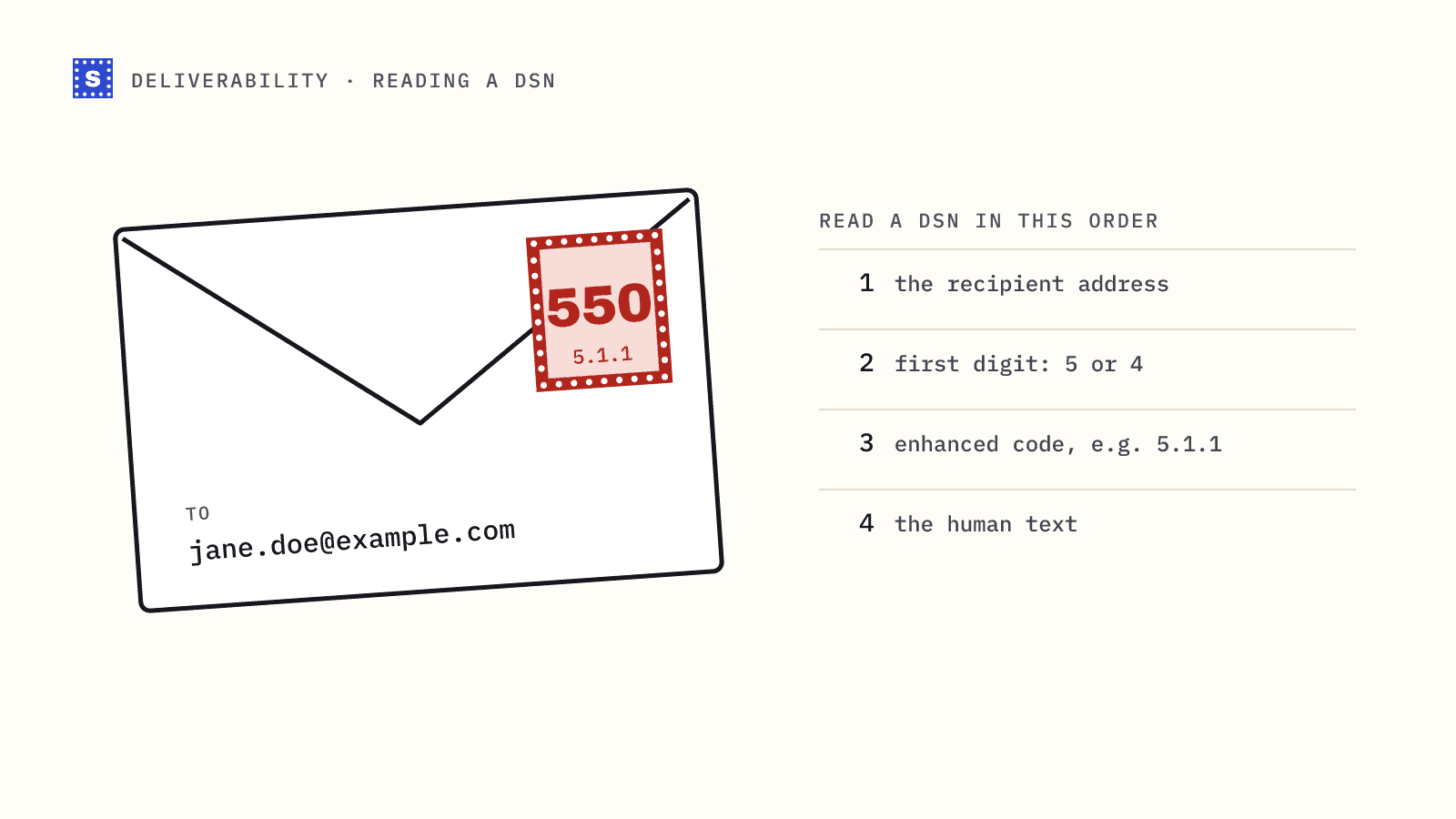
Read it in this order:
- The recipient address. Make sure it is the address you think. Typos show up here.
- The first digit of the code.
5means permanent,4means temporary. - The enhanced code (
5.1.1,5.7.1). The middle digit gives the category:1is addressing (the recipient),7is security or policy (often you). - The human text. It often names the real reason, such as a blocklist or a policy, more specifically than the code.
Enhanced status codes are defined in RFC 3463, but servers use them loosely. Treat the code as a strong hint and the text as context. Our post on SMTP 550 errors and bounce codes has a longer reference table.
Bounced vs blocked vs filtered
One more distinction trips people up. A message can be accepted by the receiving server and still never reach the inbox. If it lands in spam, nothing bounces and no DSN arrives. Your ESP will count it as delivered.
| What happened | Do you get a DSN? | Shows in ESP as |
|---|---|---|
| Mailbox does not exist | Yes | Hard bounce |
| Server refused you (policy, reputation) | Yes | Bounce or block, depending on the tool |
| Temporary failure, later retried successfully | No | Delivered |
| Temporary failure that never cleared | Yes | Soft bounce |
| Accepted, filed in spam | No | Delivered |
So "delivered" is not "inboxed." For inbox placement you need other signals, such as Google Postmaster Tools, engagement trends and seed tests.
What undeliverable email costs you
Recipient-side bounces signal to mailbox providers that you are not maintaining your list. A few are normal. A lot of them, especially on a single campaign, can affect how providers treat the rest of your mail. Many sequencers and ESPs will also pause or review an account when bounce rates spike.
The fix for the first category is cheap: verify before you send. Run lists through a bulk email verifier and remove undeliverable results, or check signups as they arrive with the email verification API. SimpleCold returns each undeliverable result with a reason, such as a missing mailbox, a domain error or a syntax error, so you can see which kind of problem you removed.
For the second and third categories, verification does not help much, and it is better to know that up front. Look at your authentication and reputation instead.
If a specific address just bounced and you want to know why, check it in the free email checker. If it comes back deliverable, the problem is probably on the sending side.