Almost every company has one: a list nobody has mailed in a year or more. It might be past customers from an old product, event attendees from before the pandemic, or a newsletter that quietly stopped. It looks like an asset. Sent carelessly, it can do real damage to your sending reputation in a single afternoon.
The risks are predictable. Old lists are full of addresses that no longer exist, people who forgot they ever signed up, and abandoned mailboxes that may now be spam traps. Mail them all at once and you get a burst of hard bounces and spam complaints, which is exactly what mailbox providers watch for.
The good news is that you can get value out of an old list if you treat it as a careful project rather than a single send. Here is how.
Step 1: find out what you have
Before anything else, answer a few questions about the list:
- Where did these contacts come from? Your own forms, purchases, events, a data vendor?
- Did they opt in, and can you show it?
- When was each contact last mailed, and when did each last open, click or buy?
- Are any of them already unsubscribed or suppressed in another tool?
If the list was bought or scraped and you have no record of consent, stop and check the rules that apply to you. In the EU and UK, that can decide whether you are allowed to mail it at all. Our post on GDPR for cold email covers the basics. This is not legal advice.
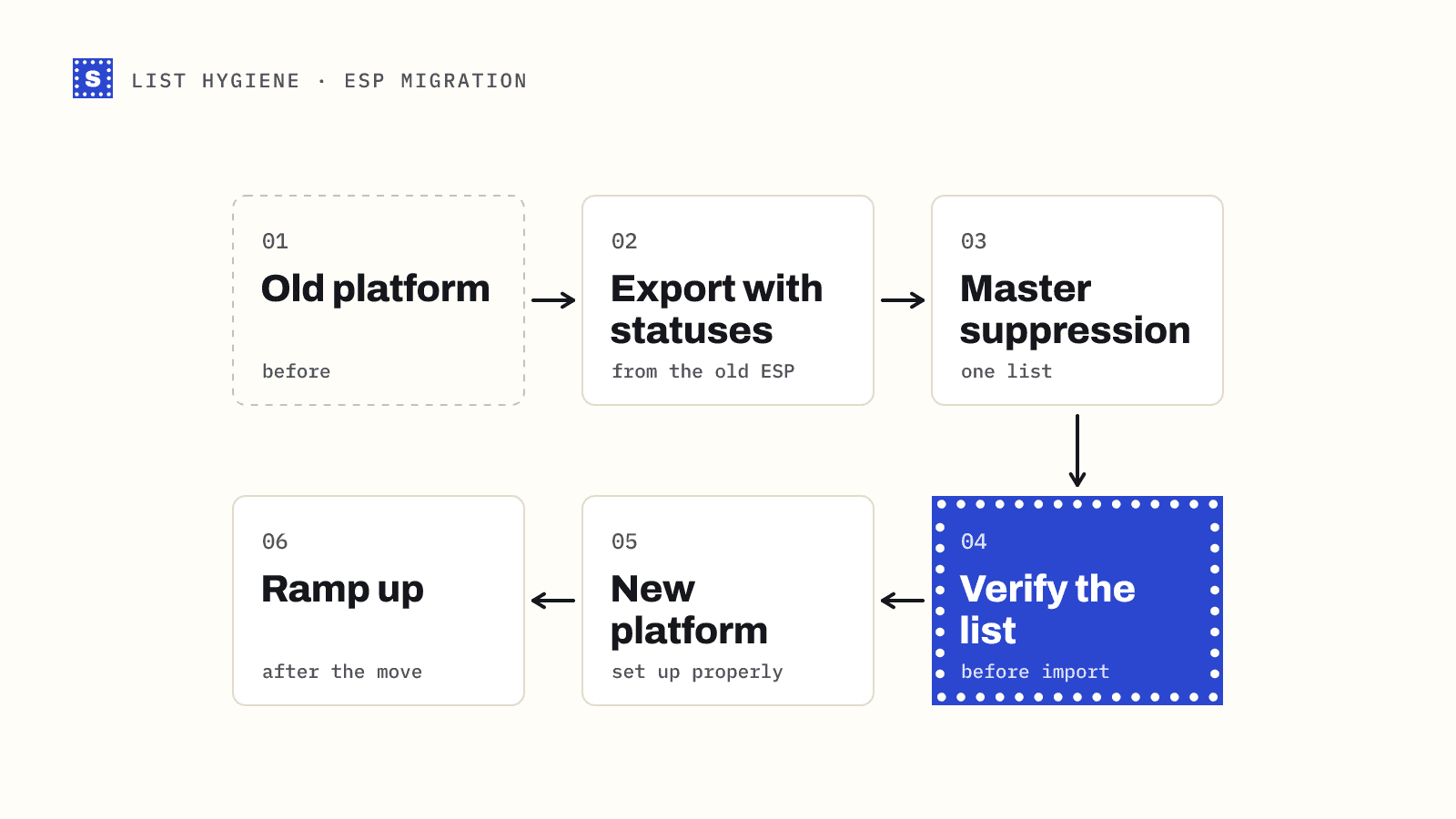
Merge every suppression list you have, from every tool, and remove those addresses first. People who unsubscribed three years ago are still unsubscribed.
Step 2: verify the whole list
An old list will contain addresses that have stopped working: people who changed jobs, closed accounts, or used a typo when they signed up. Every one of those becomes a hard bounce if you send to it.
Run the list through a bulk email verifier before you send anything. Then:
- Remove every undeliverable address. These are mailboxes that do not exist, domains that are gone, and broken syntax.
- Pull out risky addresses into their own group. That includes catch-all domains, role-based addresses like
info@, and disposable inboxes. - Keep deliverable addresses as your main pool.
Verification reduces your bounce rate. It cannot tell you whether someone still wants your email, and it cannot reliably detect every spam trap. That is what the next steps are for.
Step 3: segment by age and engagement
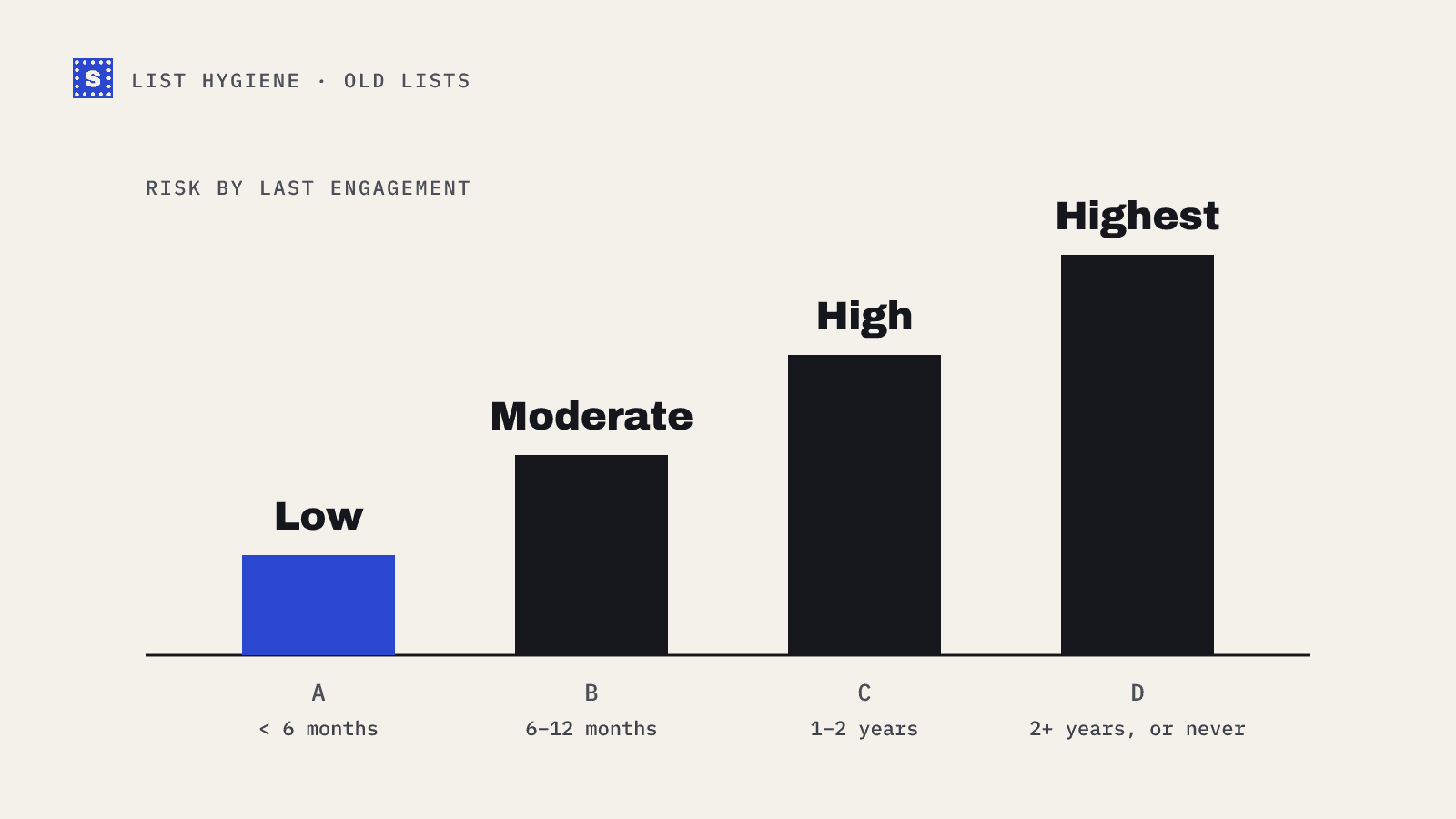
Not all old contacts are equally old. Split the deliverable pool into groups by when each person last engaged.
| Segment | Last engagement | Risk |
|---|---|---|
| A | Within the last 6 months | Low |
| B | 6 to 12 months ago | Moderate |
| C | 1 to 2 years ago | High |
| D | More than 2 years, or never | Highest |
If you have no engagement data, use the date the contact was added. It is a weaker signal, but better than nothing.
Step 4: start with your best segment
Mail Segment A first, at a modest volume. Watch three numbers for a few days:
- Hard bounces, which should be very low after verification.
- Spam complaints. Gmail and Yahoo's sender rules use a spam rate threshold of 0.3%, and Google advises staying below 0.1%.
- Opens, clicks and replies, as a signal that people remember you.
If those look healthy, move to Segment B, then C. Increase volume gradually. Mailbox providers respond better to steady, rising volume than to one sudden spike from a domain that has been quiet.
If complaints climb at any stage, stop. Look at which segment and which message caused it before you send again.
Step 5: ask people if they still want your mail
Your first message to an old segment should not be a sales pitch. It should remind people who you are and give them an easy way out.
A good re-permission email:
- Says plainly why they are hearing from you: "You signed up for our newsletter at the 2024 trade show."
- Offers something useful right away, like a recent guide or a product update.
- Makes unsubscribing obvious. A visible link is better than a spam complaint.
- Optionally asks people to click to stay on the list.
Step 6: sunset the people who don't respond
After two or three messages to a segment, some contacts will still have done nothing. Move them to a sunset group:
- Send one final "should we stop emailing you?" message.
- If there is still no engagement, stop mailing them.
- Keep the record, marked as inactive, so nobody re-imports them by accident.
This feels like throwing away contacts. In practice you are removing people who were never going to open, and who drag down engagement for everyone else.
Step 7: use a separate domain for the riskiest segment
If you must mail Segment D, think about where it comes from. Sending risky mail from your main company domain puts your invoices, password resets and sales replies at risk. Some teams use a separate subdomain or a dedicated sending domain for re-engagement campaigns, properly authenticated with SPF, DKIM and DMARC. If that domain takes a hit, the main one is protected.
A checklist you can copy
- Merge all suppression lists and remove those contacts.
- Check consent for the source of the list.
- Verify every address and remove the undeliverable ones.
- Split deliverable contacts by last engagement.
- Send to the most recent segment first, at modest volume.
- Watch bounces, complaints and engagement before each next step.
- Make the first message a re-permission message.
- Sunset contacts who do not engage after a few sends.
Where SimpleCold helps
SimpleCold checks each address on your old list and returns a category and a plain reason, so you can tell "this mailbox no longer exists" from "this domain accepts every address". Your original columns stay in the file, which makes it easy to segment by your own engagement data afterwards. If you want to see how stale a list is before you commit to the whole thing, run a sample through the free list cleaning tool first, then plan the send with the bounce rate calculator.