Switching email service providers looks like a data task: export from the old platform, import into the new one, rebuild the templates. The deliverability side is easy to overlook, and it's where migrations go wrong. A list that sent fine on the old platform can produce a bounce spike on the new one, and new platforms are often stricter about bounces from new accounts.
This checklist covers what to do before, during and after the move so your first sends on the new ESP look like a careful sender, not a fresh account with a dirty list.
Why migrations cause bounce spikes
Several things happen at once when you move:
- Suppressions get lost. Your old platform quietly suppressed hard bounces, unsubscribes and complaints. If you export only "active" contacts, or export everything without status, those suppressions may not travel with you.
- The new account has no history. Many ESPs watch new accounts closely and may pause sending if early campaigns bounce or draw complaints.
- IPs and domains may change. Moving to new shared IPs, a new dedicated IP, or a new sending subdomain means reputation has to be built again.
- Dormant contacts come back. Migration is a tempting moment to "include everyone", which brings back addresses nobody has mailed in a long time.
Before you migrate
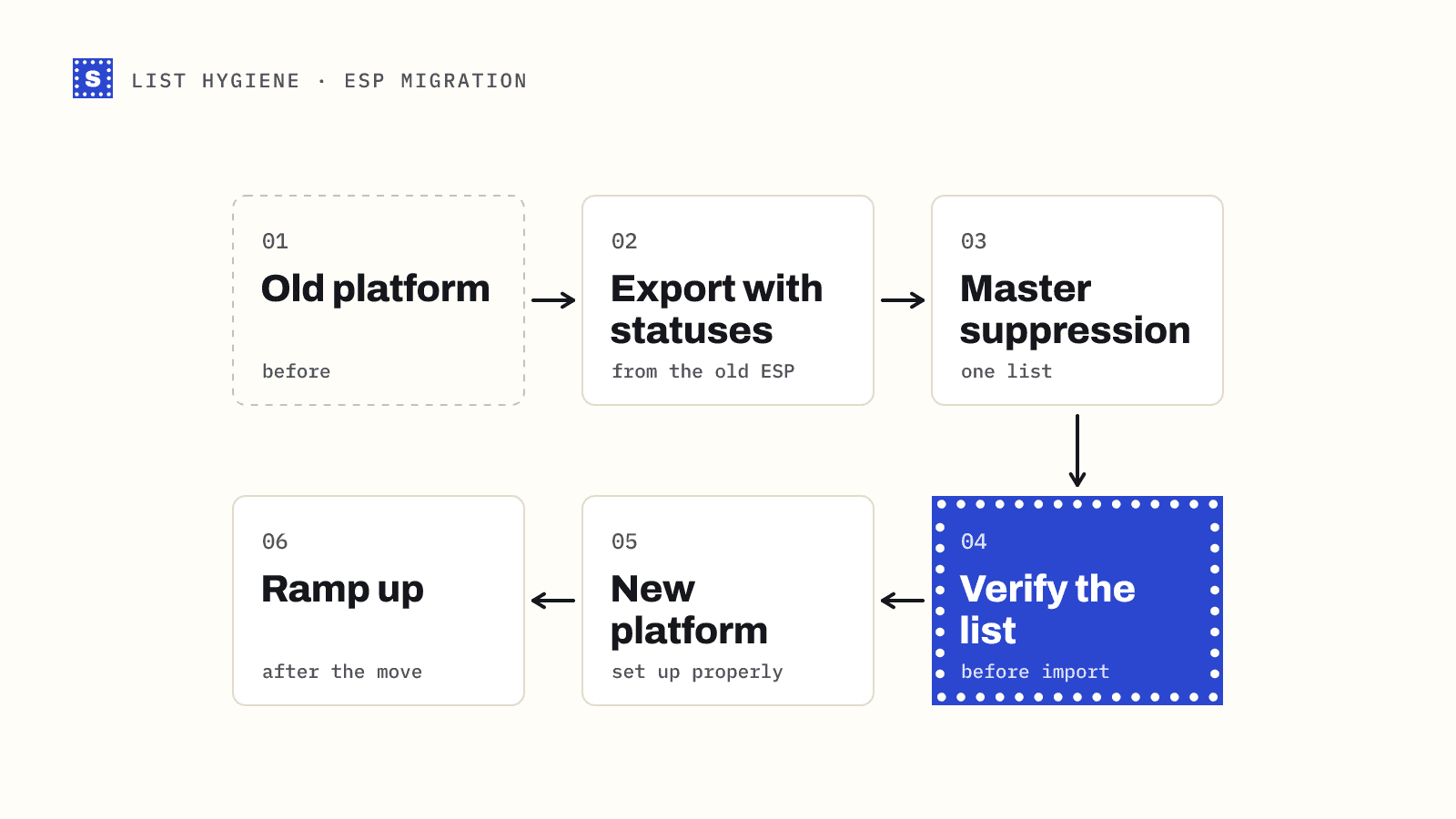
1. Export everything, with statuses
From the old ESP, export:
- Active subscribers, with signup date, source and last engagement date if available
- Unsubscribed contacts
- Hard-bounced or "cleaned" contacts
- Spam complaints
- Any manual suppression or block lists
Different platforms use different names. Mailchimp, for example, separates subscribed, unsubscribed, non-subscribed and cleaned contacts. Make sure each group comes out with its status attached.
2. Build a master suppression list
Combine unsubscribes, hard bounces and complaints into one file. This must be imported into the new ESP as suppressed before anything else. Sending to someone who unsubscribed on the old platform breaks the law in many places and is a fast way to collect complaints.
3. Verify the active list
Run the active contacts through a bulk email verifier. Even if the old platform was suppressing bounces, addresses decay between sends, and contacts you haven't mailed recently are the most likely to have gone bad.
| Result | Import as |
|---|---|
| Deliverable | Active |
| Risky: catch-all | Active, but tag for a later batch |
| Risky: role-based | Active or excluded, depending on your audience |
| Risky: disposable | Exclude |
| Risky: no response | Hold, re-check before the first send |
| Undeliverable | Add to suppression list |
4. Decide what to do with dormant contacts
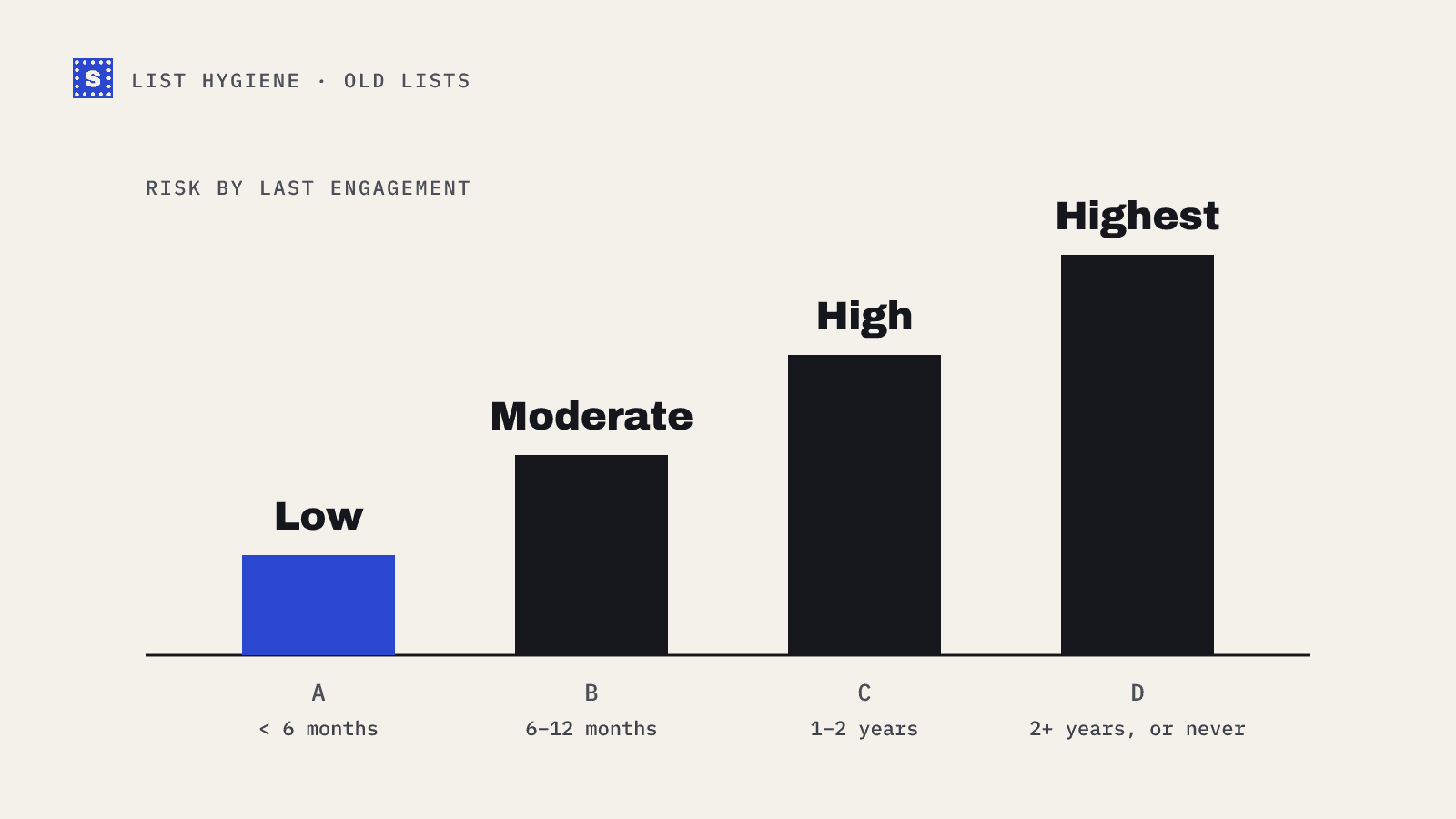
Contacts who haven't engaged in a long time are the highest-risk part of any list. Options: leave them behind, or bring them over in a separate segment and send them a re-permission campaign after the main list is established. Don't put them in your first send. How to email an old list covers re-permission campaigns.
Set up the new platform properly
5. Authenticate the sending domain
Add the new ESP to your SPF record, publish its DKIM keys, and make sure your DMARC record still passes with the new setup. Google and Yahoo require SPF, DKIM and DMARC with alignment for bulk senders, and a migration is the most common time for these to break.
Watch the SPF lookup limit. Adding a new provider while the old one is still in the record can push you over the 10 DNS-lookup limit in RFC 7208, which makes SPF fail. Remove the old provider once it's no longer sending. Check everything with the SPF checker, DKIM checker and DMARC checker.
6. Set up the unsubscribe flow
Since February 2024, Google and Yahoo expect bulk marketing mail to support one-click unsubscribe (RFC 8058) and to honour unsubscribes within two days. Most ESPs handle this automatically, but confirm it's switched on, and confirm the unsubscribe list syncs back to your CRM.
7. Import suppressions first
Import the master suppression list before importing active contacts. Some platforms let you import directly as unsubscribed or blocked; others need a separate suppression feature. Test with a few known addresses that they're actually excluded from sends.
After the move: ramp up
8. Start with your most engaged segment
Your first sends should go to people who opened, clicked or bought recently. They produce good engagement signals while the new account and IPs build history.
9. Increase volume gradually
If you're on a dedicated IP, it needs warming: start with a fraction of normal volume and increase over a few weeks. On shared IPs, the ESP manages reputation, but sudden large sends from a new account can still trigger reviews. Spread the first full-list send across several days.
10. Watch the first campaigns closely
For each of the first few sends, check bounce rate, complaints and unsubscribes. If bounces spike, stop and look at which segment they came from. If you're sending meaningful volume to Gmail, set up Postmaster Tools for the domain and keep the spam rate well under the 0.3% threshold.
The checklist
- Export every contact group with its status
- Build a master suppression list
- Verify active contacts
- Separate dormant contacts
- Authenticate the new platform (SPF, DKIM, DMARC)
- Confirm one-click unsubscribe and unsubscribe sync
- Import suppressions before contacts
- First sends to the most engaged segment
- Ramp volume over days or weeks
- Monitor every early campaign
Where SimpleCold fits
SimpleCold handles step 3. Upload the export as a CSV to the bulk email verifier, keep all your columns, and get a result and reason added to every row, ready to re-import into the new platform. The Mailchimp and HubSpot pages show the export, verify and import flow for those tools.
Before you click import on the new ESP, open your suppression file and check it has unsubscribes, hard bounces and complaints in it. If any of those groups is missing, go back to the old platform first.