There is no single right answer to how often you should clean your email list, and anyone who gives you one number without asking about your list is guessing. A newsletter audience that people joined last month behaves nothing like a B2B prospect list built from a data provider two years ago.
What you can do is match the cadence to how fast your list goes stale, and add a few triggers that tell you to clean right now regardless of the schedule.
Why lists go bad at all
Email addresses stop working for ordinary reasons:
- People leave jobs, and their work mailbox is closed.
- Companies rebrand, merge or shut down, and their domains stop accepting mail or lapse entirely.
- People abandon personal addresses and stop logging in. Some providers eventually close inactive accounts.
- Temporary addresses expire by design.
On top of that, new bad addresses arrive through typos, fake signups and imports from sources you do not control. The term for this gradual decline is list decay, and it never stops. You will see various annual decay percentages quoted online; many of them trace back to old or unsourced figures, so treat any single number with suspicion. The direction is not in doubt, though, and B2B lists decay faster than consumer lists because job changes close work inboxes.
A cadence by list type
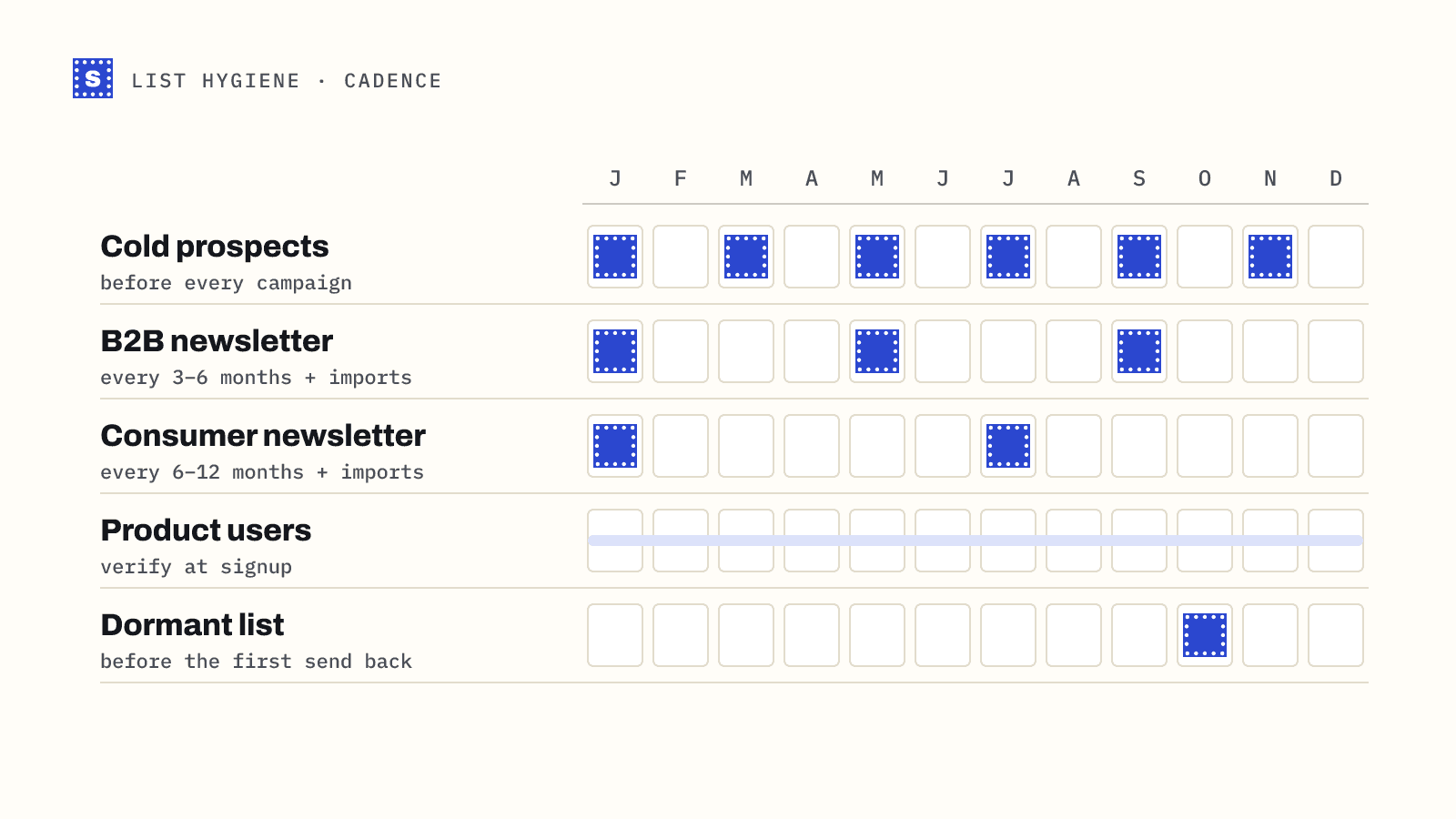
| List type | Suggested cadence | Why |
|---|---|---|
| Cold outreach prospects | Verify right before every campaign | Data is often months old by the time you use it, and cold sends have the least room for bounces |
| B2B marketing newsletter | Every 3 to 6 months, plus every import | Job changes close work addresses steadily |
| Consumer newsletter with regular sends | Every 6 to 12 months, plus every import | Bounces surface quickly when you send often; verification catches what is building up |
| Transactional / product users | Verify at signup; re-check addresses that bounce | You need these to work, and signup is the cheapest moment to catch errors |
| Dormant list (not mailed in 6+ months) | Always before the first send back | You have no recent bounce data at all |
Two principles sit behind this table. First, the longer since an address was last proven to work, the more likely it has gone bad. Second, the cost of a bounce depends on the channel: cold email has less tolerance than a newsletter to people who opted in.
Triggers that override the schedule
Clean now, whatever the calendar says, if any of these happen:
- Your hard bounce rate on a campaign climbs. Many senders treat 2% as the line, which is an industry rule of thumb rather than a published mailbox-provider limit. If you see bounces creeping up from your normal baseline, act before the next send.
- You are about to import a list from anywhere. Event attendees, partner lists, a CRM migration, a spreadsheet from sales. Verify before it touches your sending tool.
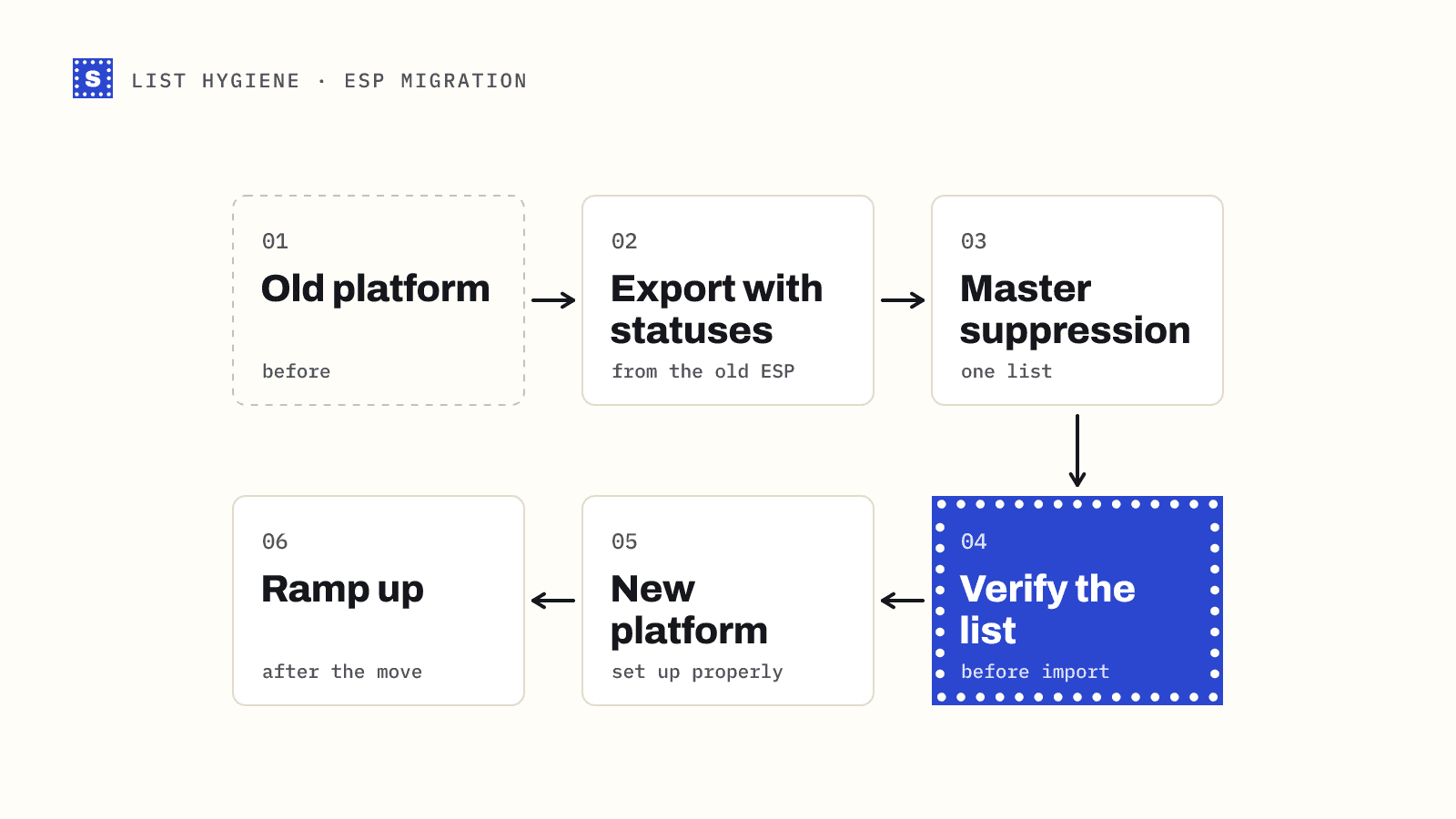
- You are switching email service providers. A new ESP has no history with you. Start clean. See migrating to a new ESP.
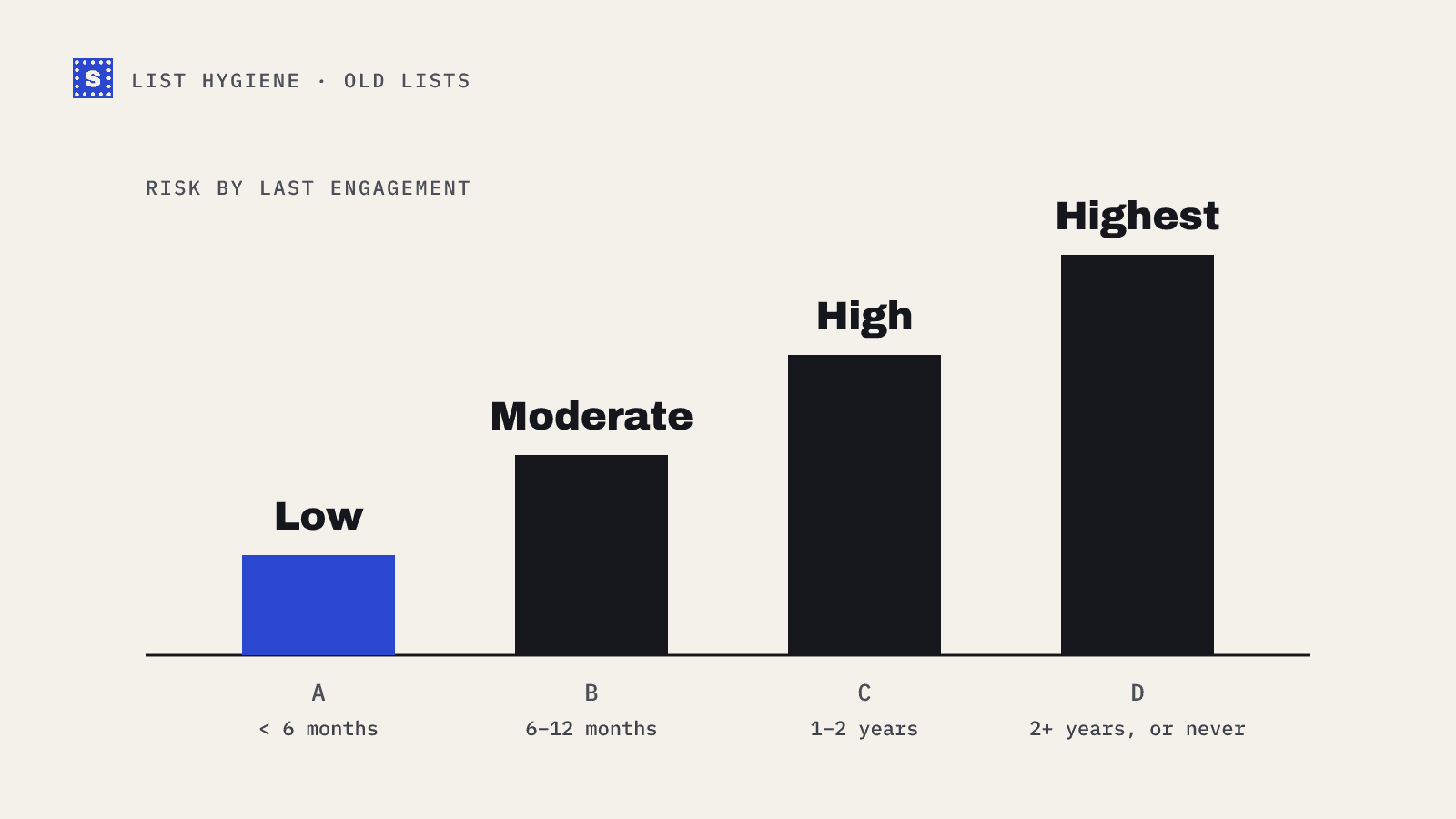
- You have not mailed a segment in a long time. Our guide on emailing an old list covers this case.
- Spam complaints or reputation dashboards move in the wrong direction. Bad data is not always the cause, but it is the easiest one to rule out.
When re-verifying is a waste
Cleaning too often costs money and does not help much. You can usually skip re-verification when:
- The contact engaged recently. A click or a reply last week proves the mailbox works better than any check.
- The address was verified a few days ago. Results on a fresh check will almost always match.
- You only mail confirmed opt-ins and you send often. Your ESP's own bounce handling is already doing most of the work.
A practical approach is to re-verify only contacts with no engagement since the last check. That shrinks the job a lot.
What "cleaning" means in each pass
A scheduled clean does not need to repeat the full first-time process. For routine passes:
- Export contacts that have not engaged since the last clean.
- Verify them with a bulk email verifier.
- Remove or suppress undeliverable and disposable results.
- Re-tag catch-all and no-response contacts so you can send to them carefully.
- Re-check no-response results after a few days; a server that was unavailable may answer later.
If you have never cleaned the list properly, start with the full seven-step list cleaning process first.
How to automate the "every import" part
The highest-value habit is checking addresses before they enter your system. You can do that two ways:
- At the form. Call an email verification API when someone signs up, so typos and dead addresses never get in.
- At the import. Make "verify the CSV" a step in your import checklist, the same way you map columns.
Both reduce how much you need to clean later, because the decay you are fighting is only the natural kind.
A simple starting rule
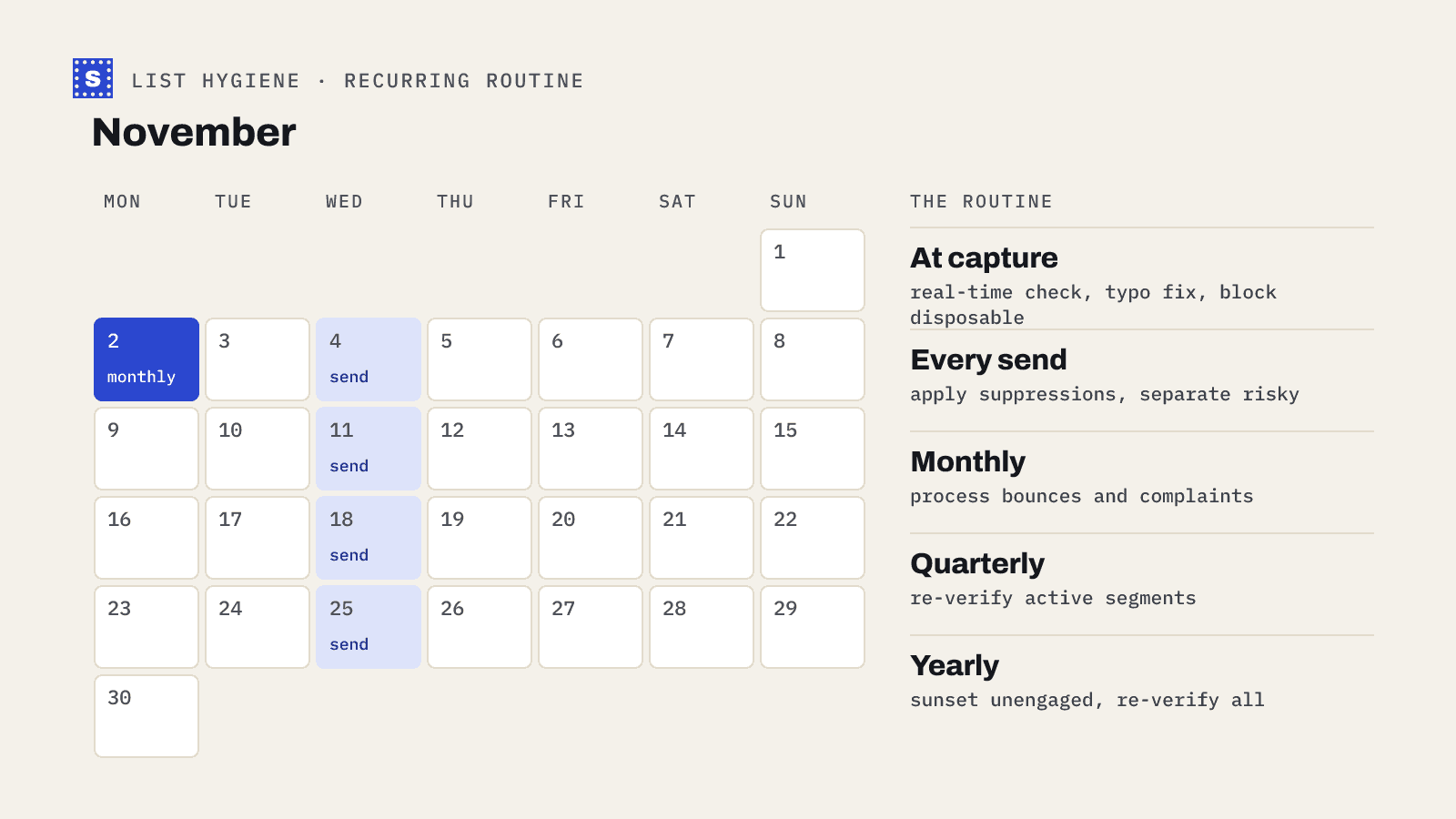
If you want a rule you can put in a calendar today: verify cold lists before every campaign, verify every import, and re-verify unengaged marketing contacts twice a year. Adjust from there based on what your bounce reports tell you. SimpleCold sells pay-as-you-go credits rather than a subscription, and they don't expire, so an irregular schedule like this does not leave you paying for months you did not clean; see pricing.