Cleaning a list once is a project. Keeping it clean is a habit. The teams with steady deliverability usually aren't doing anything clever. They've turned a handful of small checks into routine, so bad addresses never pile up to the point where one campaign tanks the domain.
This post is the routine. It's organised by when each task happens: at the point of capture, before every send, monthly, quarterly and yearly. If you need the one-time deep clean first, start with how to clean an email list and come back here.
Why hygiene has to be ongoing
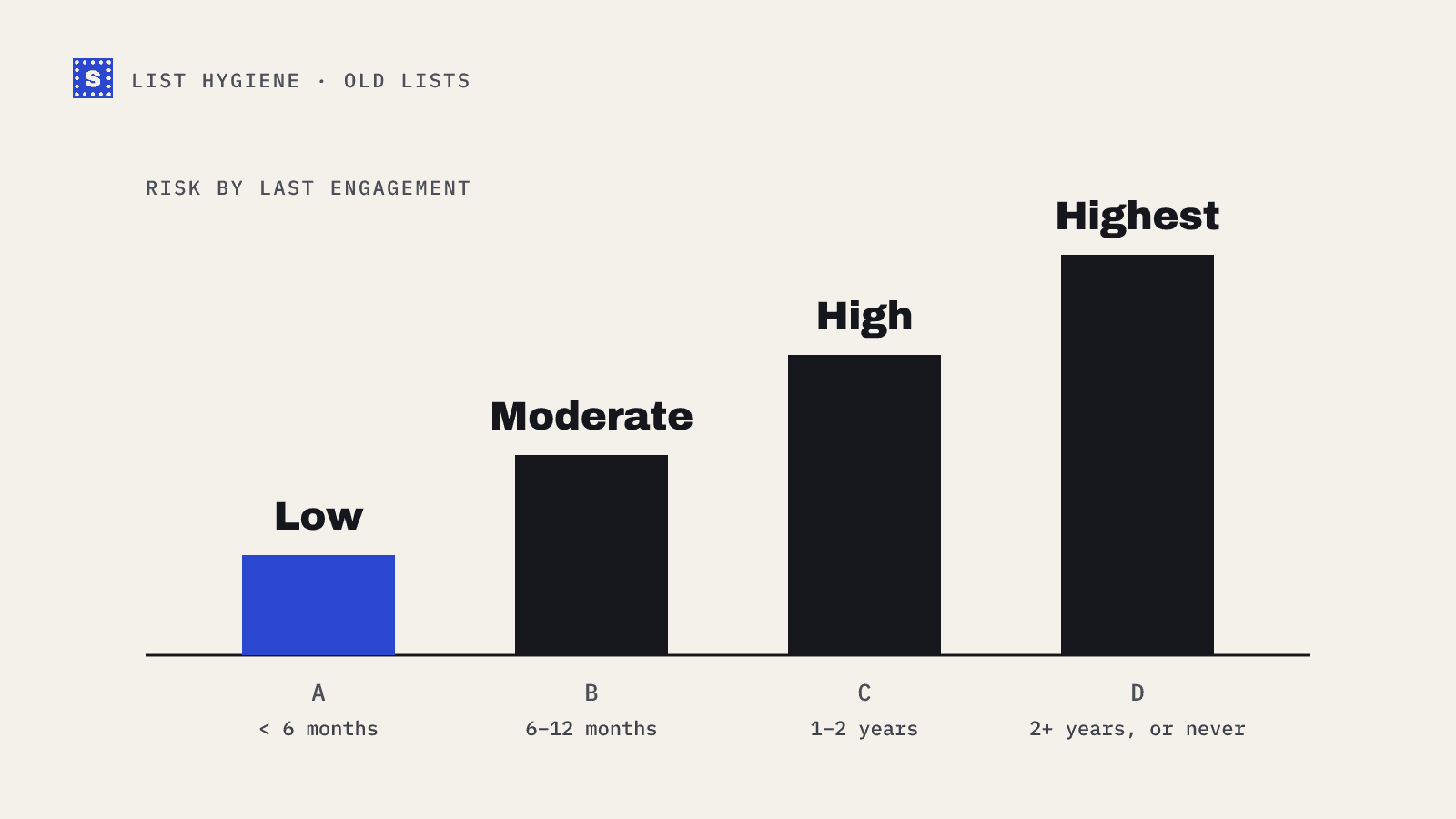
Lists decay on their own. People change jobs, abandon personal inboxes, and mistype addresses on forms. Companies change domains. Every month some of your addresses stop working without you touching anything.
At the same time, mailbox providers judge you by what happens when you send. Google and Yahoo's bulk sender requirements, in force since February 2024, ask senders to keep the spam complaint rate in Postmaster Tools below 0.3%. Bounces and sends to dead addresses aren't covered by a published threshold, but they feed the same reputation systems. A list that's allowed to rot shows up in all of these numbers.
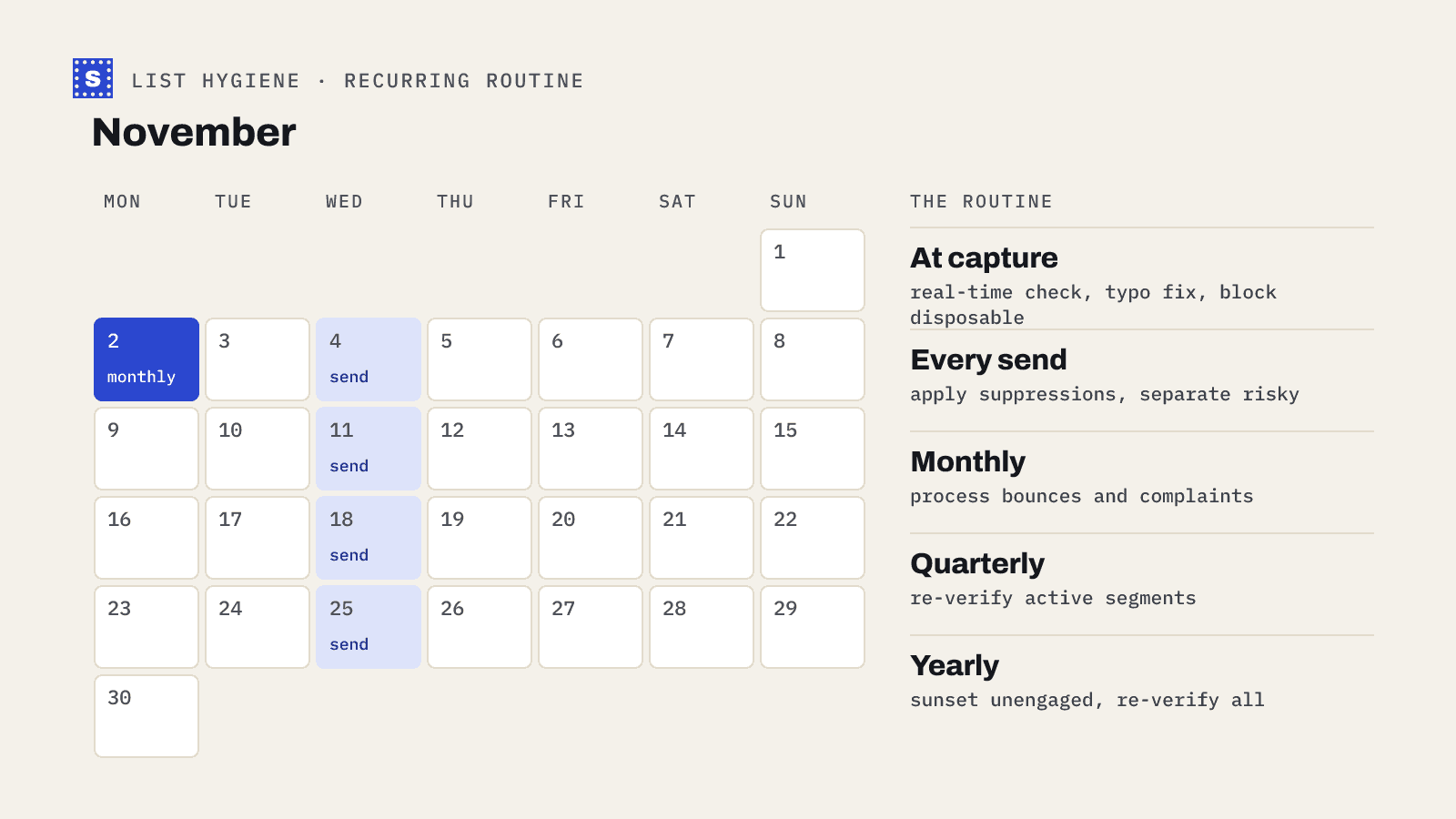
At the point of capture
Most bad data enters through forms and imports. Fixing it there is cheaper than fixing it later.
- Verify addresses in real time on sign-up forms. Check syntax, domain and mailbox while the person is still on the page, and offer a correction when the domain looks like a typo. See real-time vs bulk verification.
- Block disposable addresses where it matters. Free trials and gated content attract throwaway inboxes. The disposable email checker shows what this looks like.
- Use double opt-in for newsletters. A confirmation click proves the address works and that the person wanted to sign up.
- Verify every import. Event lists, partner lists, CRM exports and lead databases all go through verification before they reach your sending tool.
- Record the source and date on each contact. You'll need both for later decisions.
Before every send
A short pre-flight for each campaign.
- Exclude your suppression list. Hard bounces, unsubscribes and complaints, across every tool you send from.
- Check the segment's age. If it hasn't been verified in the last few months, verify it now.
- Separate risky addresses. Catch-all and unconfirmed addresses go in their own smaller batch, or wait.
- Look at the last send's bounces. If the previous campaign to this segment had a spike, find out why before sending again.
Monthly
- Process bounces. Make sure hard bounces are suppressed everywhere, not just in the tool that recorded them. Check soft bounces: an address that soft-bounces across several campaigns is probably dead.
- Review complaints. Look at which campaigns and segments generated spam complaints. Complaint spikes usually point to a stale segment or a source people didn't expect mail from.
- Check reputation dashboards. Gmail Postmaster Tools for domain reputation and spam rate; Microsoft SNDS if you send from your own IPs.
- Spot-check your DNS. SPF, DKIM and DMARC records sometimes break during unrelated DNS changes. Run them through the SPF, DKIM and DMARC checkers.
Quarterly
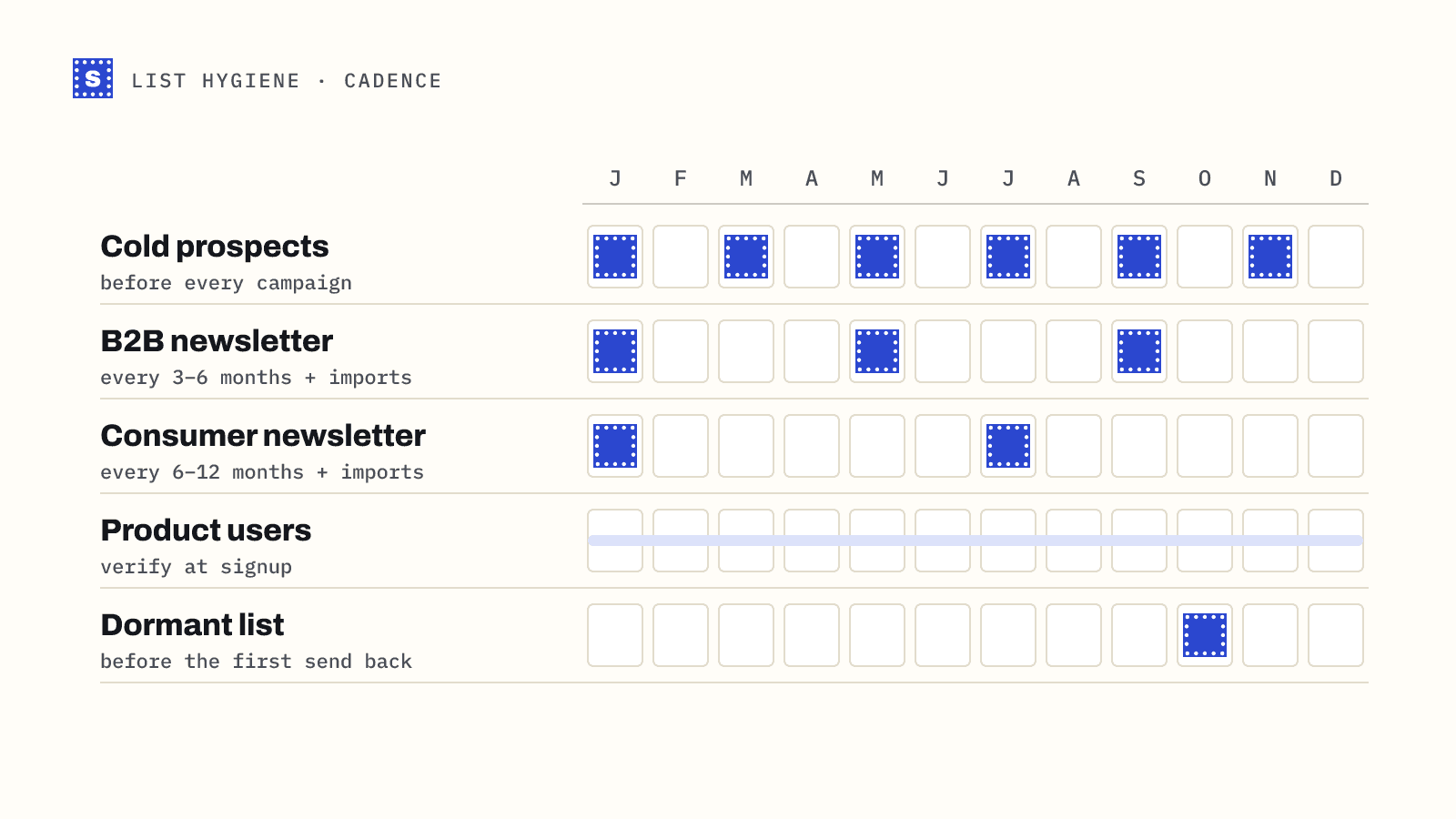
- Re-verify active segments that haven't been checked in three months, especially B2B lists, where job changes make addresses go stale.
- Run a re-engagement campaign for contacts who haven't opened or clicked in a long time. Give them a clear reason to stay and an easy way out.
- Audit your sources. Compare verification results and bounce rates by source. Cut or fix the sources that keep producing bad data.
- Check blocklists for your sending domains and IPs with the blacklist checker.
Yearly
- Sunset the unengaged. Contacts who didn't respond to re-engagement should be removed from regular sends. Keeping them adds cost and risk.
- Re-verify the whole database, including dormant contacts you might want to use again. See how to email an old list before you do.
- Review your retention policy. Under GDPR and similar laws, keeping personal data longer than you need it is a compliance issue as well as a hygiene one.
- Review your tools. Make sure suppression lists sync between your ESP, CRM and sequencer.
The checklist in one table
| When | Task |
|---|---|
| At capture | Real-time verification, typo correction, disposable blocking, double opt-in, verify imports |
| Every send | Apply suppressions, check segment age, separate risky addresses |
| Monthly | Process bounces and complaints, check Postmaster Tools, check DNS records |
| Quarterly | Re-verify active segments, re-engagement campaign, audit sources, blocklist check |
| Yearly | Sunset unengaged contacts, re-verify the full database, review retention and tool sync |
What to do with each verification result
| Result | Typical action |
|---|---|
| Deliverable | Keep sending |
| Risky: catch-all | Keep, send in smaller batches, watch bounces |
| Risky: role-based | Keep for existing customers; usually skip for cold outreach |
| Risky: disposable | Remove from marketing; review for sign-ups |
| Risky: no response | Re-check later before deciding |
| Undeliverable | Suppress |
Making it stick
The best hygiene routine is one that runs without anyone remembering it. Put the monthly and quarterly tasks on a shared calendar with an owner. Automate what you can: verification on forms through the API, and a standard verification step for every list import through the bulk verifier.
SimpleCold keeps all your original columns when you upload a CSV and adds the result and reason, so the cleaned file goes straight back into your ESP or CRM. The email list cleaning page explains the workflow.
Pick one task from each row of the table above and put it on the calendar this week. That's enough to start.