Sending a test email to find out whether an address works is slow and risky. If the address is dead, you've just added a bounce to your sender record. If it's alive, you've emailed a stranger with "test".
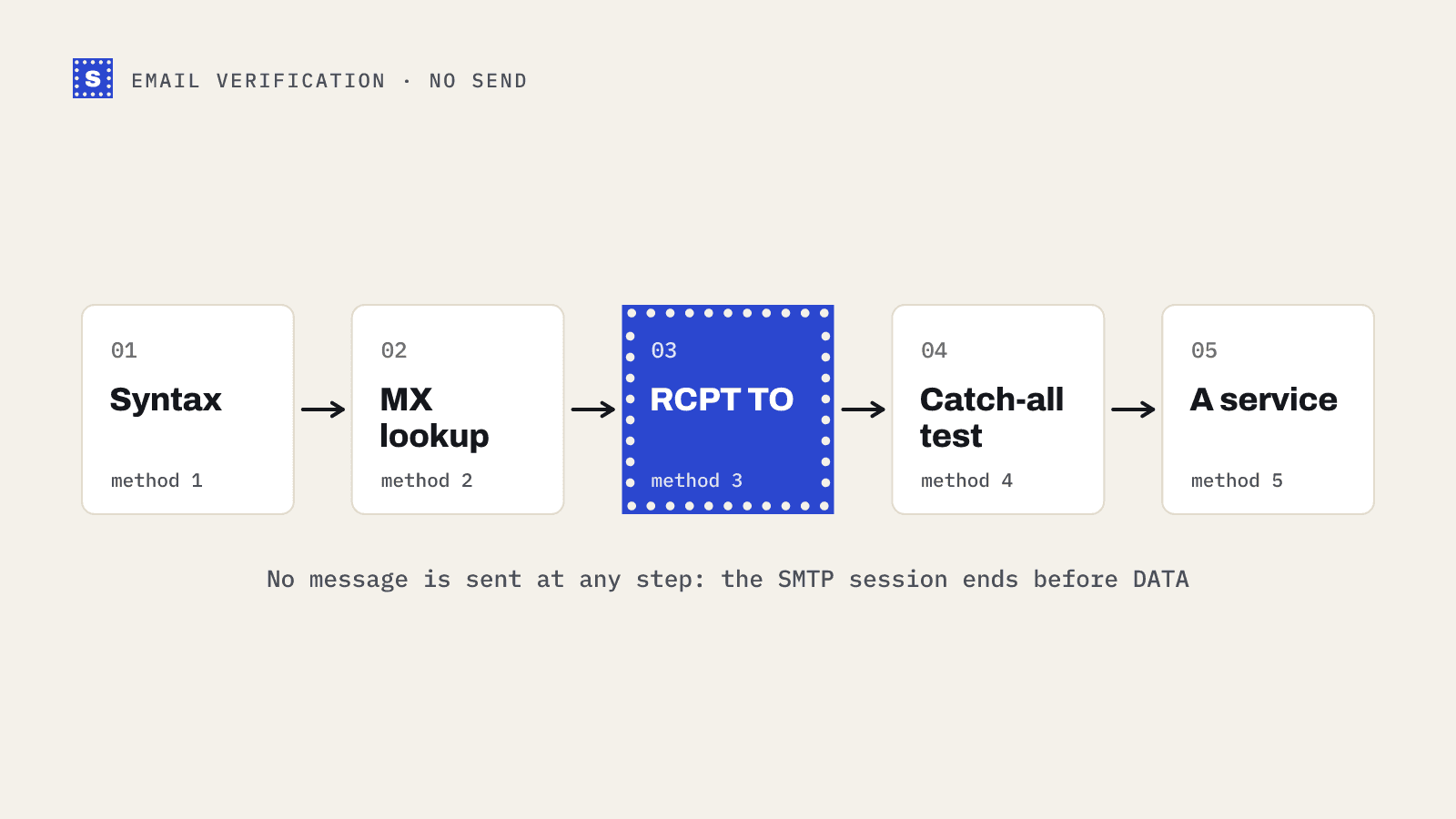
You can learn most of what you need without sending anything. Mail servers announce where they accept mail through DNS, and they answer questions about recipients during the SMTP conversation before any message body is transferred. Verification tools use exactly these steps.
Below are the methods in the order a verifier runs them, with commands you can try yourself. Each one tells you a little more, and each one has a point where it stops being reliable.
Method 1: check the syntax
Start with the format. An address has a local part, an @, and a domain. The local part can be up to 64 octets and the whole address should stay under 254 characters in practice.
You don't need a perfect RFC 5322 regex for this. A pragmatic check catches the common junk:
const looksLikeEmail = (s) => /^[^\s@]+@[^\s@]+\.[^\s@]+$/.test(s);
This rejects jane.example.com, jane@ and jane @acme.com. It tells you nothing about whether the mailbox exists. The email syntax checker runs a stricter version if you want to test edge cases.
Method 2: look up the MX records
A domain that receives mail publishes MX records saying which servers handle it. No MX record, and no fallback A record, usually means no mail.
On macOS or Linux:
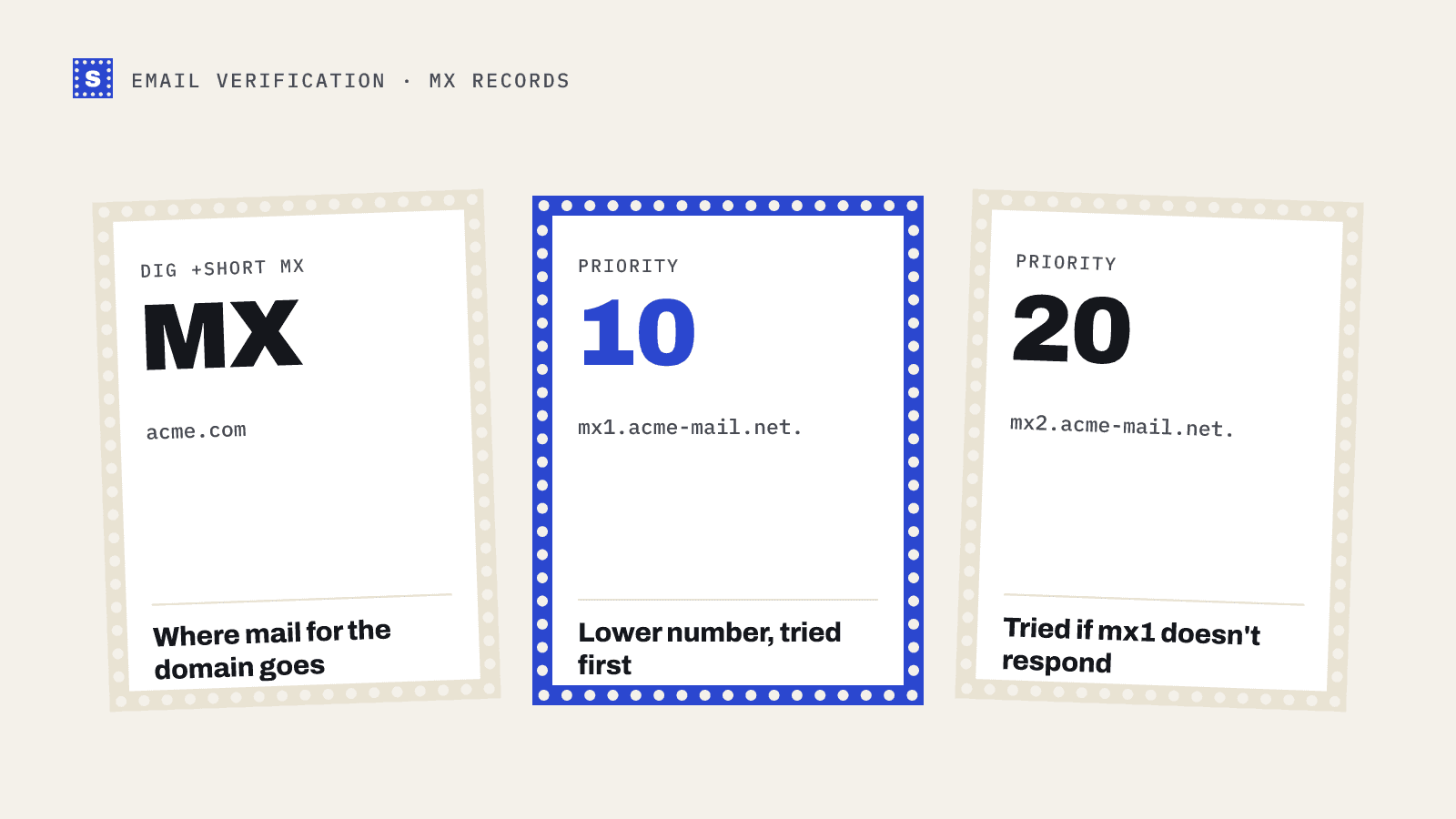
dig +short MX acme.com
On Windows:
nslookup -type=mx acme.com
A healthy result looks like this:
10 mx1.acme-mail.net.
20 mx2.acme-mail.net.
The number is the priority. Lower numbers are tried first.
Watch for two special cases. A domain with no MX record may still accept mail on its A record, since SMTP allows that fallback. And a domain can publish a null MX (a single record pointing to ., defined in RFC 7505) to say plainly that it accepts no mail at all. Either way, the MX lookup tool does this check in the browser, and what is an MX record explains the details.
Method 3: ask the mail server with RCPT TO
This is the step that checks the mailbox itself. You open an SMTP connection to the domain's MX server and start a message, but stop before sending any content.
telnet mx1.acme-mail.net 25
Then, line by line:
HELO mydomain.com
MAIL FROM:<[email protected]>
RCPT TO:<[email protected]>
QUIT
The server's reply to RCPT TO is what you're after:
250 OKmeans the server accepted that recipient.550 5.1.1 User unknownmeans it doesn't exist.- A
4xxreply means try later. It might be greylisting or rate limiting.
Since you never send DATA, no message is delivered.
You may also have heard of the VRFY command, which was designed to ask "does this user exist?" directly. Most servers disable it because spammers abused it, so it's not a practical option.
Method 4: test whether the domain is catch-all
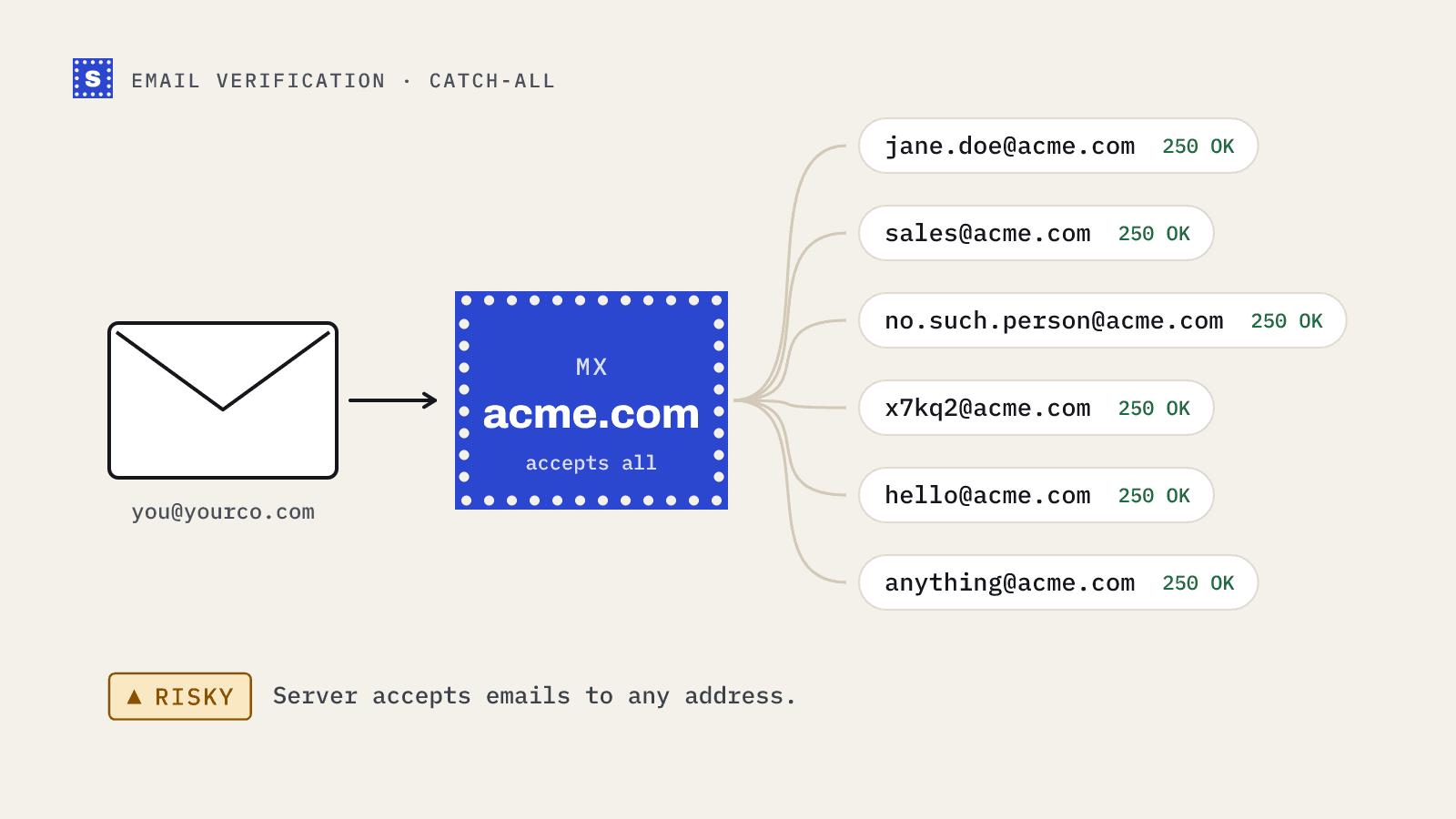
A 250 OK from Method 3 only means something if the server would say no to a fake address. Some domains are configured as catch-all, which means the server accepts every recipient at the SMTP stage.
To find out, repeat the RCPT TO test with an address that can't possibly exist:
RCPT TO:<[email protected]>
If that gets 250 OK as well, the domain is catch-all, and the earlier "yes" for Jane is meaningless. You know the domain accepts mail. You don't know whether Jane has a mailbox there.
Verification tools label these addresses risky, or accept-all, for this reason. There's a full explanation in what a catch-all domain means for your list.
Method 5: use a verification service
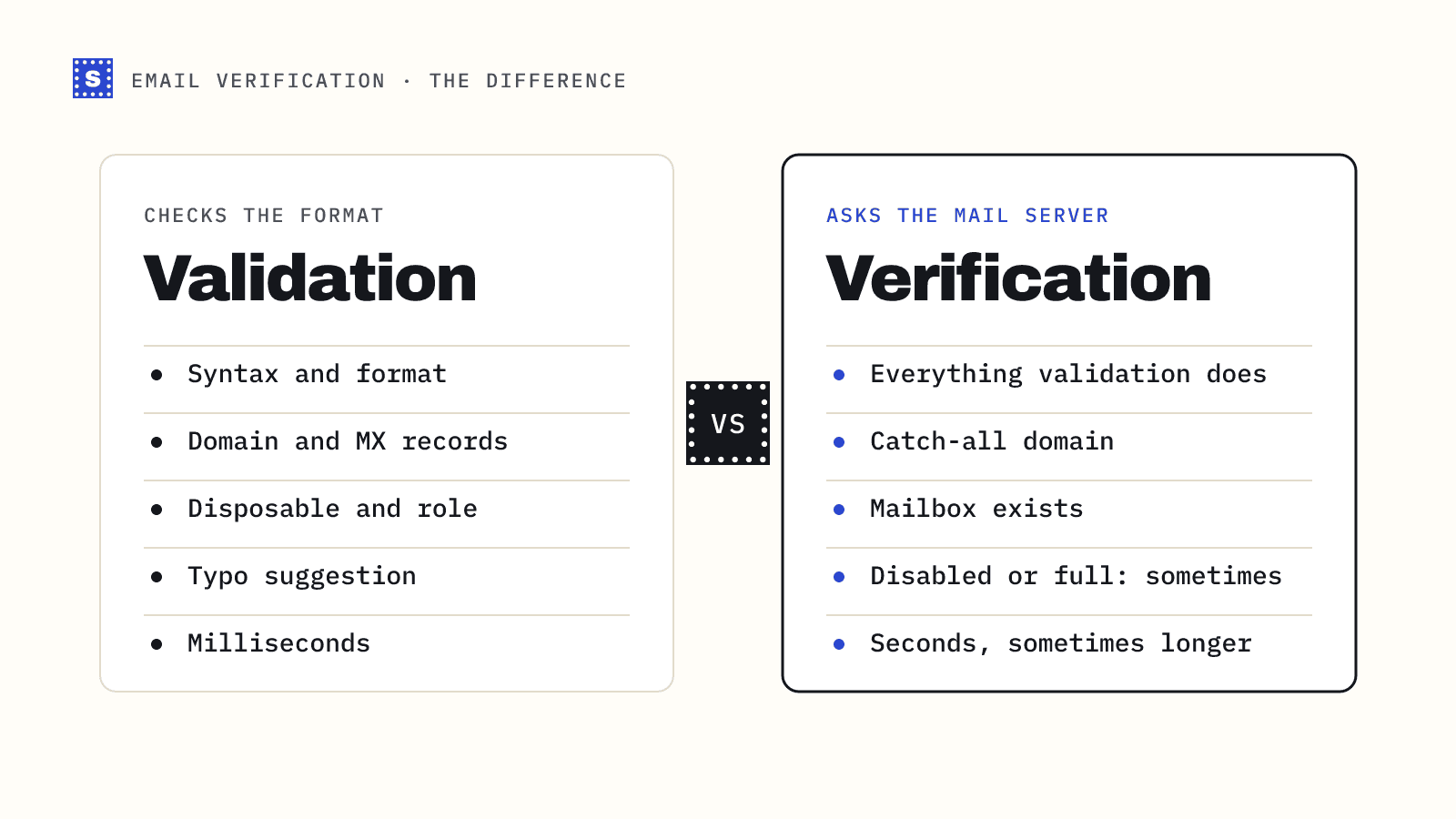
Everything above, done properly and at scale, is what an email verification service does. The advantages over doing it yourself:
- It sends probes from IPs with established reputations, so servers answer honestly.
- It handles greylisting and slow servers by retrying, instead of reporting failure.
- It runs the checks you can't do by hand, such as disposable-domain and role-address detection and typo suggestions.
- It caches domain-level facts, such as catch-all status, so the same domain isn't probed again and again.
For a single address, the free email checker runs the full set of checks and returns a result with a reason. For a list, upload a CSV to the bulk email verifier.
What each method can and can't tell you
| Method | Tells you | Doesn't tell you |
|---|---|---|
| Syntax check | The address is well formed | Whether the domain or mailbox exists |
| MX lookup | The domain is set up to receive mail | Whether the mailbox exists |
| RCPT TO | The server accepts that recipient | Anything, if the domain is catch-all |
| Catch-all probe | Whether a 250 reply is meaningful | Which addresses on a catch-all domain are real |
| Verification service | All of the above, plus disposable, role and typo checks | Mailbox existence on catch-all domains, or when a server refuses to answer |
Methods to avoid
Some advice online suggests the "forgot password" flow on Gmail or other providers to see whether an account exists. Don't. It's against most providers' terms, it doesn't scale, and it tells you about an account, not about whether mail will be delivered.
Searching the address on Google or LinkedIn can confirm a person is real, but not that the mailbox works today. People change jobs and their old work address dies with the role.
Why a check can still come back unknown
Sometimes the server doesn't give a clear answer. It times out, keeps returning temporary errors, or has an anti-spam gateway that accepts everything at the door and decides later. In these cases an honest verifier says it couldn't confirm the address rather than guessing.
SimpleCold returns these as Risky with the reason that the mail server wouldn't confirm the address. For very slow servers, the API gives a processing status after about 12 seconds. The final answer is usually ready within a minute or two, and collecting it within 30 minutes doesn't cost another credit. That's covered in how SimpleCold handles slow mail servers.
The short version
Check syntax, look up MX, ask the server with RCPT TO, and probe for catch-all. That sequence tells you whether an address can receive mail without sending a single message. Try it once by hand on your own domain to see the replies. Then paste an address into the email checker and compare what a full verification adds.