People use "email validation" and "email verification" as if they were the same thing. Vendors do it too, sometimes on the same page. The difference is worth knowing, because it decides what a check can and cannot tell you about an address.
Here is the short version. Validation checks whether an address could exist: is it written correctly, and does the domain accept mail at all? Verification goes one step further and asks whether this particular mailbox exists right now. Validation happens on your side. Verification needs a conversation with the receiving mail server.
What email validation covers
Validation is everything you can decide without asking the recipient's mail server about the mailbox. It usually includes:
- Syntax. One
@, a local part and a domain, no spaces, no illegal characters, sensible length (the local part can be at most 64 characters, and the full address is practically limited to 254). - Domain checks. Does the domain exist in DNS? Does it publish MX records saying where its mail goes? A domain with no mail setup, or one that publishes a "null MX" record (RFC 7505) to say it never accepts mail, cannot receive your email.
- Known-bad patterns. Disposable email domains, obvious typos like
gmial.com, and role-based local parts likeinfo@ornoreply@.
All of this is fast and cheap. A regex and a DNS lookup can run in milliseconds, which is why validation is the right first gate on a signup form.
What email verification adds
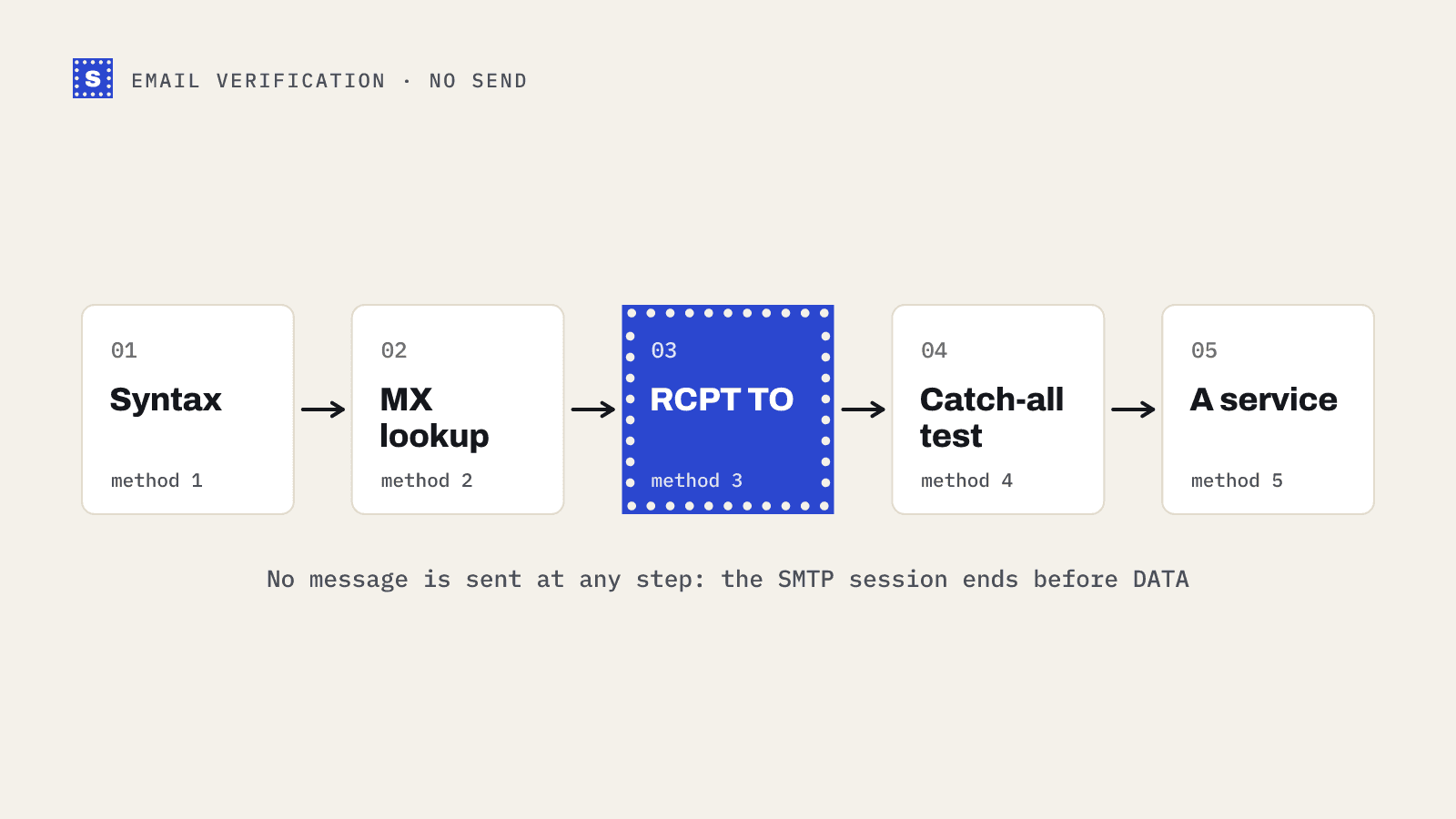
Verification uses SMTP, the protocol mail servers use to talk to each other. A verifier connects to the domain's mail server and starts the same conversation a real sender would, up to the point where it names the recipient. The server's answer to that RCPT TO command says whether it will accept mail for that mailbox. Then the verifier hangs up without sending anything.
That step can tell you things validation never can:
- The mailbox does not exist, even though the domain is fine (
[email protected]left the company). - The account is disabled or over quota.
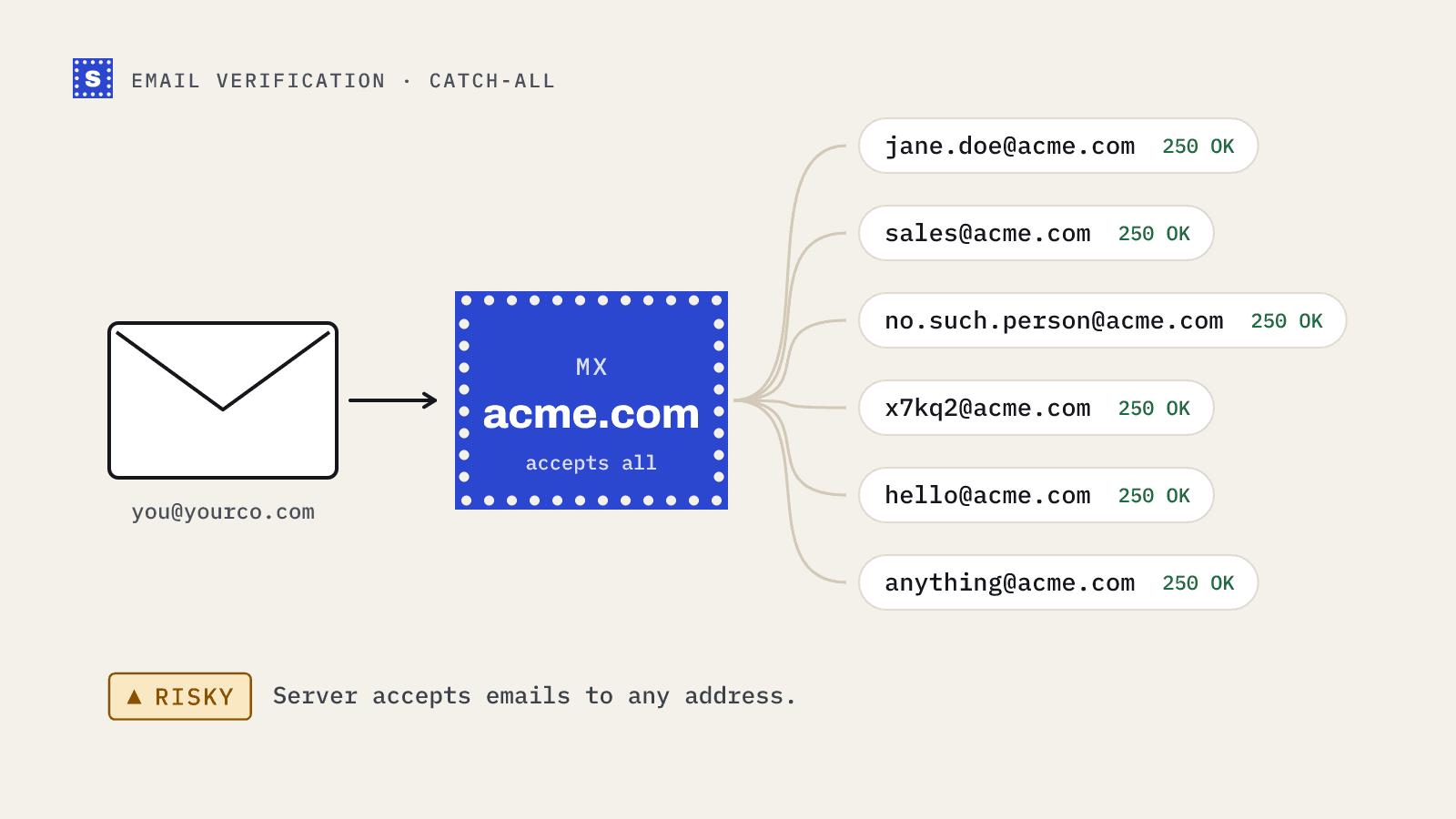
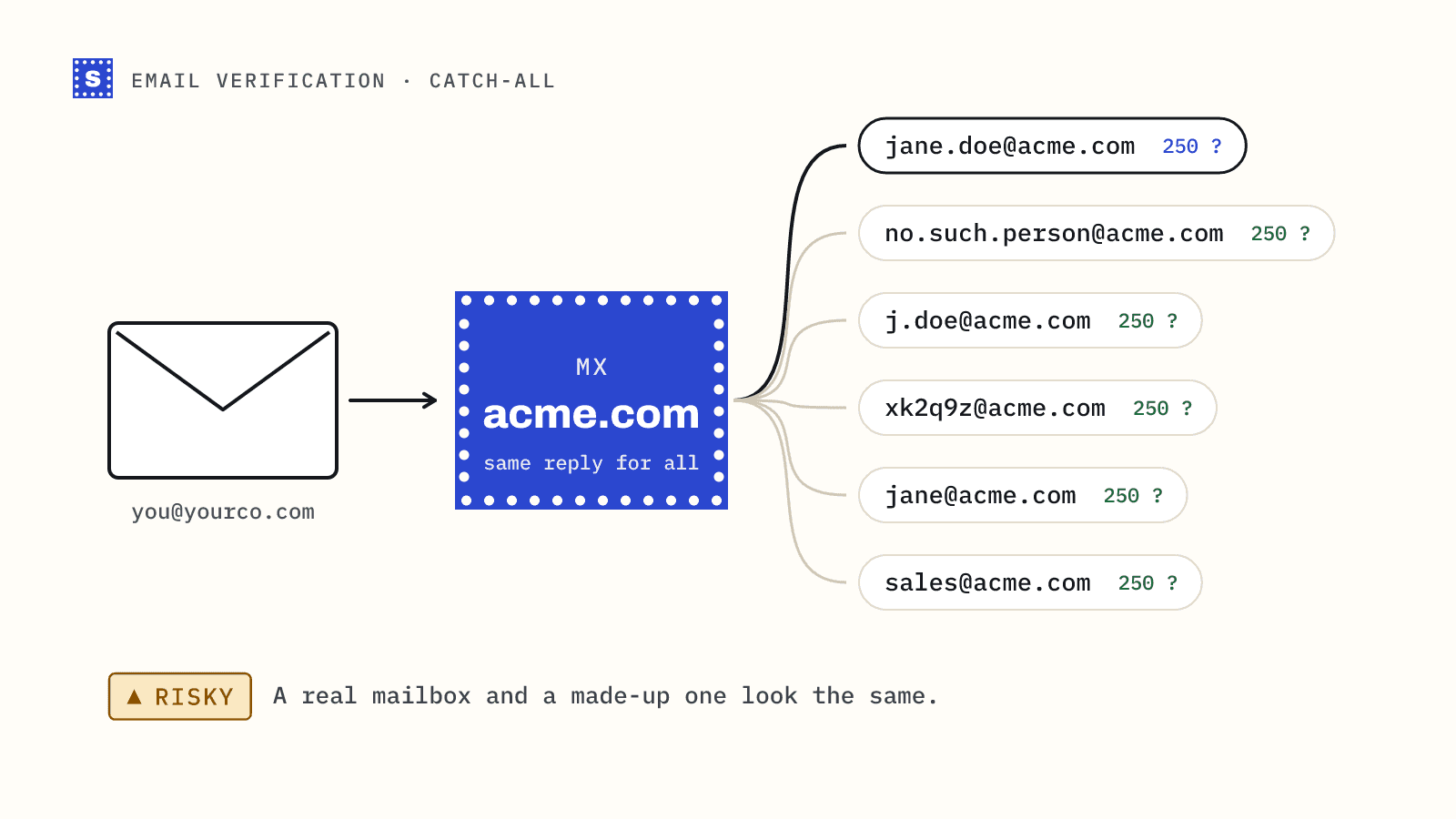
- The domain accepts every address, which means the mailbox cannot be confirmed either way (a catch-all domain).
- The server refuses to answer, or blocks the check with anti-spam protection.
If you want the protocol detail, our post on SMTP email verification walks through the handshake.
The comparison table
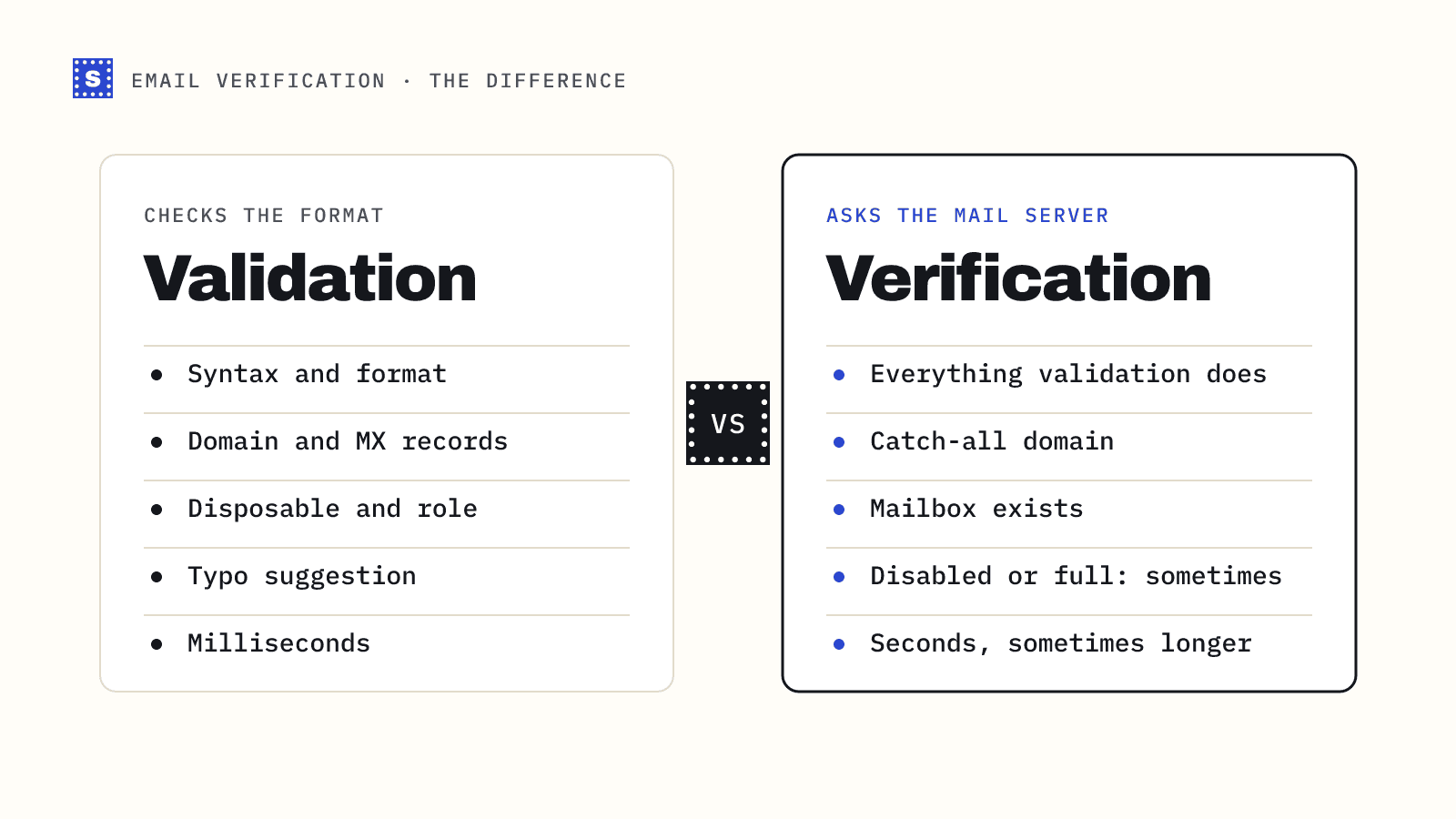
| Check | Validation | Verification |
|---|---|---|
| Syntax and format | Yes | Yes (first step) |
| Domain exists | Yes | Yes |
| MX records present | Yes | Yes |
| Disposable domain | Yes | Yes |
| Role-based address | Yes | Yes |
| Typo suggestion | Yes | Yes |
| Catch-all domain | No | Yes (needs a probe with a fake address) |
| Mailbox exists | No | Yes |
| Mailbox disabled or full | No | Sometimes |
| Speed | Milliseconds | Seconds, sometimes longer on slow servers |
In other words, verification includes validation. A verifier that skips the cheap checks first would waste time connecting to mail servers for addresses that were never going to work.
Why the difference matters
For signup forms
Validation alone stops typos and obvious junk at the form. That is useful, and it is free. But it lets through well-formed addresses for mailboxes that do not exist, which means your welcome email bounces and the user never activates. Adding a verification call on submit catches those. The trade-off is a few seconds of latency on some domains, which you can hide by checking when the field loses focus. Our real-time verification page covers that setup.
For lists you send to
Validation on an existing list mostly catches data-entry errors and dead domains. Most bounces on aged B2B lists come from mailboxes that were closed when someone left a company, and the domain is still perfectly healthy. Only mailbox-level verification finds those.
For reading vendor claims
When a tool says "validate your list," check what it actually does. Some free tools only check syntax and MX records. That will catch some problems, but it will mark [email protected] as fine.
Where verification runs out
Verification is not a guarantee of delivery or engagement. It cannot:
- Confirm a mailbox on a catch-all domain. The server says yes to everything.
- See past some secure email gateways that accept every address at the edge and decide later.
- Tell you whether the person reads that inbox, or wants your email.
- Fix authentication or reputation problems on your side.
A good verifier is honest about these limits. Results for catch-all and unconfirmable addresses should come back as risky with a reason, not as "valid." That is how SimpleCold reports them: each result carries a category (Deliverable, Risky or Undeliverable) and a plain-language reason, so you can see which kind of uncertainty you are dealing with. An address the server won't confirm is Risky with the status no_response, not a separate Unknown.
Which one do you need?
Most teams need both, in this order: validation first because it is free and instant, verification second for anything that passed. If you are building a form, start with client-side syntax checks and add a server-side call to an email verification API. If you are cleaning a list, upload it to a bulk verifier that does both in one pass.
To see the difference on a real address, try a few in the free email checker. A syntax-only check and a full verification will disagree more often than you might expect.