Every signup form needs some email validation regex, and almost every team has argued about which one. The honest answer is that the "correct" pattern is less important than people think. A regex can only tell you whether a string is shaped like an email address. It can't tell you whether anyone reads that inbox.
This post gives you a pragmatic pattern, shows it in a few languages, explains why the famous RFC-compliant monsters are a trap, and lists the test cases worth running against whatever you choose.
What a regex can and can't check
The format of an address is defined loosely by RFC 5321 (the SMTP protocol) and RFC 5322 (the message format). In practice, an address is a local part, an @, and a domain. A regex can reasonably check:
- there is exactly one
@separating two non-empty parts - the local part uses characters real providers allow
- the domain has at least one dot and labels made of letters, digits and hyphens
- no obvious junk like spaces, commas or consecutive dots
It can't check that the domain exists, that it has a mail server, that the mailbox exists, or that the user didn't type gmial.com. Those need DNS lookups and, for the mailbox, a conversation with the mail server.
A pragmatic email validation regex
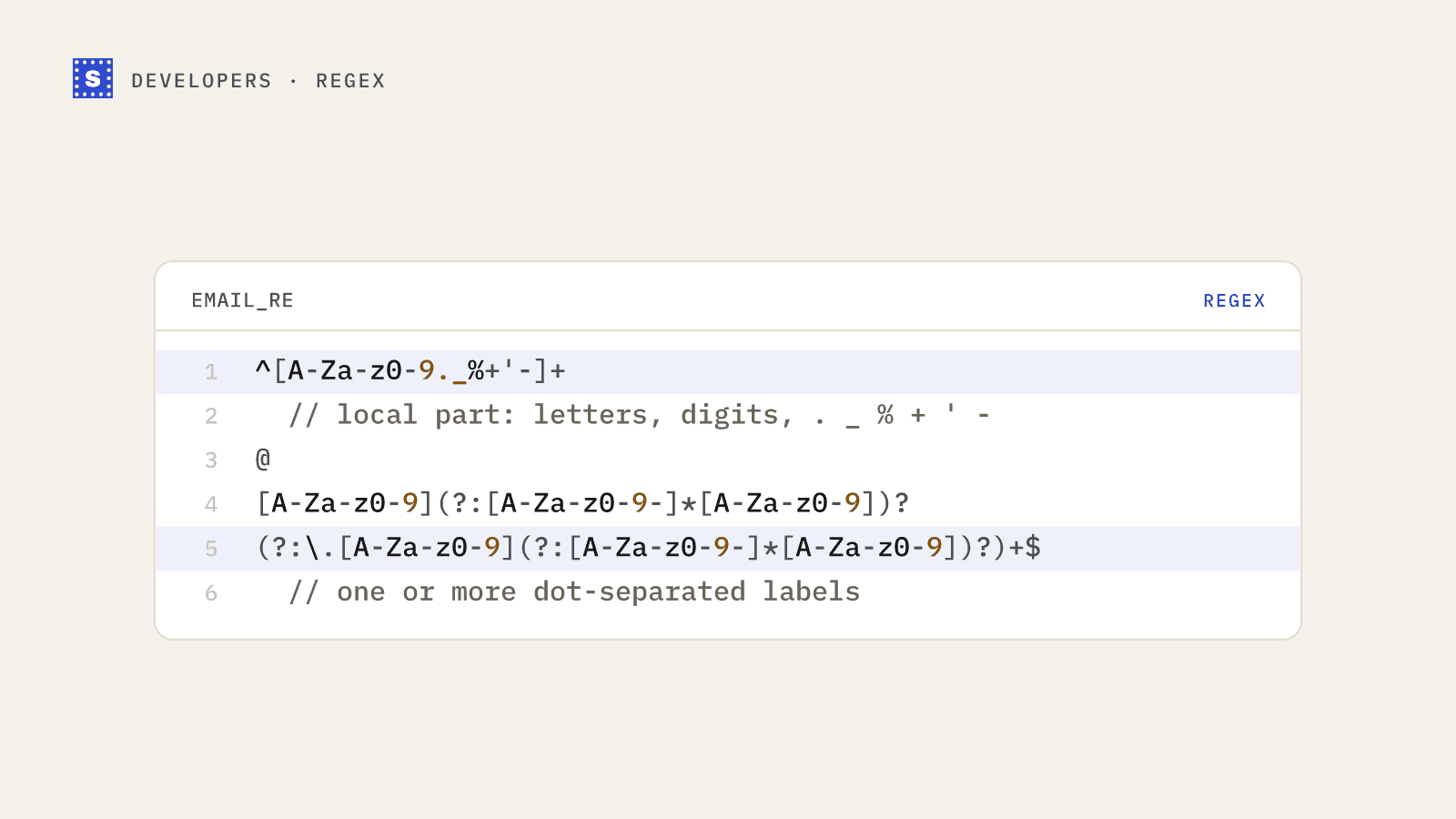
This is the pattern we'd suggest for most forms:
^[A-Za-z0-9._%+'-]+@[A-Za-z0-9](?:[A-Za-z0-9-]*[A-Za-z0-9])?(?:\.[A-Za-z0-9](?:[A-Za-z0-9-]*[A-Za-z0-9])?)+$
Reading it left to right:
| Piece | What it allows |
|---|---|
[A-Za-z0-9._%+'-]+ | The local part: letters, digits, dot, underscore, percent, plus, apostrophe, hyphen |
@ | Exactly one at sign |
[A-Za-z0-9](?:[A-Za-z0-9-]*[A-Za-z0-9])? | A domain label that doesn't start or end with a hyphen |
(?:\.label)+ | One or more further labels, so localhost alone fails |
It accepts o'[email protected] and [email protected], which plenty of stricter patterns wrongly reject. It rejects spaces, missing domains and labels that start with a hyphen.
Pair it with two cheap checks the regex doesn't do well:
- Reject consecutive dots and a leading or trailing dot in the local part.
- Enforce lengths: at most 64 characters before the
@, and 254 for the whole address.
JavaScript
const EMAIL_RE =
  /^[A-Za-z0-9._%+'-]+@[A-Za-z0-9](?:[A-Za-z0-9-]*[A-Za-z0-9])?(?:\.[A-Za-z0-9](?:[A-Za-z0-9-]*[A-Za-z0-9])?)+$/;

export function looksLikeEmail(input) {
  const email = input.trim();
  if (email.length > 254) return false;
  const [local] = email.split("@");
  if (!local || local.length > 64) return false;
  if (local.startsWith(".") || local.endsWith(".") || local.includes("..")) return false;
  return EMAIL_RE.test(email);
}
Python
import re

EMAIL_RE = re.compile(
    r"^[A-Za-z0-9._%+'-]+@[A-Za-z0-9](?:[A-Za-z0-9-]*[A-Za-z0-9])?"
    r"(?:\.[A-Za-z0-9](?:[A-Za-z0-9-]*[A-Za-z0-9])?)+$"
)

def looks_like_email(value: str) -> bool:
    email = value.strip()
    if len(email) > 254:
        return False
    local = email.split("@", 1)[0]
    if not local or len(local) > 64:
        return False
    if local.startswith(".") or local.endswith(".") or ".." in local:
        return False
    return EMAIL_RE.fullmatch(email) is not None
PHP
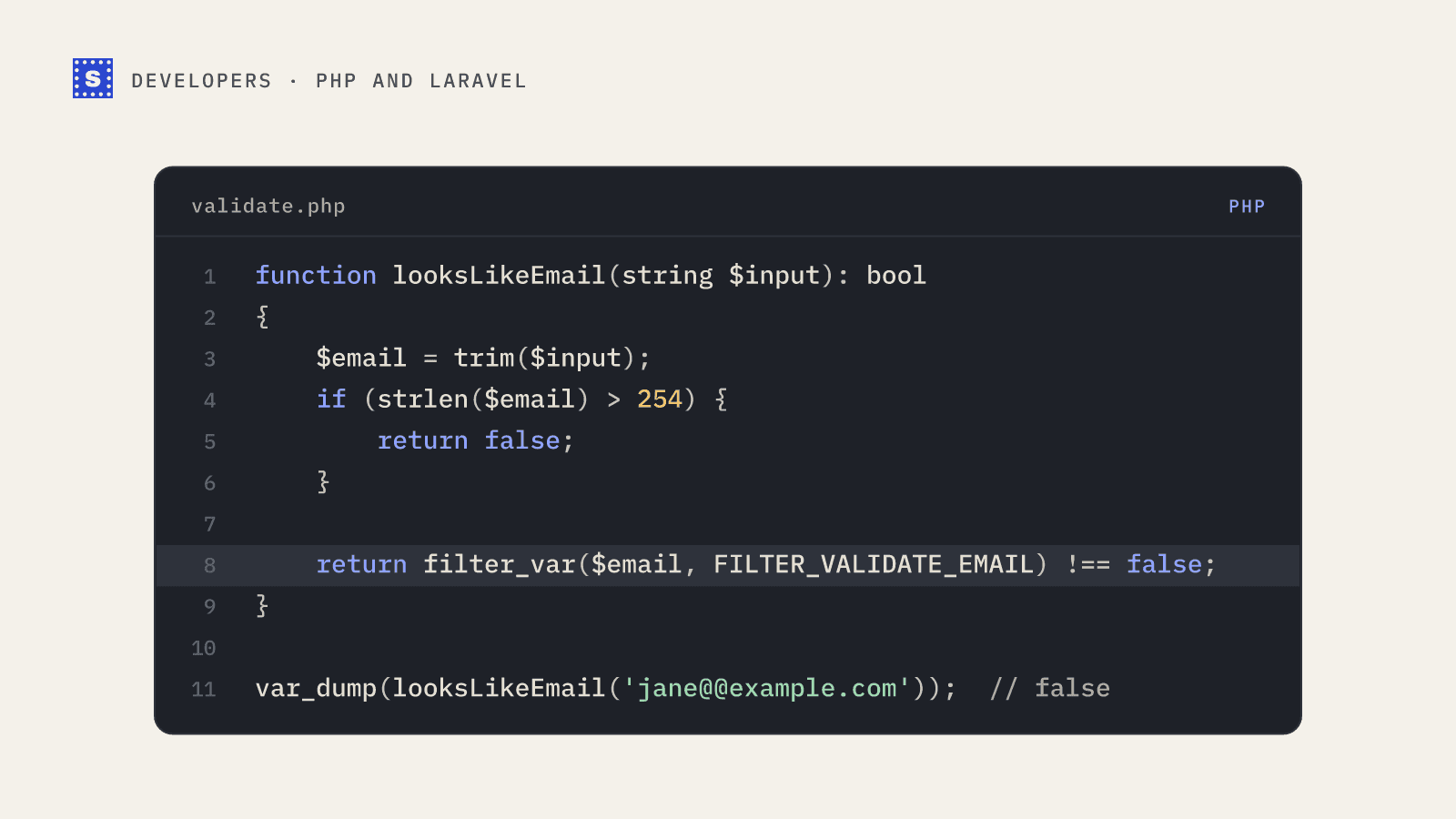
PHP ships filter_var($email, FILTER_VALIDATE_EMAIL), which is a reasonable default and usually better than a hand-rolled pattern. We cover it in email validation in PHP.
Why the RFC-perfect regex is a trap
You'll find patterns online that run to several thousand characters and claim full RFC 5322 compliance. They accept addresses like these, which are technically valid:
"john doe"@example.com
admin@[192.168.0.1]
user@localhost
Quoted local parts with spaces, IP-literal domains and dotless hostnames are legal in the spec and almost never used by real people signing up for software. Accepting them buys you nothing and opens you to strings your downstream systems (CRMs, ESPs, CSV exports) may choke on.
Those huge patterns are also hard to review, slow on long malicious input, and easy to break when someone "fixes" them later. Catastrophic backtracking in a regex used on a public form is a real denial-of-service risk.
The goal is a pattern that accepts what real mail providers hand out and rejects obvious garbage. Being slightly more permissive than strictly necessary is fine, because the next layer of checks will catch what regex misses.
Mistakes we see often
Rejecting plus signs. Gmail and many other providers support +tag addressing. Rejecting [email protected] frustrates exactly the users who manage their inbox carefully.
Limiting the TLD to two to four letters. Patterns like \.[a-z]{2,4}$ reject .photography, .consulting and plenty of other live TLDs.
Rejecting apostrophes. Irish and French surnames regularly produce local parts like o'neill.
Forgetting to trim. Copy-paste brings trailing spaces and non-breaking spaces. Trim before testing, and normalize the domain to lowercase.
Being case-sensitive. Patterns written as [a-z] without a case-insensitive flag reject [email protected], which is a perfectly normal way for someone to type their address. Add the i flag or lowercase the input first.
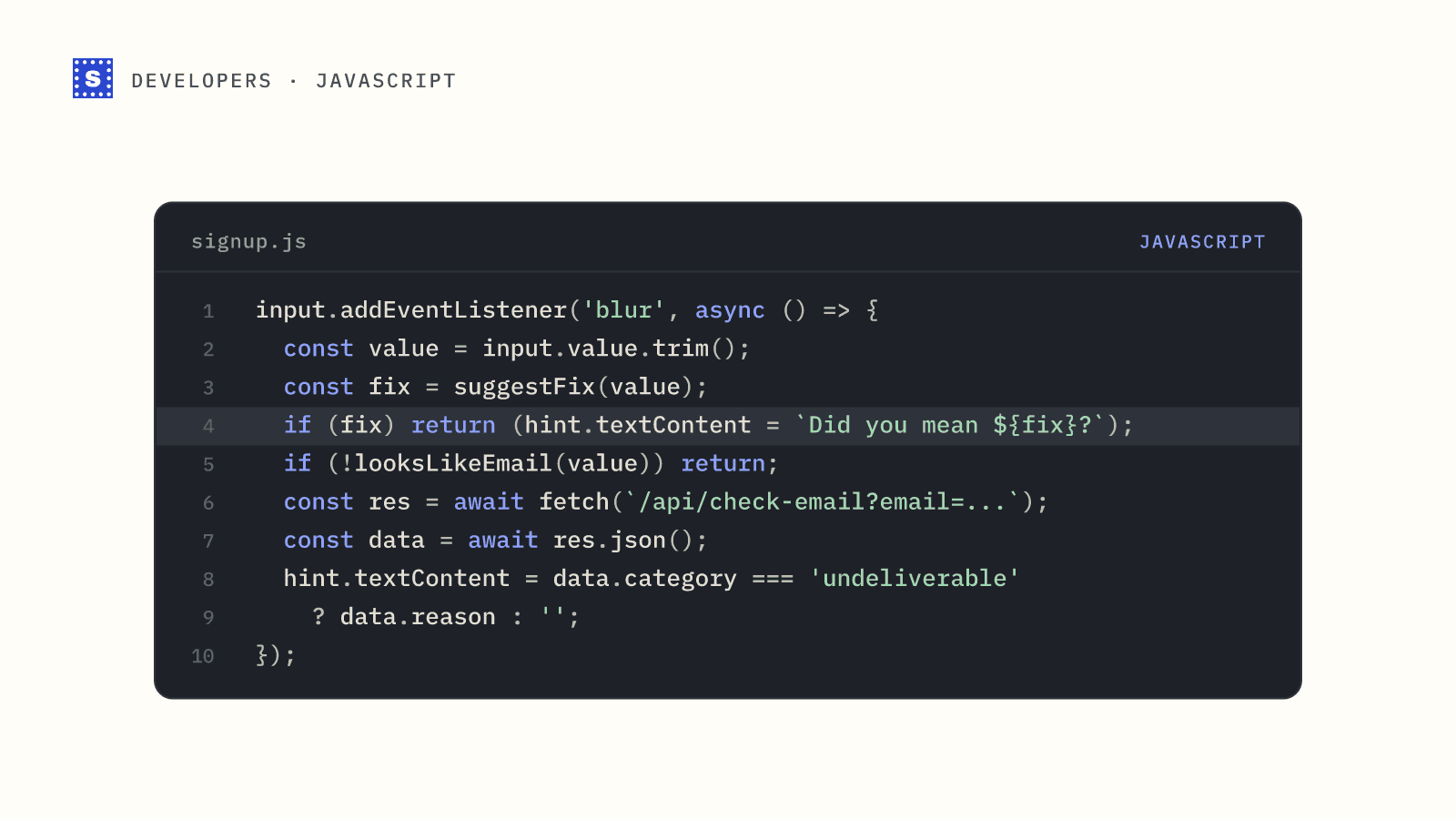
Validating on every keystroke. Showing "invalid email" while someone is halfway through typing is annoying. Validate on blur or on submit.
Test cases to run
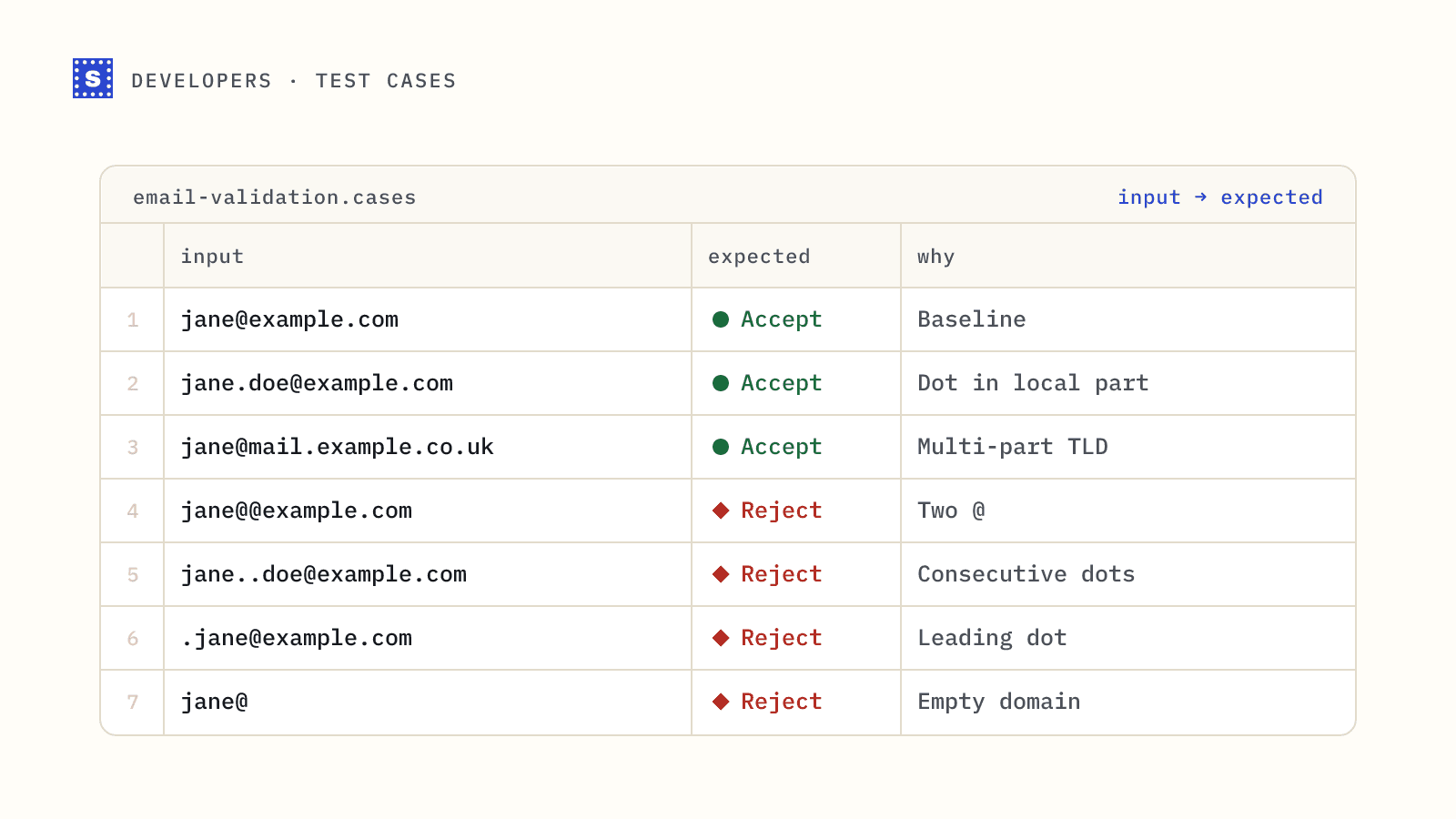
Whatever pattern you pick, keep a small table of cases in your test suite:
| Input | Expected |
|---|---|
[email protected] | valid |
[email protected] | valid |
o'[email protected] | valid |
[email protected] | valid |
[email protected] | valid |
jane@@example.com | invalid |
[email protected] | invalid |
[email protected] | invalid |
jane@example | invalid |
[email protected] | invalid |
jane @example.com | invalid |
[email protected] | invalid |
We keep a much longer list in email address validation test cases, including unicode and internationalized domains.
What to do after the regex passes
For most products the sequence looks like this:
- Regex in the browser for instant feedback on obvious mistakes.
- Typo check for common domain misspellings, ideally with a "did you mean" suggestion. See the most common email typos.
- Server-side verification that checks DNS, the MX records, disposable and role-based lists, and the mailbox itself.
The third step is where a verification API earns its keep. With the SimpleCold email verification API, a single GET request returns a category (deliverable, risky or undeliverable), a status code, a reason, and a suggestion field when the domain looks misspelled. A server that won't confirm the mailbox comes back risky with the status no_response, and a slow one returns processing until the answer is in. Our guide to verifying emails at signup with Node.js shows the whole flow, including what to do if the mail server is slow to answer.
The API runs its own format check before anything else and answers HTTP 400 when an address fails it, so your regex doesn't have to be the last line of defence. Its job is to save a round trip on obvious garbage and give the user instant feedback. If your pattern is looser than the server's check, the worst case is one extra request that comes back with a format error.
Keep the regex simple, test it against real-world addresses, and let the later checks do the work regex was never able to do.