Sooner or later every list you verify comes back with a chunk of addresses marked catch-all, accept-all or "risky". They look fine. The domain is real, the mail server answers, nothing bounced during the check. Yet no verifier will call them deliverable. Here's why, and what to do with them instead of guessing.
The short answer
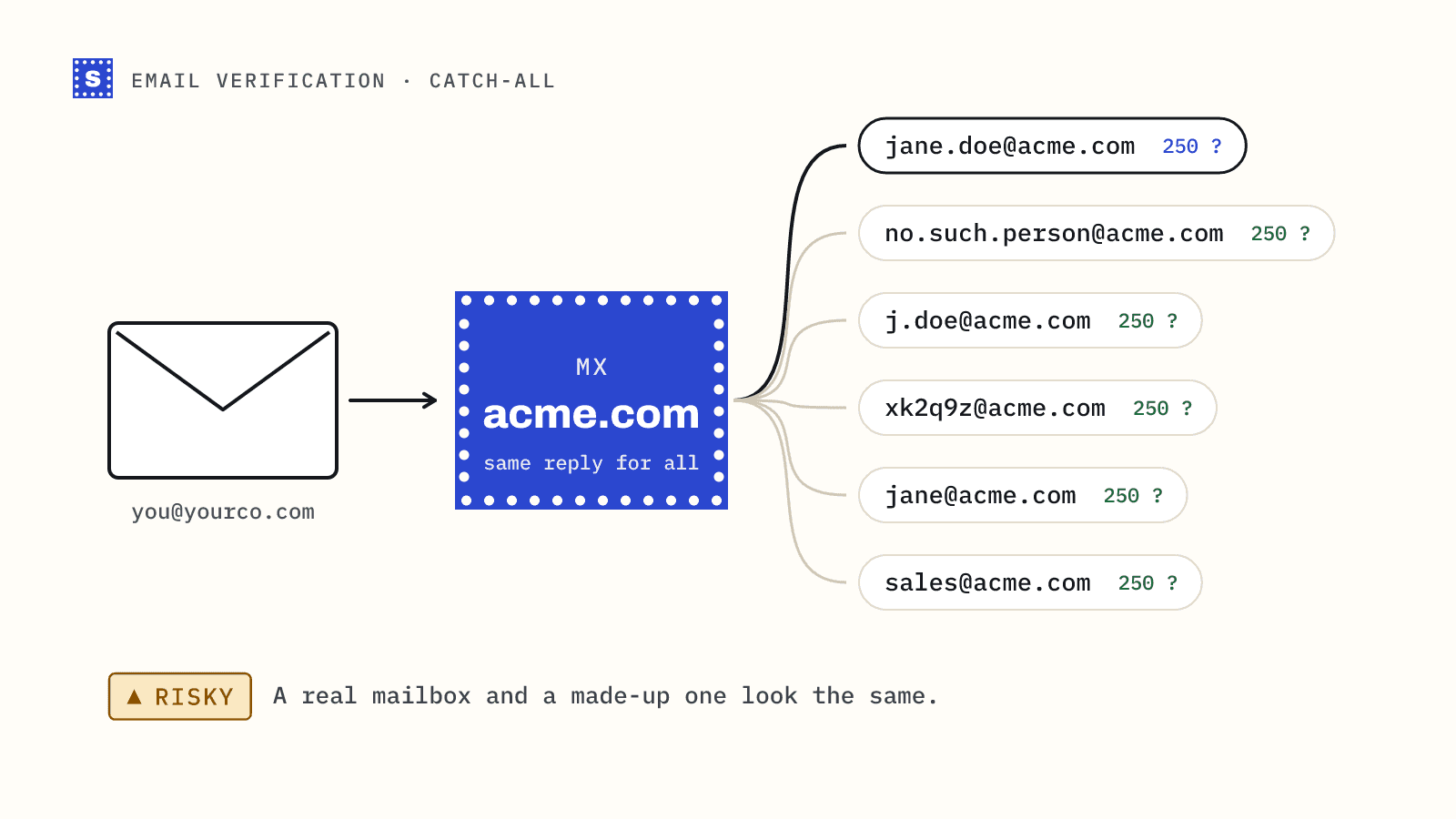
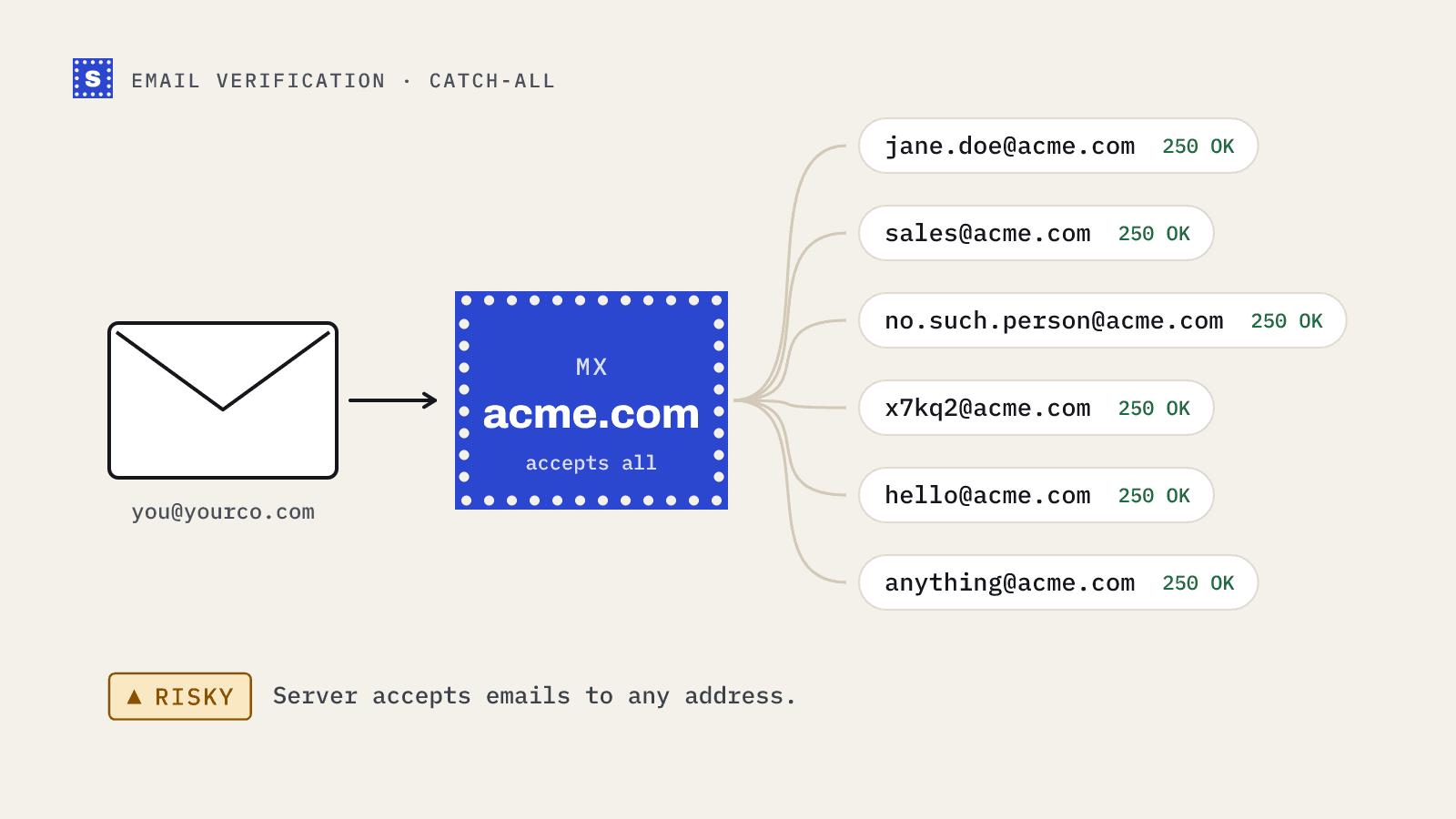
A catch-all domain accepts mail for every address, real or not. Send to [email protected], [email protected] or [email protected] and the server says yes to all three during the SMTP conversation. Because the server answers the same way for addresses that exist and addresses that don't, nobody can confirm from the outside whether a specific mailbox is real.
That's the whole problem in one sentence. Everything else is about what to do with that uncertainty.
What a catch-all email address actually is
Strictly, a catch-all is a mail server setting. When it's on, the server accepts messages for any address at the domain. What happens to the message next depends on how it's configured:
- It may go to a shared inbox someone checks.
- It may be routed to the right person by a rule.
- It may be silently discarded.
- It may be accepted and then bounced later, once the server works out the mailbox doesn't exist.
Companies set this up for different reasons: so misspelled addresses still reach someone, to keep mail for departed staff, or because their email security gateway accepts everything first and filters afterwards. That last case is common in B2B. Some security gateways answer "accepted" for all recipients to avoid revealing which addresses exist, which makes the domain look catch-all to any outside check.
You'll see the same thing called accept-all, catch-all domain or catch-all address. They mean the same thing. See the catch-all domain glossary entry.
How verifiers detect it
Verification normally works by connecting to the domain's mail server and asking, in effect, "would you accept mail for this address?" without sending anything. A real mailbox gets a yes. A missing one gets a rejection like 550 5.1.1 User unknown.
To spot a catch-all, the verifier also asks about an address that cannot exist, a long random string at the same domain. If the server says yes to that too, it accepts everything, and the yes for your real contact means nothing.
| Probe | Normal domain | Catch-all domain |
|---|---|---|
Real mailbox (jane@) | Accepted | Accepted |
Missing mailbox (old.employee@) | Rejected | Accepted |
| Random address that can't exist | Rejected | Accepted |
SimpleCold runs this probe once per domain and reuses the answer for every address at that domain, which keeps checks fast and avoids hammering the server.
Why we say Risky
Calling these addresses Deliverable would be a guess. Guesses turn into bounces.
Some catch-all addresses are perfectly real. Others belong to people who left two years ago, and the server will bounce the message after accepting it, or quietly drop it. From the outside there's no reliable way to tell which is which. Vendors that claim to "resolve" catch-alls generally rely on extra signals, like whether the address has appeared elsewhere or how similar addresses behaved, and those signals are inferences, not confirmations.
So SimpleCold marks them Risky, with the reason "The domain accepts mail for any address, so this mailbox can't be confirmed", and lets you decide. You get an honest label instead of a confident one that might be wrong.
What to do with catch-all contacts
Separate them
Never mix catch-all contacts into the same campaign as confirmed deliverables. Put them in their own segment so you can control volume and see their bounce rate on its own.
Prioritise the ones with evidence
A catch-all address is more likely to be real if:
- The person has replied, clicked or bought from you before.
- You found the exact address published somewhere recent.
- It matches the company's confirmed address pattern.
- It came through your own form, typed by the person.
Send to these first. Generated guesses with no other evidence go last.
Send in small batches
Send catch-all segments in small batches, from mailboxes with healthy history, and watch bounces after each one. If the first batch bounces at several percent, stop and reconsider the rest. If it comes in clean, widen gradually.
Keep bounce feedback flowing
Every bounce from a catch-all domain is information. Suppress the address, and if a whole domain bounces repeatedly, pause it entirely. Over time you'll learn which catch-all domains in your market are reliable and which aren't.
Treat them differently by use case
| Situation | Suggested approach |
|---|---|
| Newsletter subscriber who signed up themselves | Send normally; they typed it |
| Customer or past buyer | Send normally; you have history |
| Cold prospect, address published | Throttled segment |
| Cold prospect, address guessed | Throttled segment, last priority, or skip |
| Very new sending domain | Hold catch-alls until the domain has history |
For cold email in particular, we go deeper in should you send to catch-all emails.
How many catch-alls is normal?
It depends heavily on who you're emailing. Lists of consumers on large free mail providers contain few, because those providers don't run catch-all domains. B2B lists contain many more, and the share rises with the number of larger companies and security-gateway-protected domains in the list. If a big part of your B2B list comes back catch-all, that's normal, not a sign that something broke.
Check a domain before you build a list
If you're prospecting into a set of companies, check their domains first with the free catch-all checker. Knowing up front that a target account accepts everything changes how much you should trust guessed addresses there. For whole lists, the bulk email verifier flags catch-alls alongside every other result, and the catch-all detection page explains what we check and what we don't claim.