You verify a list of 2,000 leads and a chunk of it comes back as catch-all. The verifier can't say whether those mailboxes exist. Your sequence goes out tomorrow. Do you include them or not?
There is no single right answer, which is why so many cold email teams either blindly include catch-all addresses or blindly drop them. Both are expensive. One burns your domains, the other throws away a share of the list that is often made up of real people at real companies.
This post gives you a way to decide, segment by segment.
A quick refresher on catch-all
A catch-all domain (also called accept-all) is configured to accept mail for any address at the SMTP stage. Ask the server about [email protected] and it says yes. Ask about [email protected] and it also says yes.
Verifiers detect this by probing with an address that can't exist. If the server accepts it, the domain is marked catch-all and every address on it is reported as risky. The mailbox check, which is the most useful part of verification, can't tell you anything on these domains.
Some of those messages are delivered normally. Others are accepted at the door and then bounced later by the server, or silently discarded. You won't know which until you send. For the background, read what a catch-all domain means for your list.
Should I send to catch-all emails? Four questions to ask
1. How much bounce budget do you have left?
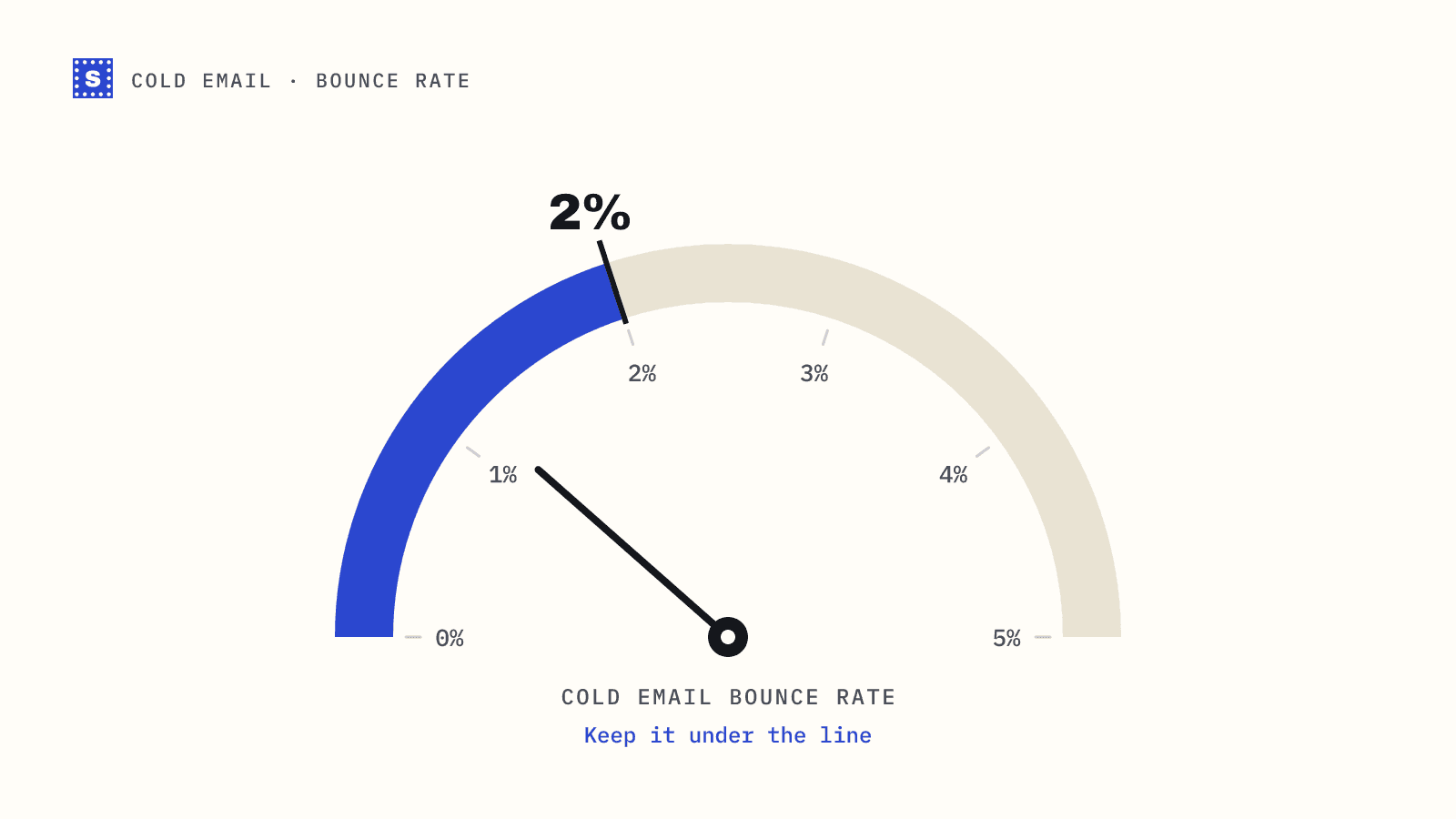
The industry rule of thumb for cold email is to keep hard bounces under about 2% per campaign. That's a convention, not a published mailbox-provider threshold, but it's a sensible target. Google and Yahoo publish spam-rate limits (below 0.3%) and not bounce limits.
If the deliverable part of your list is clean, you have room. If your domains are young or recently had a bad week, you don't. Catch-all addresses spend bounce budget unpredictably, so decide based on how much of that budget you can afford to lose.
2. How good was the source?
Catch-all status tells you about the domain, not the person. What tells you about the person is where the address came from.
| Source | Risk level for catch-all addresses |
|---|---|
| Person gave you the address (form, event, reply) | Low |
| Found on the company website or in a signature | Low to medium |
| Lead database with a recent verification date | Medium |
| Pattern-guessed (first.last@) | High |
| Scraped, old, or of unknown origin | High |
A pattern-guessed address on a catch-all domain is the worst combination. Nothing has confirmed the person or the format, and the server won't tell you either.
3. How valuable is each contact?
If you're targeting 40 named accounts for an enterprise deal, a catch-all address for the VP you need is worth the risk. If you're sending a broad sequence to 5,000 small businesses, each individual catch-all address is worth very little and the aggregate risk is high.
4. Can you find a confirmed address instead?
Sometimes the person has a second address you can verify, or the company uses a mail host where other addresses on the domain return clear answers. A few minutes of research on high-value catch-all contacts often turns risky into confirmed or into a clear skip.
A decision table you can use
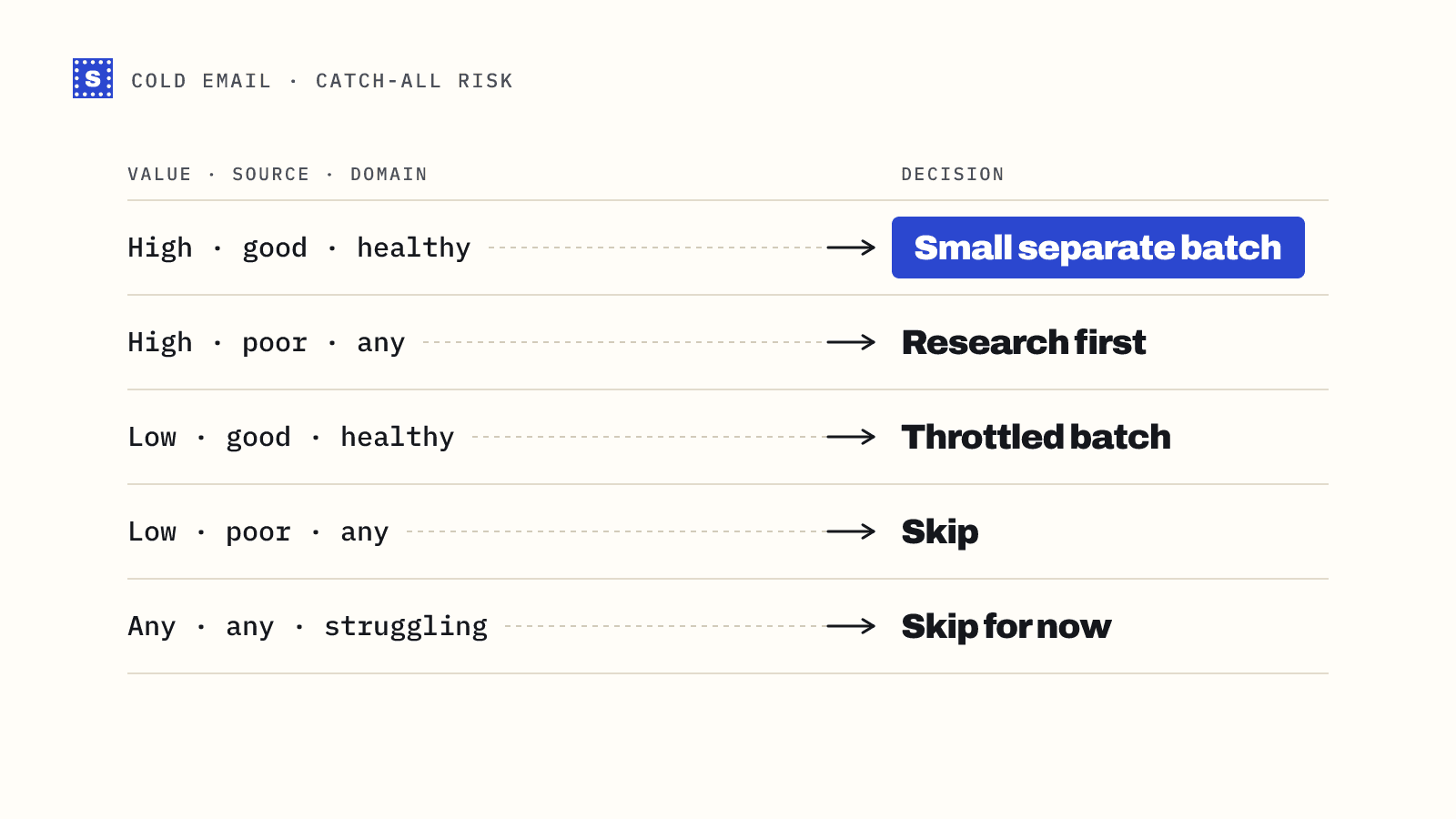
Combine the answers into a simple rule set.
| Contact value | Source quality | Domain health | Decision |
|---|---|---|---|
| High | Good | Healthy | Send, in a small separate batch |
| High | Poor | Any | Research first, then decide |
| Low | Good | Healthy | Send in a throttled batch, watch bounces |
| Low | Poor | Any | Skip |
| Any | Any | Struggling or new domain | Skip until reputation recovers |
How to send to catch-all addresses safely
If you decide to include them, change how you send to them as well.
Separate them. Put catch-all addresses in their own campaign or segment. If they bounce, you see it clearly and the damage is limited to one sending pool.
Send a small first batch. Start with a slice, say a couple of hundred addresses, and wait a day for bounce notices to come back. Late bounces from catch-all domains often arrive hours after the send.
Measure by domain. If one catch-all domain returns several bounces, suppress the rest of that domain. Bounces cluster by company, because a company either uses the address pattern you guessed or it doesn't.
Use your strongest mailboxes carefully. Don't put your best-warmed inboxes on the riskiest segment. Some teams use a separate domain for catch-all sends to keep the main sending reputation insulated.
Stop on a spike. Set a stop rule before you start. If the batch bounce rate goes over your limit, pause the segment and look at which domains caused it.
What not to do
- Don't treat catch-all as deliverable. Some tools fold accept-all into "valid" to make results look cleaner. That turns a known unknown into a hidden risk.
- Don't treat catch-all as invalid either. Many large companies run catch-all or gateway setups. Dropping them all can remove a meaningful part of an enterprise list.
- Don't keep re-verifying hoping for a different answer. If the domain accepts everything, another probe gives the same answer.
- Don't mix catch-all addresses into a fresh domain's first sends. New domains need clean early signals.
How SimpleCold reports catch-all
SimpleCold probes each domain once with an address that can't exist. If the server accepts it, every address on that domain comes back Risky with the reason "The domain accepts mail for any address, so this mailbox can't be confirmed." The result also includes the domain and mail server details, so you can group by company before deciding. You can test a single domain in the catch-all checker, or upload a whole file to the bulk email verifier and filter on the Reason code column (accept_all).
For more context on handling catch-all results in cold campaigns, see catch-all detection and the cold email page.
Next time a list comes back with catch-all addresses, split them out before you import anything, score them by source and contact value, and send the keepers as their own small batch. It takes ten extra minutes and keeps the risk where you can see it.