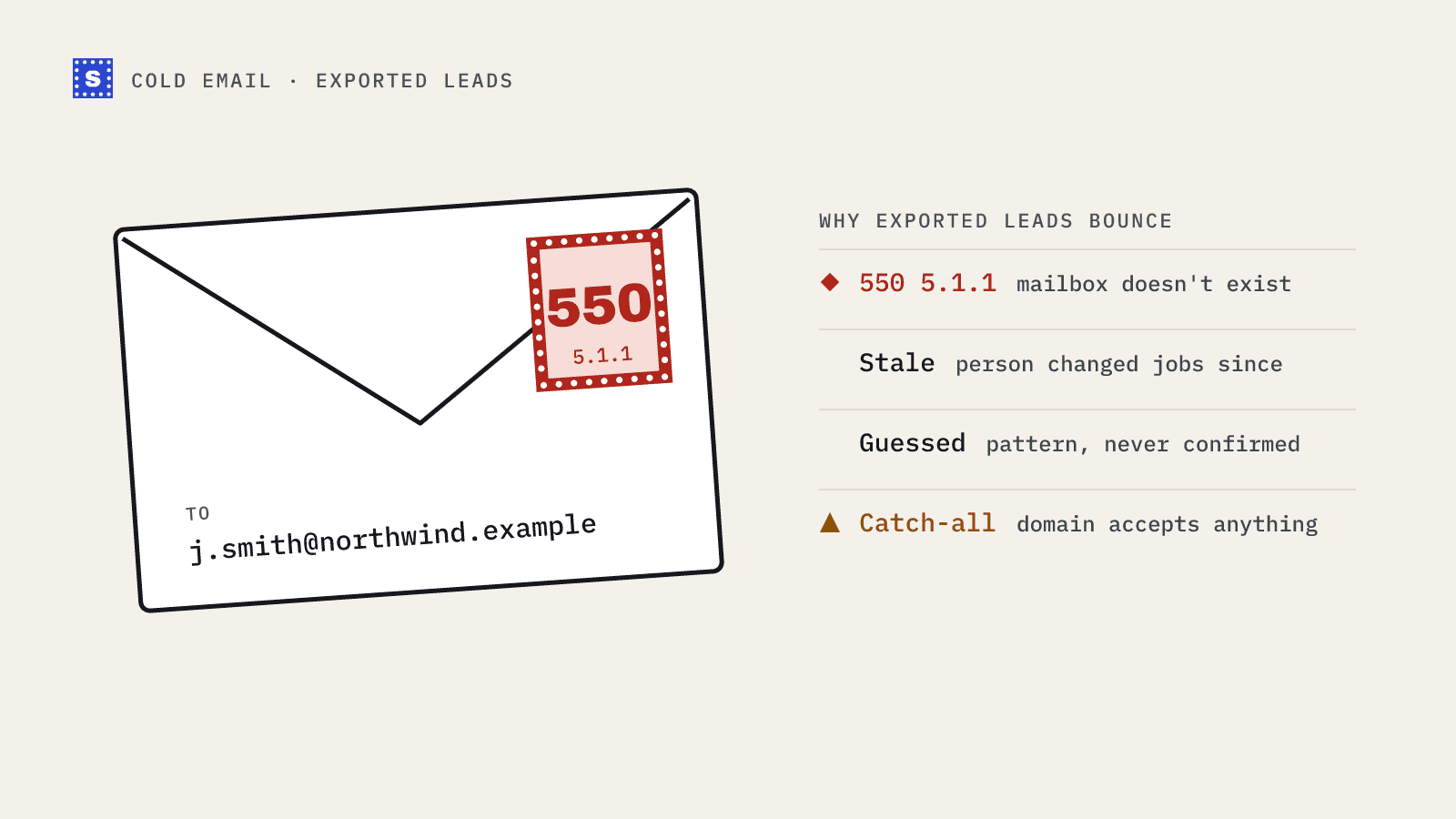
You build a list in Apollo, export it, load it into your sequencer, and the first send comes back with more bounces than you expected. It's a common story, and it isn't unique to Apollo. Every B2B contact database has the same underlying problem: people move, companies change, and addresses that were good when they were collected stop working.
This post explains why exported leads bounce, how to read what the database is telling you before you send, and the verification step that stops most of those bounces.
Why lead database emails go stale
A B2B database collects addresses from many sources and checks them at some point in time. After that, the world keeps moving.
- People change jobs. When someone leaves a company, their work mailbox is usually closed, sometimes immediately and sometimes after a grace period. The contact record may still show the old company.
- Companies rebrand or get acquired. Mail for the old domain may be forwarded for a while, then stop.
- Addresses are inferred. Databases often derive an address from a known company pattern (for example
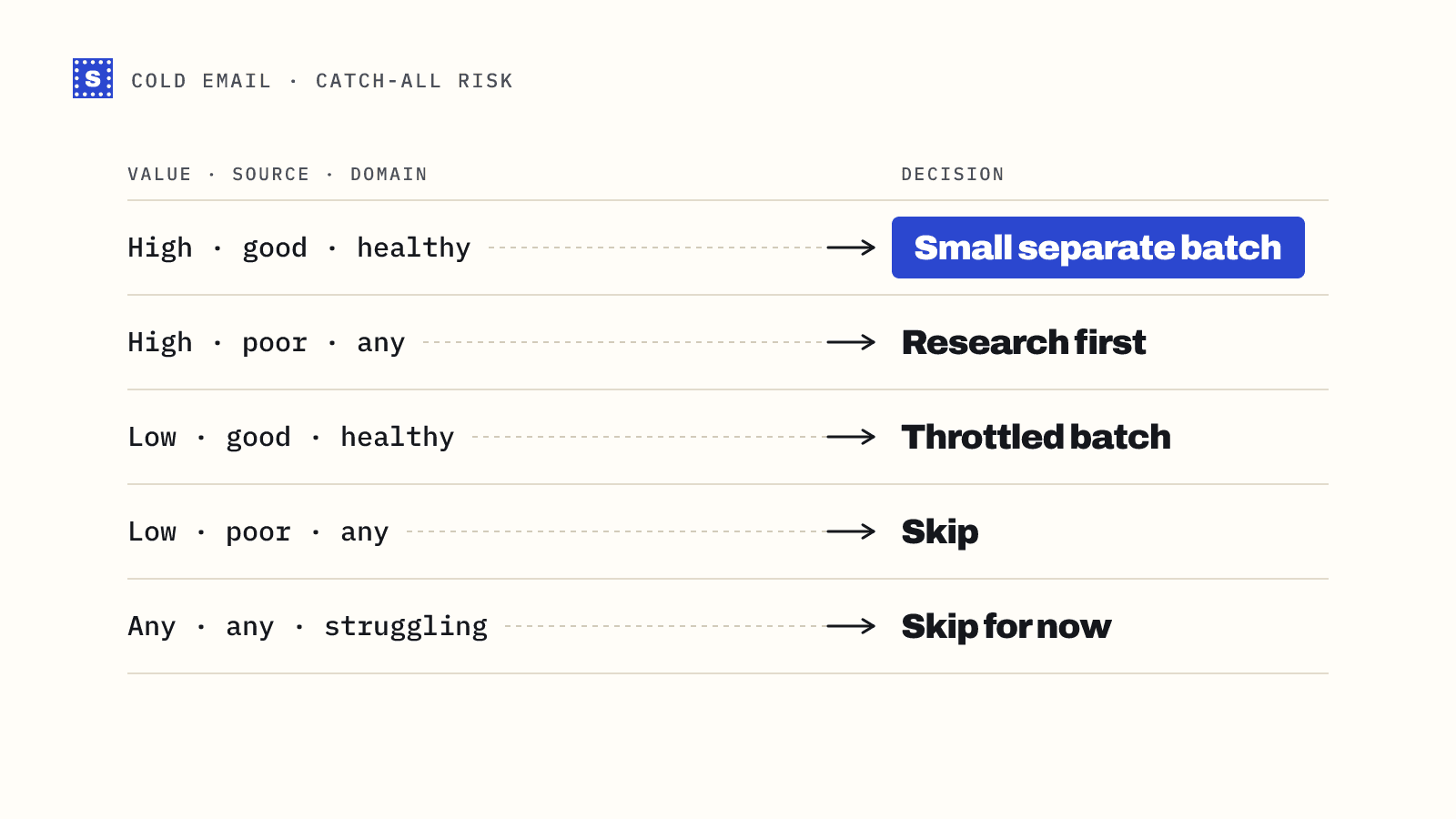
first.last@). If the person uses a different format, the address never existed. - Catch-all domains hide problems. When a domain accepts all mail at the SMTP stage, the database's own checks can't confirm the mailbox, and some of those addresses bounce later.
None of this means the data is bad. It means any contact data has a shelf life, and the check that happened at collection time isn't the same as a check on the day you send.
Read the email status before you export
Apollo, like most databases, shows a status or confidence label next to email addresses. The exact labels change over time, so check Apollo's current documentation, but in general they separate addresses the platform considers verified from ones that are guessed, unavailable or uncertain.
Two habits help:
- Filter on status when you build the list. Exclude anything the platform marks as guessed or unverified unless you're prepared to verify and probably lose a chunk of it.
- Keep the status column in your export. It's useful later when you compare against your own verification results and decide which sources to trust.
Even "verified" in a database means verified at some point. It doesn't tell you the address still works today.
Why Apollo emails keep bouncing after a check
Teams sometimes verify inside the database, export immediately, and still see bounces. A few reasons:
- Time gap. A list exported today and sent three weeks later has aged three weeks.
- Catch-all treated as fine. If catch-all addresses are counted as safe anywhere in your workflow, some of them will bounce.
- Late bounces. Some servers accept the message, then bounce it minutes or hours later. These don't show up in an SMTP-level check.
- Merged lists. Exports combined with older CSVs reintroduce addresses that were never checked.
A workflow that fixes most of it
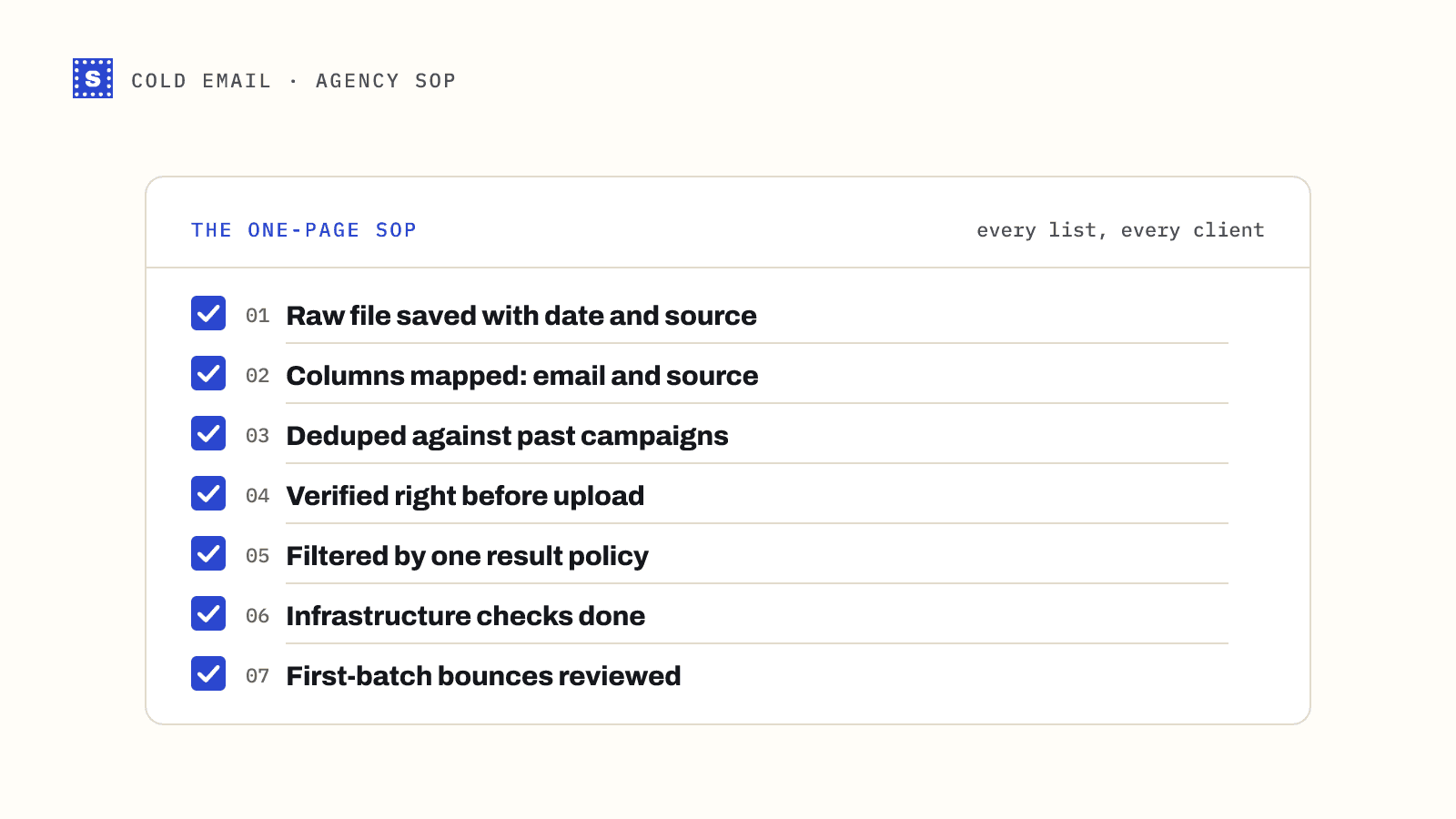
This takes a few minutes per list and removes the bulk of address-level bounces.
Step 1: export with the right columns
Export first name, last name, company, title, email, email status, and the company domain. Extra columns are fine. A good verifier keeps every column you upload and adds its result columns alongside.
Step 2: verify the whole file right before you send
Upload the CSV to a bulk email verifier. Do it as close to the send date as practical. If a campaign is scheduled for next month, verify next month.
Step 3: segment by result
| Result | What to do |
|---|---|
| Deliverable | Import into your main campaign |
| Risky: catch-all | Separate small batch, or skip for low-value leads |
| Risky: role-based | Usually skip for cold outreach |
| Risky: disposable | Remove |
| Risky: couldn't confirm | Hold, re-check later, or small batch |
| Undeliverable | Remove and add to your suppression list |
Step 4: import into your sequencer with a tag
Tag imported contacts with the verification date and result. When a contact bounces later, you can see whether the bounce came from a risky segment or a supposedly clean one. That tells you whether to tighten the rules.
Step 5: feed bounces back
Export bounces from your sequencer after each campaign and add them to a suppression list so they never get re-imported from the next database export. If you use Apollo for sequences as well, keep its own bounce and suppression handling in sync.
Pattern-guessed addresses need extra care
When a contact has no confirmed email, it's tempting to build one from the company pattern. Before you do:
- Check whether the domain is catch-all with the catch-all checker. If it is, verification can't confirm your guess, so the address will stay risky.
- If it isn't catch-all, verify each permutation. The mail server will accept the right one and reject the wrong ones.
- Never send a whole list of guessed addresses on a catch-all domain to a fresh sending domain.
There's more on this in how to find and verify business email addresses.
How to judge a data source over time
Keep a small log per list: source, export date, number of rows, and how the verification results split across Deliverable, Risky and Undeliverable. Then add the actual bounce rate after sending. After a handful of campaigns, the numbers tell you which filters, industries and job levels produce clean data and which don't. That's more useful than any general claim about a provider's accuracy, because it's based on your segments.
Where SimpleCold fits
SimpleCold verifies Apollo exports as plain CSV files. Upload the export, keep every column, and get Result, Reason code and a plain-language Reason for each row, plus a typo suggestion where a domain looks misspelled. The Apollo guide walks through the export and re-import step by step, and the cold email page covers the wider workflow.
Before your next send, sort the export by email status, verify what's left, and import only the deliverable segment into your main campaign.