Every time you send an email, your mail server has to work out where to deliver it. It doesn't guess. It asks DNS for the recipient domain's MX records, and those records name the servers that accept mail for that domain.
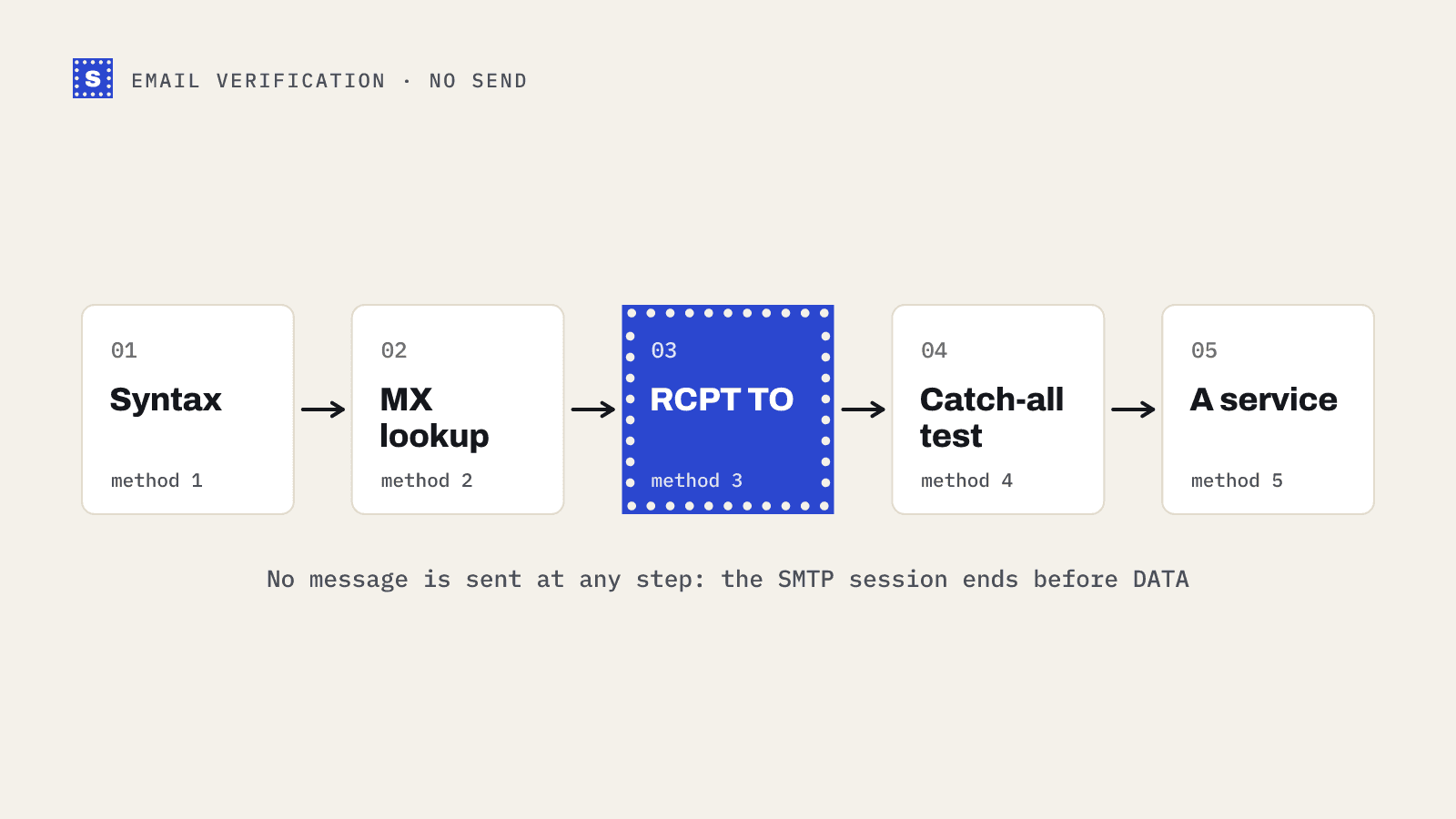
That makes the MX record the first thing an email verifier checks after syntax. If a domain can't receive mail, there's no point asking about the mailbox. This post explains what MX records are, how to read them, and what the common lookup results mean when you're cleaning a list.
What is an MX record?
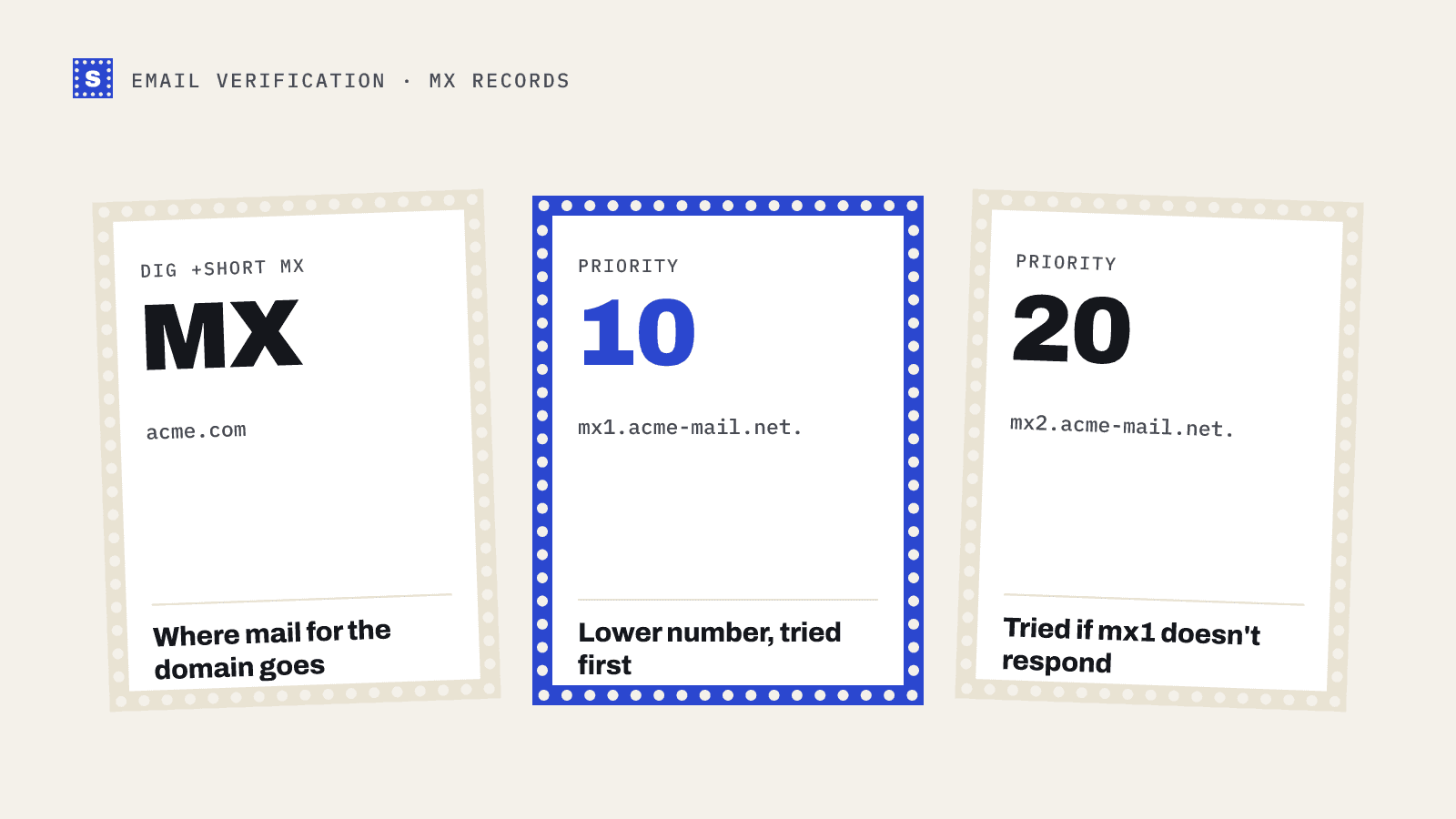
MX stands for mail exchanger. An MX record is a DNS record on a domain that says "mail for this domain should go to this server". It has two parts:
- A priority (sometimes called preference): a number where lower is preferred.
- A host name: the server that accepts the mail.
A typical set looks like this:
acme.com.   3600  IN  MX  10 mx1.acme-mail.net.
acme.com.   3600  IN  MX  20 mx2.acme-mail.net.
A sending server tries mx1 first because 10 is lower than 20. If mx1 doesn't respond, it tries mx2. When two records share the same priority, senders spread mail between them.
The host name must point to a server with an address record (A or AAAA). An MX record should not point to an IP address directly, or to a CNAME.
How to look up MX records
In the browser
The MX lookup tool shows the records for any domain, with priorities.
On the command line
On macOS or Linux:
dig +short MX acme.com
On Windows:
nslookup -type=mx acme.com
For Google Workspace, you'll usually see a single record such as 1 smtp.google.com. on newer setups or several aspmx.l.google.com style hosts on older ones. Microsoft 365 domains usually show a host ending in mail.protection.outlook.com. Many companies route mail through a security gateway first, so their MX may point to a filtering service instead of the mailbox provider.
MX record priority, explained
Priority exists for redundancy. If the preferred server is down, senders fall back to the next. A few things people get wrong:
- Priority isn't a score. The numbers themselves don't matter, only their order. 10 and 20 behave the same as 1 and 2.
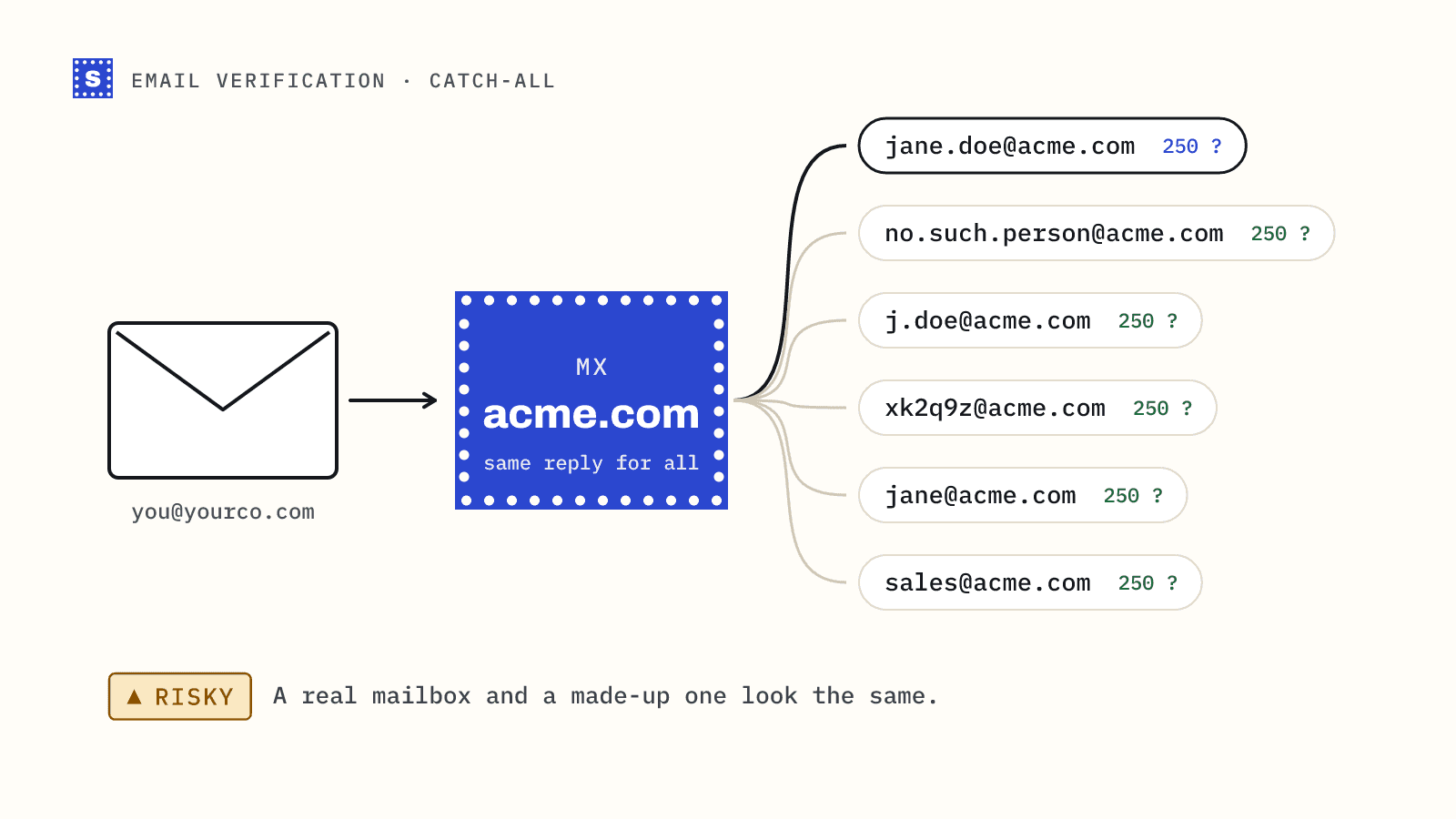
- Backup MX servers can cause trouble. A secondary server that accepts all mail and queues it can't always tell whether a mailbox exists, which makes verification less certain and can attract spam.
- Equal priorities share load. That's normal for large providers.
What "no MX record found" means
A lookup that returns nothing is common when cleaning lists, and it usually means one of these:
- The domain doesn't exist. It was never registered, has expired, or was misspelled. A lookup returns NXDOMAIN. Mail to it will fail.
- The domain exists but isn't set up for mail. Some domains only host a website. Under SMTP rules (RFC 5321), if there's no MX record, senders may fall back to the domain's A record and try to deliver there. In practice, that rarely works for a website-only host.
- A temporary DNS failure. The domain's name servers didn't answer in time. A retry usually resolves it. Don't mark an address invalid on a single timeout.
A verifier should tell these apart. A domain that doesn't exist is a firm undeliverable. A timeout is not.
Null MX: a domain that says "no mail here"
RFC 7505 defines a null MX: a single MX record with priority 0 and a host of ..
example.org. IN MX 0 .
It's a polite way for a domain owner to say the domain accepts no email at all. Senders can fail immediately rather than retrying for days. If you see a null MX in your list, the address is undeliverable, full stop.
Why verifiers check MX before anything else
The MX lookup is cheap and decisive. If a domain has no mail servers, every address on it is undeliverable, and the verifier can skip the slower mailbox checks. It also finds the server to talk to for the next step, where the verifier connects over SMTP and asks about the specific recipient. That step is covered in how SMTP email verification works.
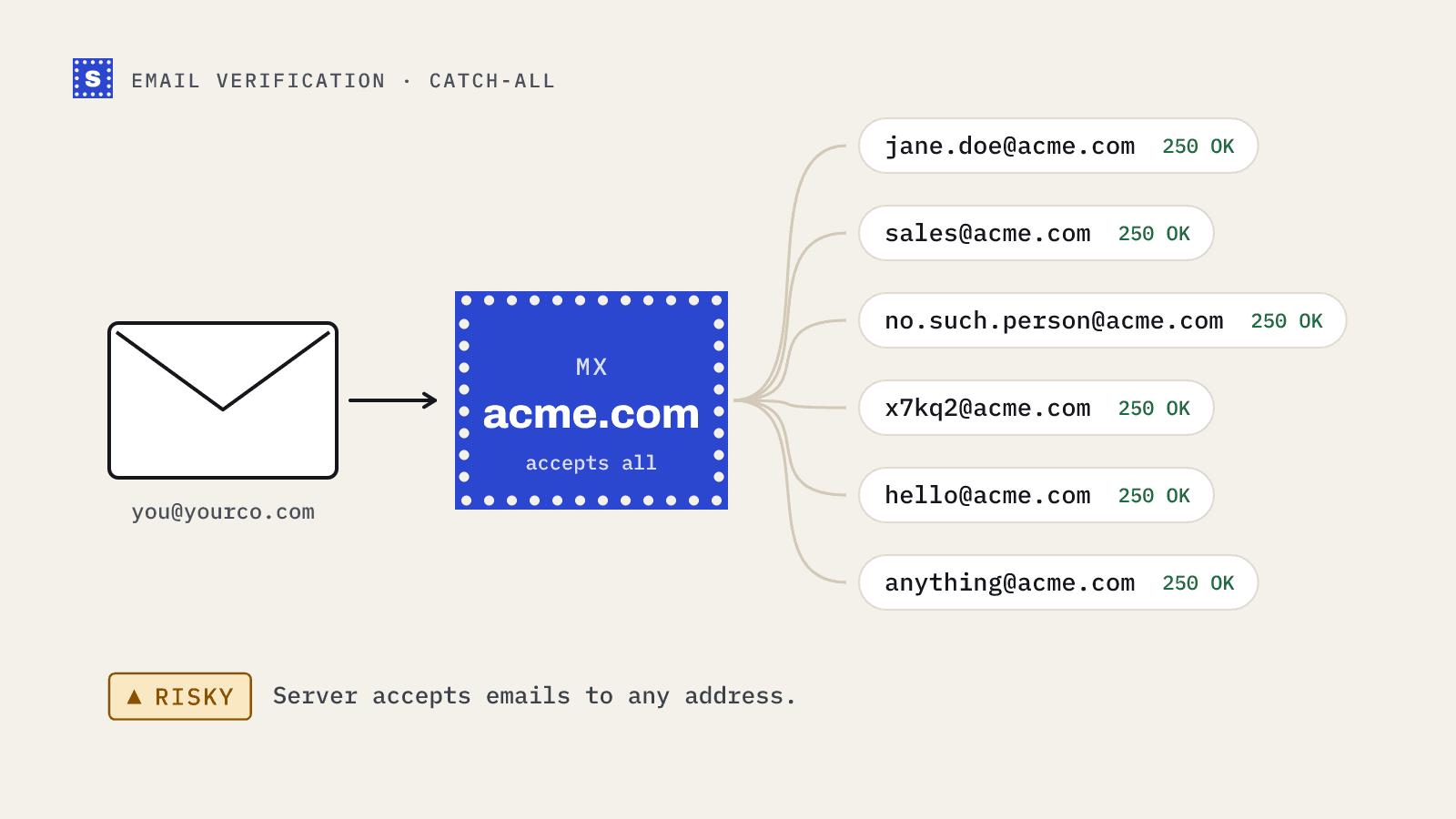
MX data also tells you something about the company. A domain pointing at a major hosted mail provider behaves differently from a self-hosted server or a security gateway, which affects how clearly a mailbox check can answer.
Common MX problems on your own domain
If you're setting up a domain to receive mail (for replies to cold outreach, for instance), check for these:
- MX pointing to the wrong provider after a migration. Mail goes to the old host, which may reject it.
- MX host with no A record. Senders can't reach it.
- Leftover records from a previous provider mixed with new ones. Mail gets split between two systems.
- TTL too long during a migration. Changes take a while to spread. Lower the TTL a day before switching.
Run your own domain through the MX lookup, and while you're there, check the SPF and DMARC records too.
How SimpleCold uses MX data
SimpleCold looks up the domain's mail servers for every address it checks and confirms dead domains before calling them undeliverable, so a single DNS hiccup doesn't get a good address thrown out. Addresses on domains that can't receive mail come back Undeliverable with the reason "This domain can't receive email." The API response also includes an mxLocation field with the country of the mail server where available. The domain and MX checks page has more detail.
To see this in practice, look up the MX records for three domains from your current list, including one you suspect is dead, and compare the results.