Most email verifiers advertise a "mailbox check". Under the hood, that check is a partial SMTP conversation: connect to the recipient's mail server, start a message, name the recipient, read the reply, and hang up before sending anything.
If you build software that touches email, it's worth understanding exactly what that conversation can prove and where it breaks. This post walks through it with transcripts, then covers the behaviours that make real-world SMTP email verification harder than the textbook version.
The SMTP conversation, briefly
SMTP is defined in RFC 5321. A normal delivery goes like this:
- The sender looks up the recipient domain's MX records and connects to the preferred server on port 25.
- The server greets with a
220banner. - The sender introduces itself with
EHLO. MAIL FROMnames the envelope sender.RCPT TOnames a recipient. The server accepts or rejects it.DATAtransfers the message.QUITcloses the session.
Verification stops after step 5. No DATA means no message is delivered.
A transcript
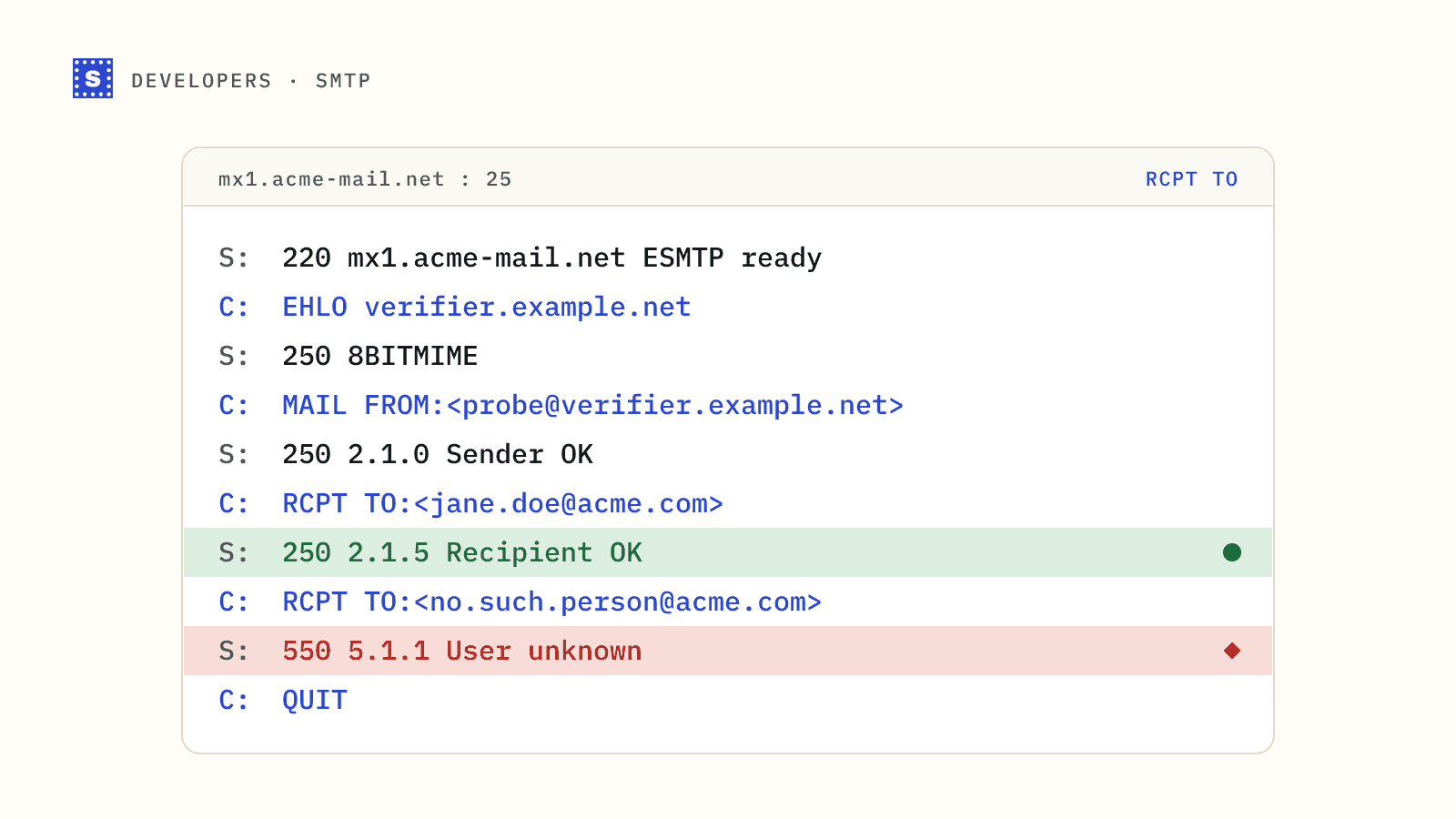
Here is a typical session against a server that rejects an unknown mailbox. Lines starting S: come from the server, C: from the client.
S: 220 mx1.acme-mail.net ESMTP ready
C: EHLO verifier.example.net
S: 250-mx1.acme-mail.net
S: 250-PIPELINING
S: 250-SIZE 52428800
S: 250-STARTTLS
S: 250 8BITMIME
C: MAIL FROM:<[email protected]>
S: 250 2.1.0 Sender OK
C: RCPT TO:<[email protected]>
S: 250 2.1.5 Recipient OK
C: RCPT TO:<[email protected]>
S: 550 5.1.1 <[email protected]>: Recipient address rejected: User unknown
C: QUIT
S: 221 2.0.0 Bye
Jane exists; the second address doesn't. That's the clean case.
Reading the RCPT TO reply
| Reply | Meaning | What a verifier concludes |
|---|---|---|
250 | Recipient accepted | Exists, unless the domain is catch-all |
550 5.1.1 | User unknown | Mailbox doesn't exist |
550 5.2.1 | Mailbox disabled | Undeliverable |
552 or 452 with 4.2.2 or 5.2.2 | Mailbox full | Exists, but may not accept mail now |
450, 451 | Temporary failure | Try again later; may be greylisting |
421 | Service unavailable, closing | Server busy or limiting you |
550 5.7.1, 554 | Policy rejection | The server refused you, not the recipient |
The last row is the tricky one. A 5.7.x reply often has nothing to do with the mailbox. It says the server doesn't like the connecting IP, its reverse DNS, or the volume of questions. A verifier that reads it as "mailbox invalid" is wrong.
Why VRFY is dead
SMTP has a VRFY command that asks directly whether a user exists. It would be perfect for verification if anyone allowed it. Spammers used it to harvest valid addresses, so almost every server either disables it or answers 252 ("cannot verify, but will accept the message"), which tells you nothing. EXPN, which expands mailing lists, is disabled for the same reason. RCPT TO is what's left.
Catch-all domains
Some servers answer 250 to every recipient. The only way to know is to ask about an address that can't exist:
C: RCPT TO:<[email protected]>
S: 250 2.1.5 Recipient OK
If that's accepted, the domain is catch-all, and the 250 for Jane is worthless. A good verifier runs this probe once per domain and caches the result rather than repeating it for every address. See what a catch-all domain means for your list.
Greylisting
Greylisting servers reject the first attempt from an unfamiliar sender with a temporary error and accept a retry after a delay:
C: RCPT TO:<[email protected]>
S: 451 4.7.1 Greylisted, please try again later
A verifier has to come back later, from the same sending IP, and ask again. One that gives up on the first 4xx reports a valid address as unknown.
Tarpitting and rate limits
Some servers slow down deliberately when they see a lot of recipients or connections from one source. Replies arrive after long pauses, or the server closes the connection after a few RCPT commands. This is aimed at harvesting, which is what naive verification looks like from the server's side. Verifiers spread checks across time and IPs and keep the number of recipients per session low.
Security gateways
Many companies put a gateway service in front of their mailboxes. The MX points to the gateway, which may accept every recipient at the SMTP stage and decide what to do after scanning. From outside, that looks exactly like catch-all. Some gateways also refuse connections they consider suspicious with a policy error. Either way, the mailbox can't be confirmed, and an honest result says so.
Large mailbox providers
Behaviour differs by provider and changes over time. Some reject unknown recipients clearly at RCPT TO. Others accept at RCPT TO and bounce later. Some throttle aggressively when they see verification-like traffic. That's a big part of why a hand-rolled SMTP checker gives worse results than its author expects.
Why you shouldn't run this from your app servers
It's tempting to drop an SMTP check into your sign-up flow. Problems you'll hit:
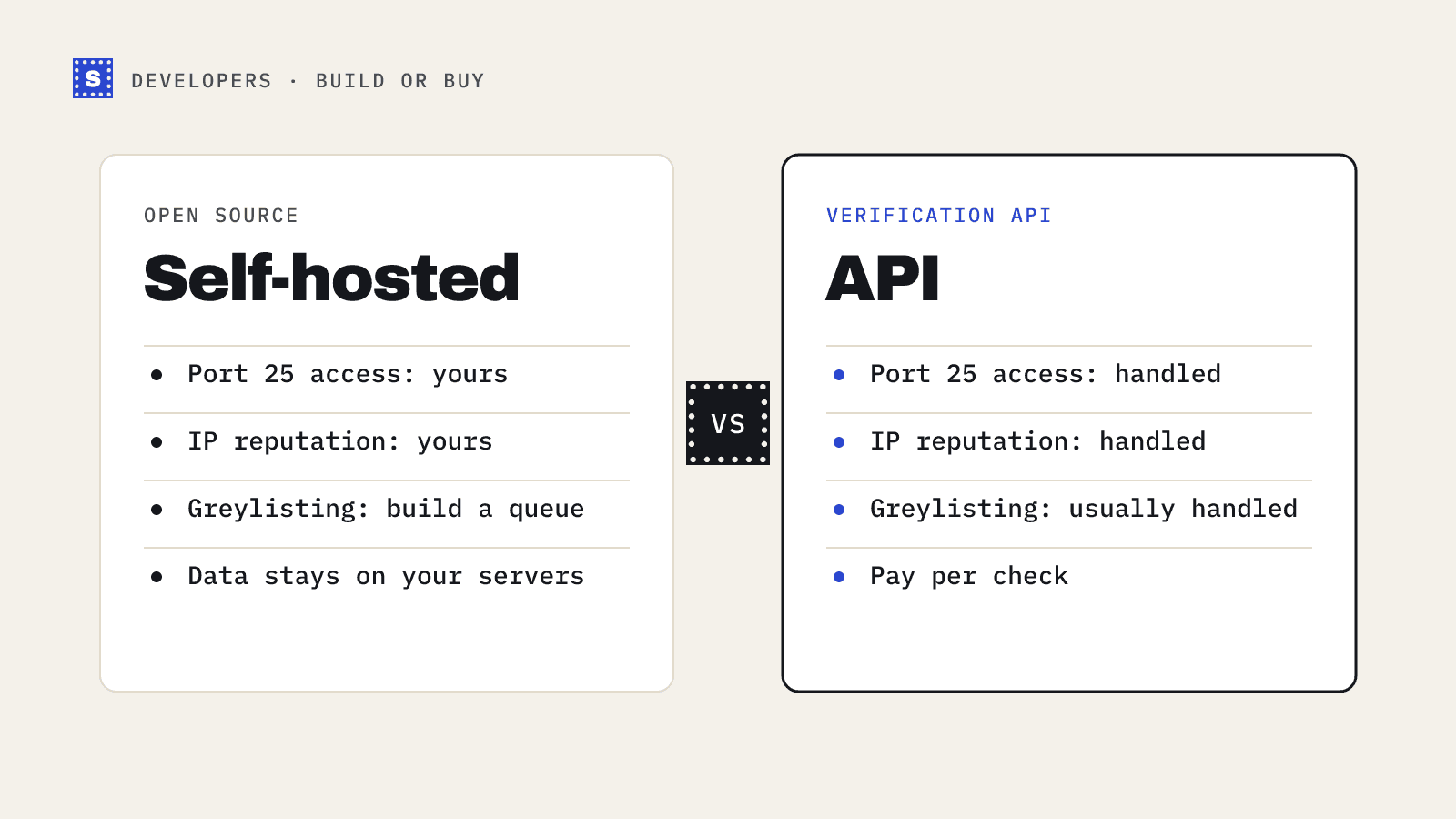
- Port 25 is blocked by default on many cloud providers.
- Your IP has no mail reputation. Servers distrust it and may answer with policy errors.
- Probing gets IPs blocklisted. If the IP that probes is also the one that sends your transactional mail, you've put your password resets at risk.
- It's slow. A greylisted or tarpitted server can take a long time. Your sign-up form can't wait that long.
The open-source vs API post goes through the self-hosting trade-offs in more detail.
What a full verification adds
SMTP is one step of several. Before it, a verifier checks syntax, flags disposable and role-based addresses, and confirms the domain has working MX records. After it, it classifies the outcome with a reason. SimpleCold returns a status code such as mailbox_found, mailbox_not_found, accept_all or blocked_by_server, a category, a plain statusMessage, and a failType of permanent, temporary or none. If a server is too slow, the API returns processing after about 12 seconds and you can collect the final answer, usually ready within a minute or two, any time in the next 30 minutes without paying twice.
curl "https://simplecold.com/api/v1/api-validation/[email protected]" \
  -H "Authorization: Bearer $SIMPLECOLD_API_KEY"
The email verification API page and the quickstart guide have the full response shape. To see an SMTP conversation for yourself, run the transcript above against your own domain's MX server from a machine where port 25 is open.