This guide gets you from zero to a verified address in about ten minutes. You will create a key, confirm the key works, call the single endpoint, and read the result the way your code should read it. Every example uses the real paths and response fields, so you can paste them into a terminal and run them.
Before you start
You need three things:
- A SimpleCold account. Create one here if you don't have one.
- An API key. Keys are created in the dashboard, and the API docs walk through the screens. The key is shown once, so copy it straight away. Keys can't be deleted; if one leaks, regenerate it, and the old value stops working.
curl, Node.js 18 or later (for built-infetch), or Python 3 with therequestspackage.
Put the key in an environment variable so it never ends up in your shell history or your repository:
export SIMPLECOLD_API_KEY="paste-your-key-here"
All requests go to this base URL:
https://simplecold.com/api/v1
Authentication is a bearer token in the Authorization header. There is no query-string key and no basic auth.
Step 1: check that the key works
The API has an endpoint that does nothing except confirm your key. It costs no credits, so it is the right first call and a useful health check later.
curl -s https://simplecold.com/api/v1/api-validation/validate \
  -H "Authorization: Bearer $SIMPLECOLD_API_KEY"
A working key returns:
{
  "code": "SUCCESS",
  "message": "Successfully performed operation.",
  "payload": { "valid": true, "message": "API key is valid" },
  "requestId": "3f1c..."
}
If something is wrong you get a 401 with a plain message. The ones you will see in practice are Authorization header is required, Authorization header must be in format: Bearer <token>, Invalid API key, API key is inactive and API key has expired. The last two mean the key exists but was switched off or passed its expiry date in the dashboard.
Step 2: verify one address
The single endpoint takes the address as a query parameter. URL-encode it, because addresses can contain + and other characters that mean something in a URL.
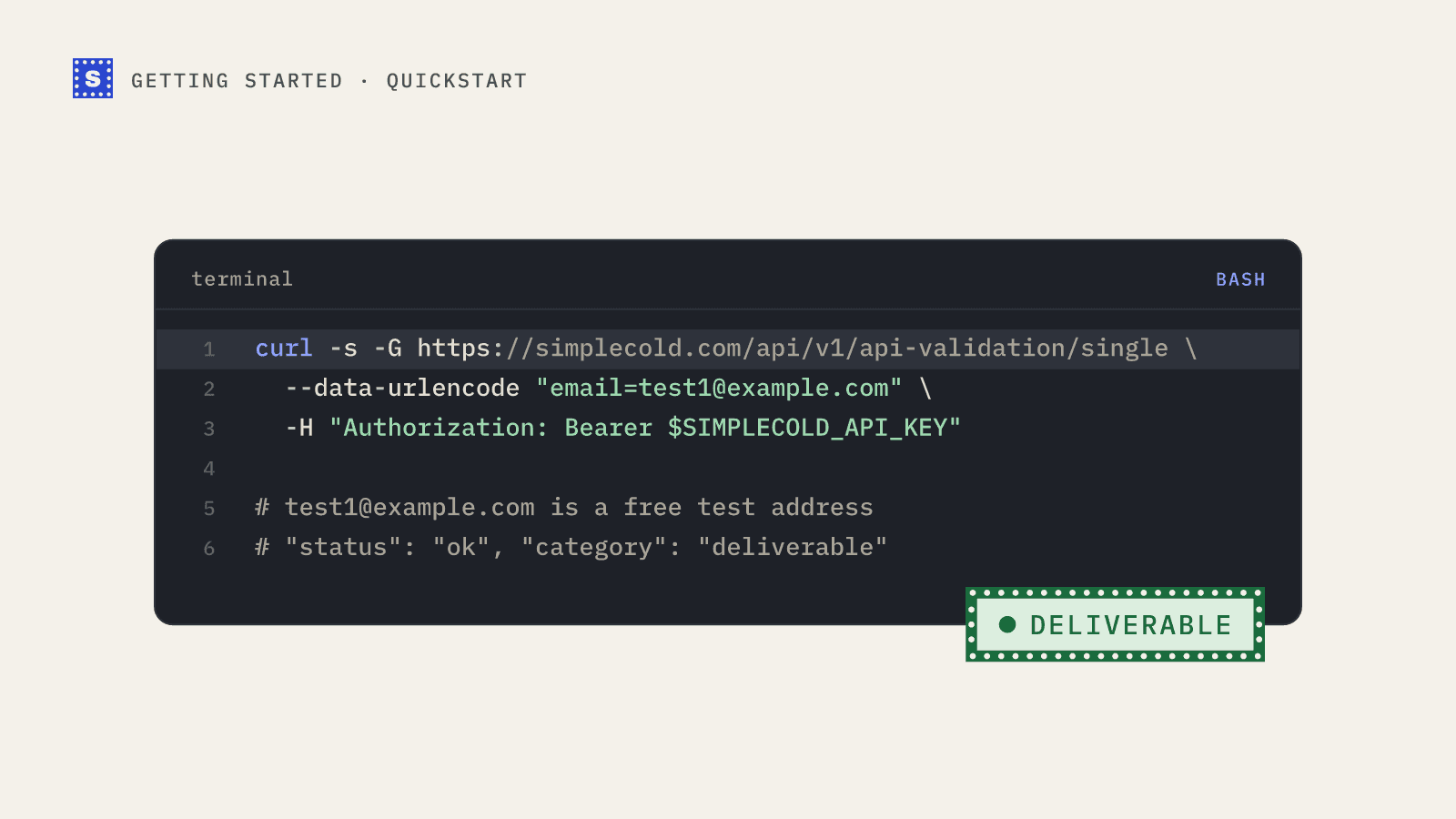
curl -s -G https://simplecold.com/api/v1/api-validation/single \
  --data-urlencode "[email protected]" \
  -H "Authorization: Bearer $SIMPLECOLD_API_KEY"
The -G flag tells curl to put the --data-urlencode value in the query string of a GET request.
A finished result looks like this:
{
  "code": "SUCCESS",
  "message": "Successfully performed operation.",
  "payload": {
    "email": "[email protected]",
    "domain": "example.com",
    "status": "mailbox_found",
    "statusMessage": "The mailbox exists and accepts mail.",
    "category": "deliverable",
    "failType": "none",
    "mxLocation": "US",
    "siteLocation": "US",
    "siteLanguage": "EN",
    "suggestion": null
  },
  "requestId": "9b07..."
}
The result always lives inside payload. Code that reads category from the top level of the response will get undefined and quietly treat every address the same way, so check this first if your integration behaves oddly.
Step 3: read the result
Four fields carry the decision. The rest is context.
| Field | What it tells you |
|---|---|
category | The bucket to act on: deliverable, risky or undeliverable. While a slow server is still being checked it is pending. A server that won't confirm the address gives risky with the status no_response. |
status | The specific outcome code, such as mailbox_found, accept_all (catch-all), disposable, role_address, mailbox_not_found or no_mail_server. |
statusMessage | A plain-language reason you can show to a person or store in a CRM field. |
suggestion | A corrected address when the domain looks misspelled, otherwise null. |
failType tells you whether a failure is permanent, temporary or none. The location and language fields describe where the mail servers and the domain's website appear to be, which is handy for routing leads but rarely needed for a send decision.
Most integrations branch on category and log status and statusMessage. The guide on mapping categories to send decisions goes through every status code.
The same call in Node.js
Node 18 and later ship fetch, so there is nothing to install.
// verify.mjs
const API = "https://simplecold.com/api/v1";
const key = process.env.SIMPLECOLD_API_KEY;

async function verify(email) {
  const url = `${API}/api-validation/single?email=${encodeURIComponent(email)}`;
  const res = await fetch(url, {
    headers: { Authorization: `Bearer ${key}` },
  });
  const body = await res.json();
  if (!res.ok) {
    // Errors use { code: "FAILURE", message }, input errors use { success: false, message }
    throw new Error(`${res.status}: ${body.message ?? body.error}`);
  }
  return body.payload;
}

const result = await verify(process.argv[2] ?? "[email protected]");
console.log(result.category, result.status, "-", result.statusMessage);
if (result.suggestion) console.log("Did you mean", result.suggestion, "?");
Run it with node verify.mjs [email protected].
The same call in Python
# verify.py
import os
import sys
import requests

API = "https://simplecold.com/api/v1"
KEY = os.environ["SIMPLECOLD_API_KEY"]


def verify(email: str) -> dict:
    res = requests.get(
        f"{API}/api-validation/single",
        params={"email": email},  # requests URL-encodes this for you
        headers={"Authorization": f"Bearer {KEY}"},
        timeout=30,
    )
    body = res.json()
    if not res.ok:
        raise RuntimeError(f"{res.status_code}: {body.get('message') or body.get('error')}")
    return body["payload"]


if __name__ == "__main__":
    result = verify(sys.argv[1] if len(sys.argv) > 1 else "[email protected]")
    print(result["category"], result["status"], "-", result["statusMessage"])
    if result["suggestion"]:
        print("Did you mean", result["suggestion"], "?")
Set the timeout above 12 seconds. The API answers slow mail servers within about 12 seconds, and a client timeout shorter than that cuts off answers you would otherwise get.
When the answer is "processing"
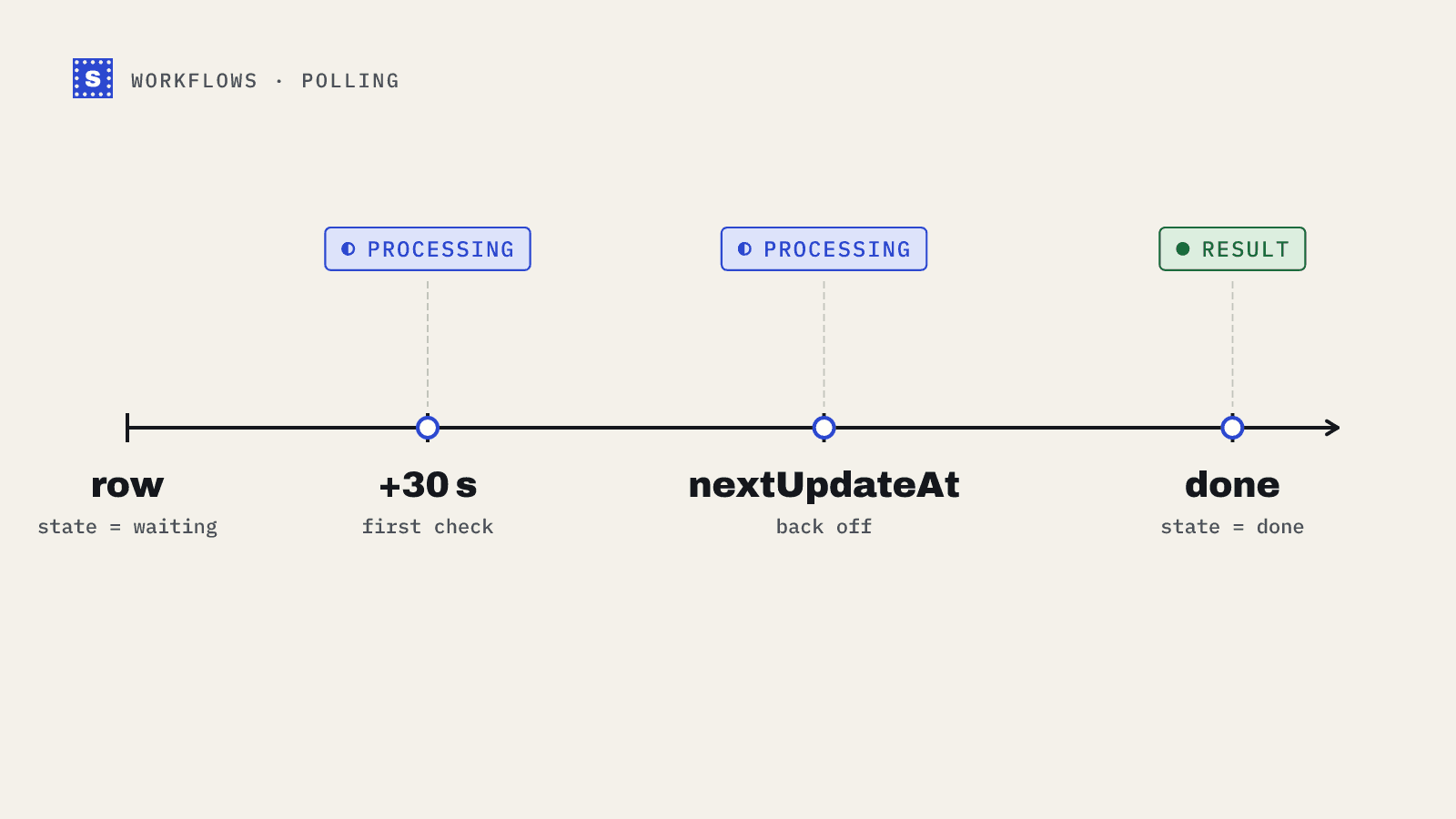
Some mail servers are slow on purpose. If the API can't finish inside its window, you get a result with status set to processing and category set to pending, with this message:
Still checking this mailbox. Ask again in about a minute; you will not be charged again.
Ask again with GET /api-validation/single/result?email=... and you will get the final answer once it is ready. Calling the single endpoint again for the same address while it is still pending also doesn't use another credit. The pending check stays collectable for 30 minutes, and most finish within a minute or two. The processing results guide has a complete polling loop.
Test without spending credits
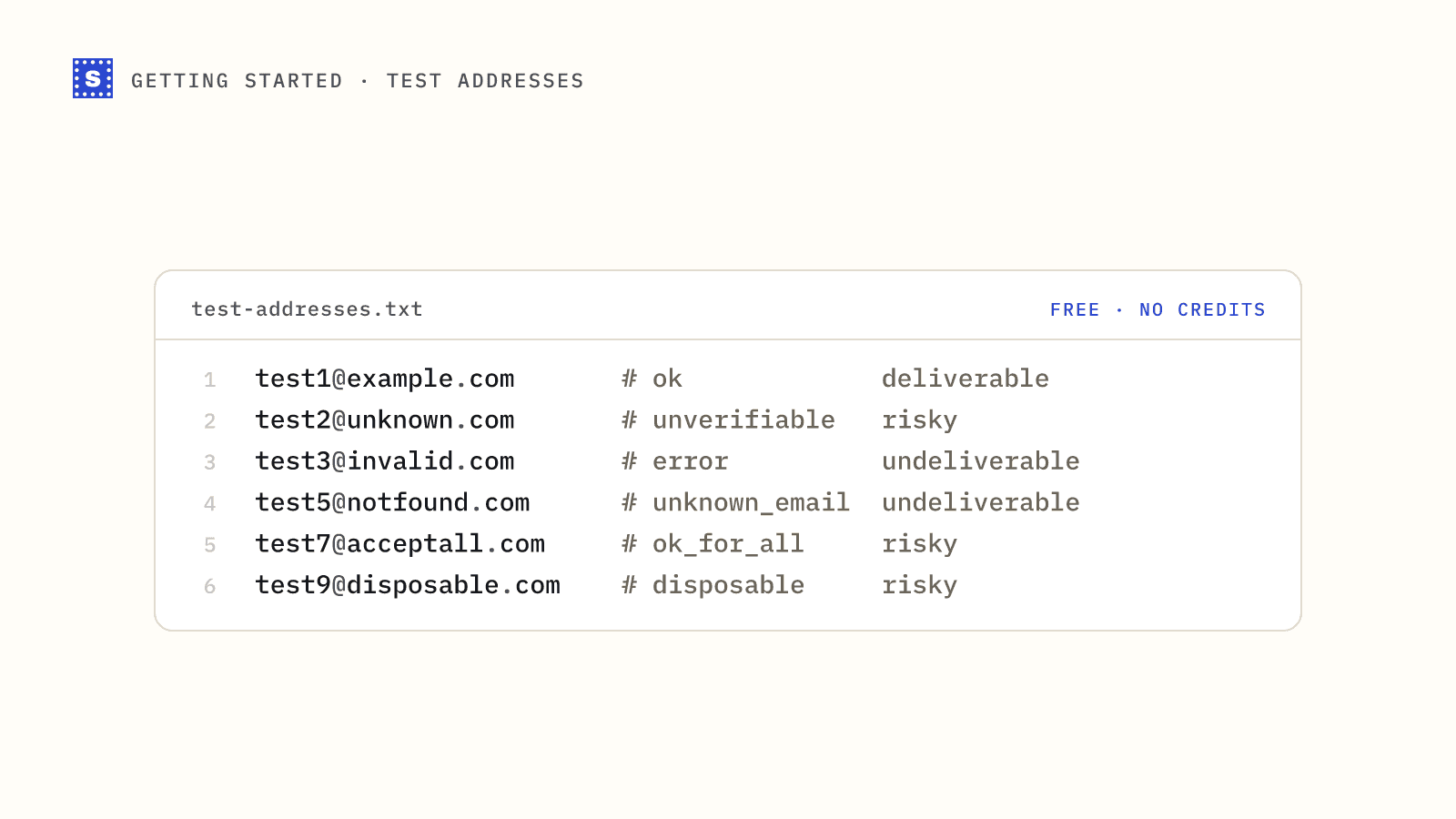
SimpleCold keeps a set of test addresses that return fixed results and don't use credits on single and batch calls. [email protected] always comes back mailbox_found, [email protected] always comes back as a catch-all, and so on. Use them in development and CI. The list and a small test suite are in testing your integration with test emails.
Build against the sandbox
For a whole integration, create a test API key in the dashboard. Test keys start with sc_test_ (live keys with sc_live_), work with a zero balance and never use credits. Every endpoint answers from a fixed table: deliverable@ comes back mailbox_found, undeliverable@ mailbox_not_found, catchall@ accept_all, and any unlisted address is deliverable. slow@ answers processing so you can practise polling, error-429@ and error-500@ return those errors, bulk files of up to 1,000 rows run as real jobs with progress, and webhooks arrive with "livemode": false. Each result carries "sandbox": true. Nothing is actually checked, so switch to a live key before real traffic. The full address list is on the sandbox docs page.
Limits worth knowing on day one
| Endpoint | Rate limit per key | Other limits |
|---|---|---|
GET /api-validation/single (and /single/result) | 100 requests per minute, shared | One address per call |
POST /api-validation/batch | 10 requests per minute | Up to 50 addresses per call by default |
POST /api-validation/bulk | 10 uploads per minute | CSV up to 50 MB |
GET /api-validation/bulk/:id/status | 120 requests per minute | |
GET /api-validation/bulk/:id/download-result | 30 requests per minute |
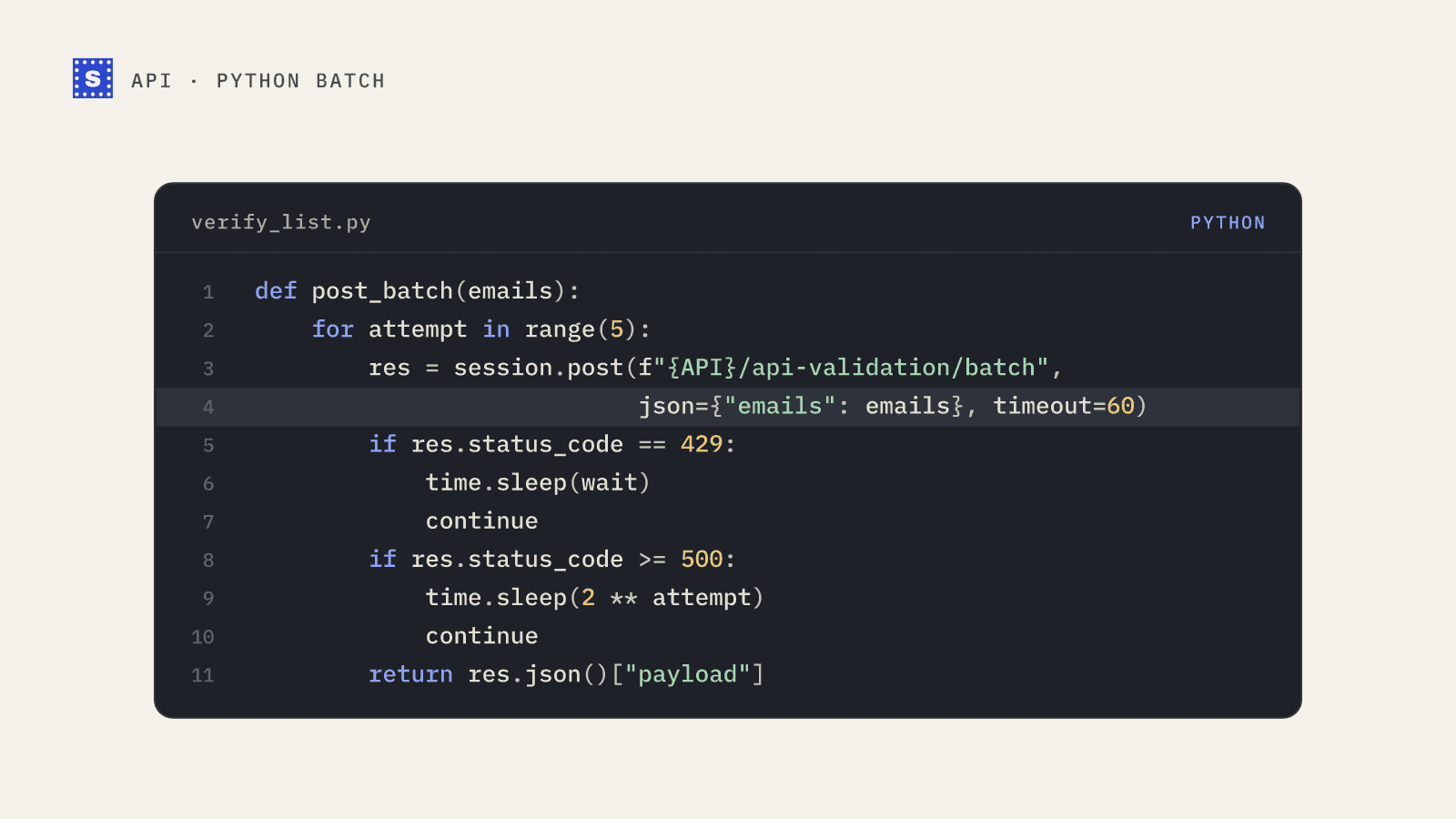
Your organisation as a whole gets three keys' worth of each limit (for example 300 single checks a minute), so extra keys don't multiply it. Test keys have their own, separate budgets. Going over a rate limit returns HTTP 429 with a Retry-After header. The error handling guide shows how to back off properly.
There are no official SDKs. Everything is plain HTTPS and JSON, which is why the examples here are short. For long jobs you can poll a status endpoint, covered in polling patterns for bulk jobs and pending checks, or receive signed webhooks when results are ready.
Where to go next
Pick the guide that matches what you are building:
- Checking addresses on a sign-up form: verify emails at sign-up with Node.js.
- Checking a few dozen addresses from a script: verify a list in Python.
- Cleaning a whole CSV: run a bulk job end to end.
The full endpoint reference lives in the API docs, and the email verification API page gives the overview.