The batch endpoint sits between the single and bulk endpoints. You send a JSON array of addresses and get back results in the same response, with no file upload and no job to poll. It suits scripts, cron jobs and small syncs: a few hundred new leads a day, last week's sign-ups, a list someone pasted into a spreadsheet.
This guide builds a Python script that reads addresses from a CSV, verifies them in batches, follows up on slow servers, and writes the results back out.
When to use batch
| You have | Use |
|---|---|
| One address at a time, often from a form | GET /api-validation/single |
| Tens to a few thousand addresses in a script | POST /api-validation/batch |
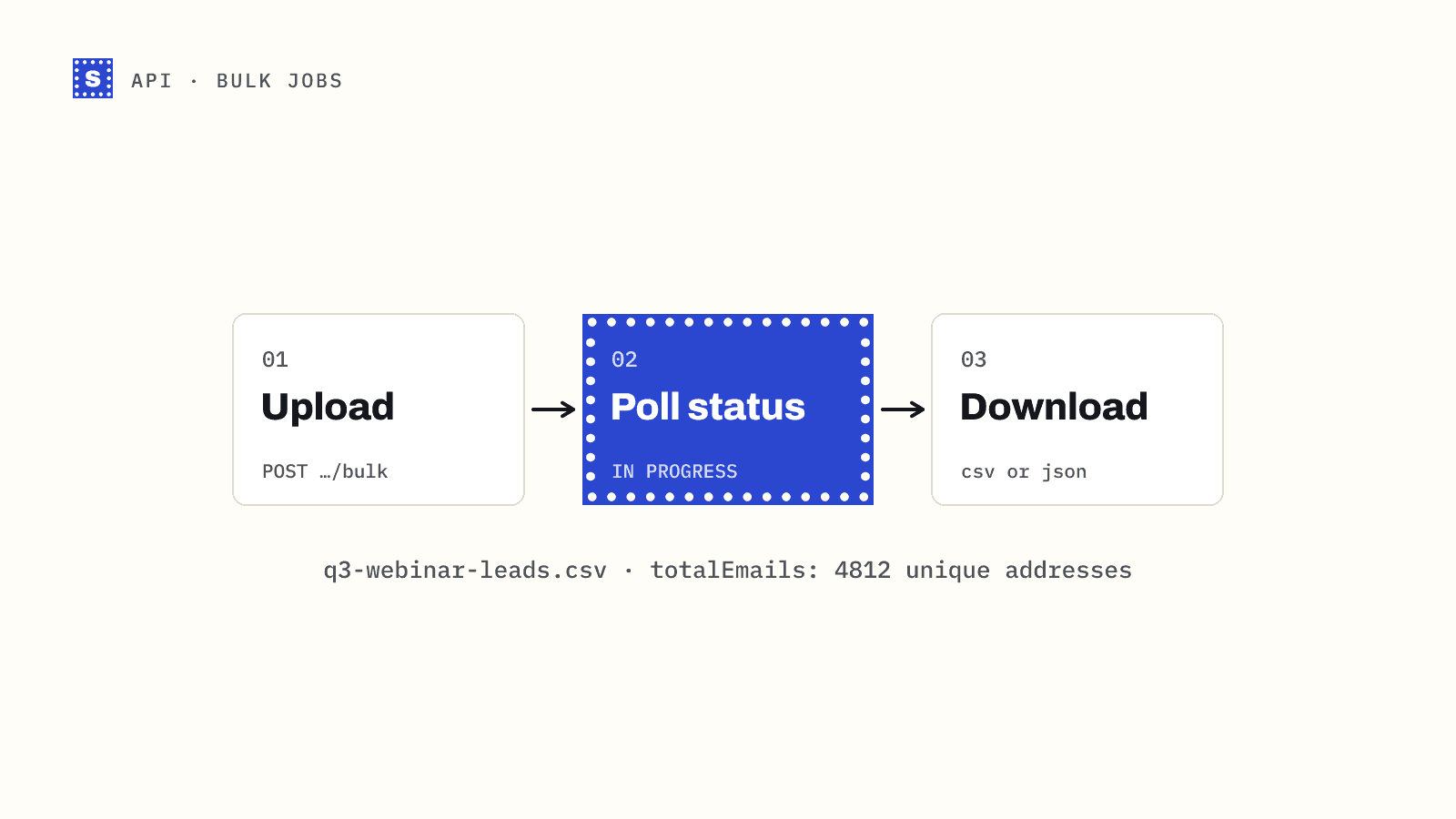
| A whole CSV file, thousands of rows or more | POST /api-validation/bulk |
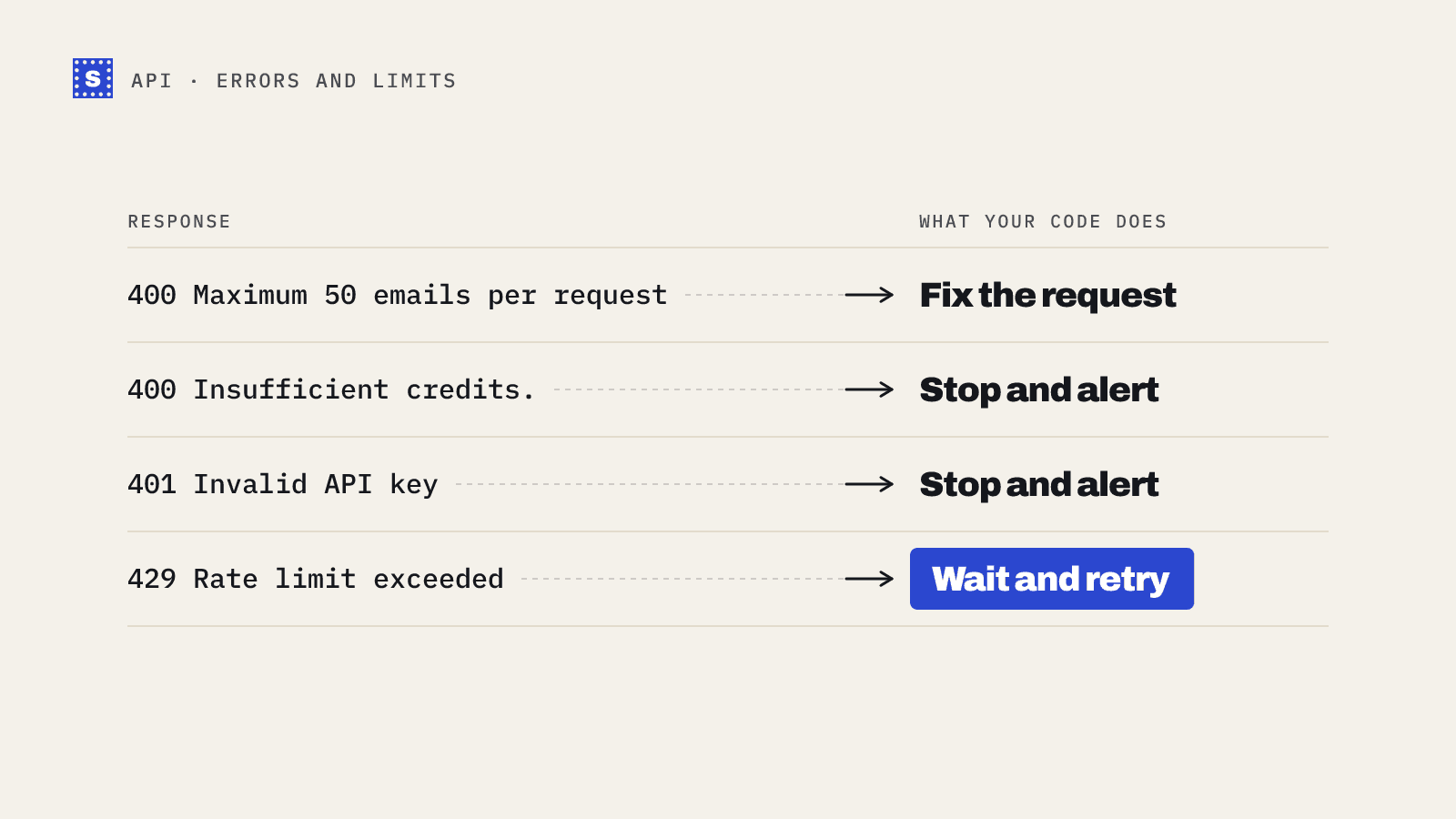
Batch has two limits: up to 50 addresses per request by default, and 10 requests per minute. That works out to about 500 addresses a minute. If your list is larger than a few thousand rows, upload it as a file instead. The bulk job guide shows how.
The request
curl -s https://simplecold.com/api/v1/api-validation/batch \
  -H "Authorization: Bearer $SIMPLECOLD_API_KEY" \
  -H "Content-Type: application/json" \
  -d '{"emails": ["[email protected]", "[email protected]", "[email protected]"]}'
The response payload is an array with one result per address, each in the same shape as the single endpoint returns:
{
  "code": "SUCCESS",
  "message": "Successfully performed operation.",
  "payload": [
    {
      "email": "[email protected]",
      "domain": "example.com",
      "status": "mailbox_found",
      "statusMessage": "The mailbox exists and accepts mail.",
      "category": "deliverable",
      "failType": "none",
      "mxLocation": "US",
      "siteLocation": "US",
      "siteLanguage": "EN",
      "suggestion": null
    }
  ],
  "requestId": "..."
}
Two details matter for your code. First, results come back in the order you sent them, one per address, but the email field holds the normalized form: trimmed and lowercased. A duplicate inside one request is checked and charged once, though each copy still gets a result. Matching on the lowercased address is the safest way to join results back to your rows. Second, an address that fails the basic format check fails the whole request with a 400, so clean obvious junk out before sending.
Install and set up
pip install requests
export SIMPLECOLD_API_KEY="your-key"
Assume an input file leads.csv with an email column and any other columns you like.
The script
# verify_list.py
import csv
import os
import re
import sys
import time

import requests

API = "https://simplecold.com/api/v1"
KEY = os.environ["SIMPLECOLD_API_KEY"]
BATCH_SIZE = 50
MIN_SECONDS_BETWEEN_BATCHES = 6.5  # 10 requests per minute, with a little slack

session = requests.Session()
session.headers.update({"Authorization": f"Bearer {KEY}"})

# Cheap local filter so one malformed row doesn't fail a whole batch.
LOOKS_LIKE_EMAIL = re.compile(r"^[^@\s]+@[^@\s]+\.[^@\s]+$")


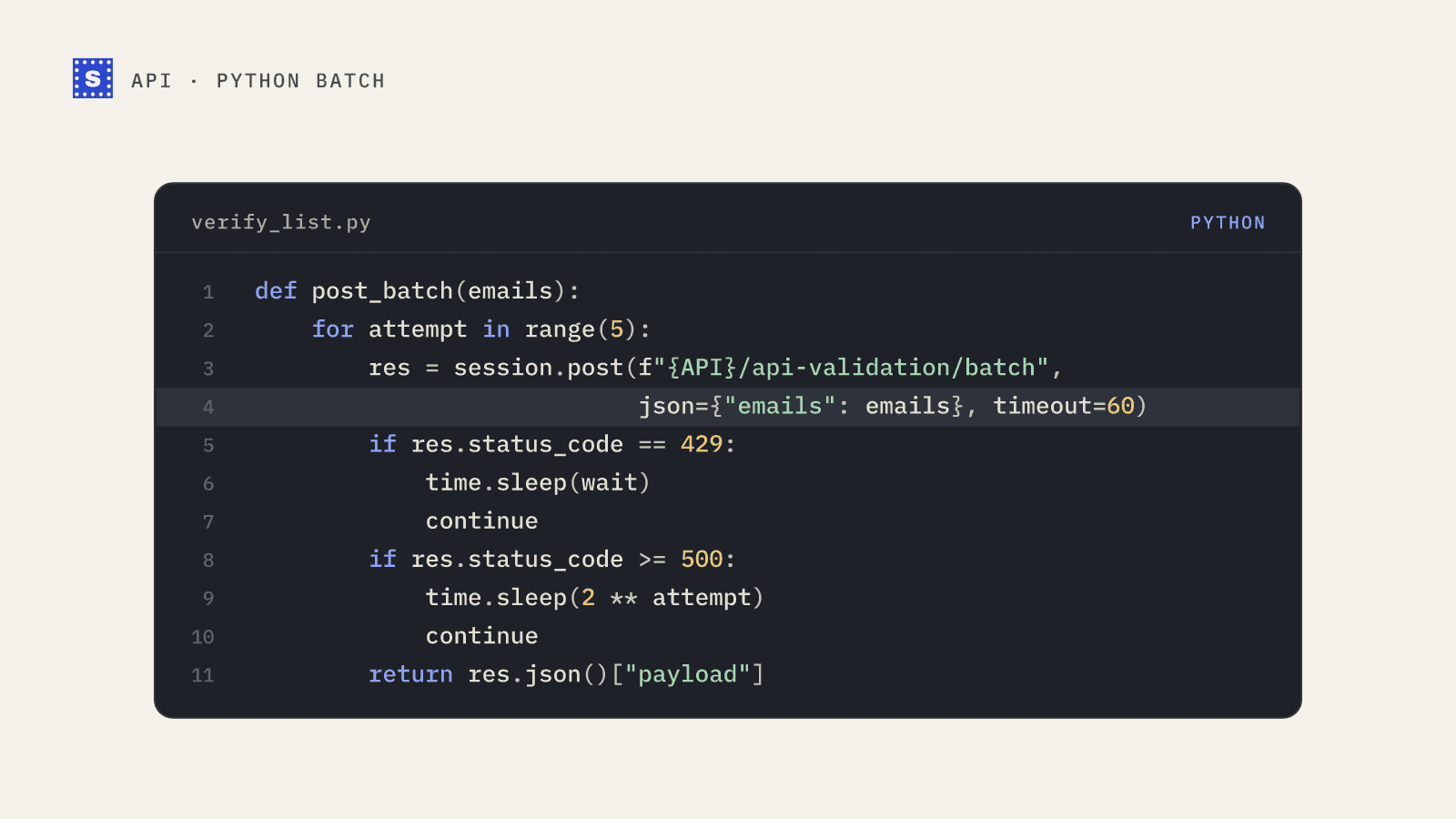
def post_batch(emails):
    """Send one batch, retrying on 429 and 5xx. Returns a list of results."""
    for attempt in range(5):
        res = session.post(f"{API}/api-validation/batch", json={"emails": emails}, timeout=60)
        if res.status_code == 429:
            wait = int(res.headers.get("Retry-After") or res.headers.get("RateLimit-Reset") or 60)
            print(f"rate limited, waiting {wait}s", file=sys.stderr)
            time.sleep(wait)
            continue
        if res.status_code >= 500:
            time.sleep(2 ** attempt)
            continue
        body = res.json()
        if not res.ok:
            raise RuntimeError(f"{res.status_code}: {body.get('message')}")
        return body["payload"]
    raise RuntimeError("batch failed after retries")


def fetch_pending(email):
    """Ask for the final result of a 'processing' address. No extra credit is used."""
    res = session.get(f"{API}/api-validation/single/result", params={"email": email}, timeout=30)
    if res.status_code == 404:
        return None  # nothing pending for this address
    res.raise_for_status()
    return res.json()["payload"]


def main(src, dst):
    with open(src, newline="", encoding="utf-8-sig") as f:
        reader = csv.DictReader(f)
        rows = list(reader)
        fieldnames = reader.fieldnames

    emails = []
    seen = set()
    for row in rows:
        e = (row.get("email") or "").strip()
        if e and LOOKS_LIKE_EMAIL.match(e) and e.lower() not in seen:
            seen.add(e.lower())
            emails.append(e)

    results = {}
    last = 0.0
    for i in range(0, len(emails), BATCH_SIZE):
        chunk = emails[i : i + BATCH_SIZE]
        delay = MIN_SECONDS_BETWEEN_BATCHES - (time.monotonic() - last)
        if delay > 0:
            time.sleep(delay)
        last = time.monotonic()
        for r in post_batch(chunk):
            results[r["email"].lower()] = r
        print(f"verified {min(i + BATCH_SIZE, len(emails))}/{len(emails)}", file=sys.stderr)

    # Follow up on slow mail servers.
    pending = [e for e, r in results.items() if r["status"] == "processing"]
    for round_ in range(6):
        if not pending:
            break
        time.sleep(30)
        still = []
        for e in pending:
            r = fetch_pending(e)
            if r is None or r["status"] == "processing":
                still.append(e)
            else:
                results[e] = r
            time.sleep(0.7)  # stay under 100 requests per minute
        pending = still

    out_fields = fieldnames + ["category", "status", "statusMessage", "suggestion"]
    with open(dst, "w", newline="", encoding="utf-8") as f:
        writer = csv.DictWriter(f, fieldnames=out_fields)
        writer.writeheader()
        for row in rows:
            r = results.get((row.get("email") or "").strip().lower(), {})
            writer.writerow({
                **row,
                "category": r.get("category", "not_checked"),
                "status": r.get("status", ""),
                "statusMessage": r.get("statusMessage", ""),
                "suggestion": r.get("suggestion") or "",
            })


if __name__ == "__main__":
    main(sys.argv[1], sys.argv[2])
Run it:
python verify_list.py leads.csv leads_verified.csv
What the script is doing
Local de-duplication. The script only sends each address once, case-insensitively. Every original row still gets a result in the output, because the lookup at the end uses the lowercased address.
Pacing. Ten requests per minute means one every six seconds. The script spaces batches 6.5 seconds apart, so it rarely sees a 429 at all. If it does, it reads Retry-After or RateLimit-Reset and waits. The error handling guide explains the headers.
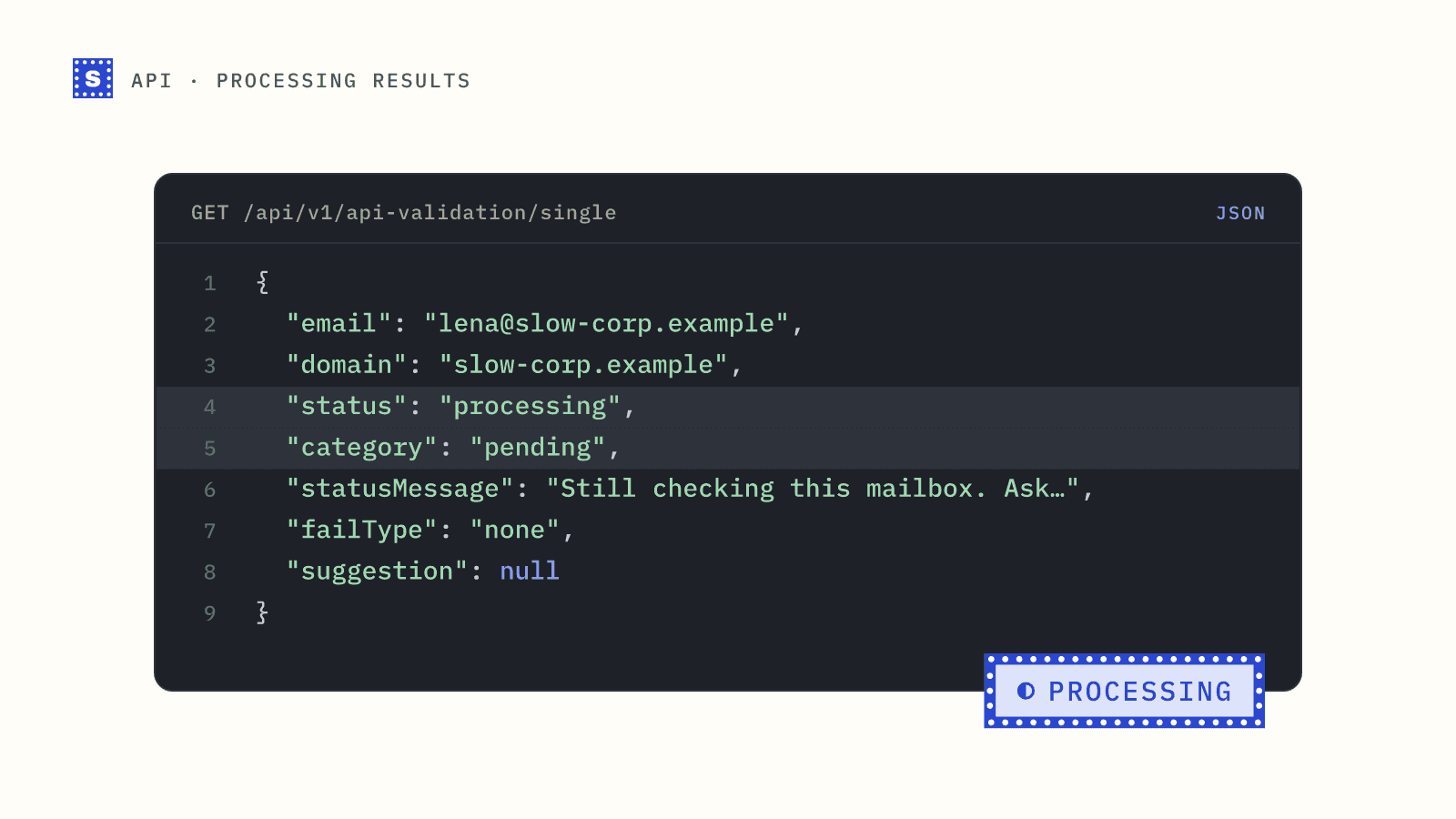
Slow servers. Some mail servers take longer than the API waits, which is about 25 seconds for a batch. Those addresses come back with status: "processing" and category: "pending". The script collects them and asks GET /api-validation/single/result every 30 seconds, for up to three minutes. These follow-up calls don't use credits. Anything still processing after that is written out as pending, and you can run the follow-up again later. The processing results guide covers longer waits.
Rows the script skips. Empty cells and strings that clearly aren't addresses are marked not_checked instead of being sent. Sending them would get a 400 for the whole batch.
Reading the output
Open leads_verified.csv and filter on category:
deliverable: safe to send.risky: real domain, but something stops a confident yes. Checkstatusto see why:accept_allis a catch-all domain,role_addressis an address likeinfo@,disposableis a throwaway inbox.undeliverable: remove these.statusMessagesays why, for exampleThis mailbox does not exist.pending: the mail server hadn't answered when the script stopped waiting. Collect it later rather than deleting.
There is no unknown category. When a server won't confirm an address, the result is risky with the status no_response. That's a finished answer and it used a credit, so asking again straight away won't change it.
If suggestion has a value, the domain looked misspelled. Fix the address in your source system before re-checking it. The category mapping guide has a full send-or-suppress table.
Running it on a schedule
The script is idempotent, so it is safe to run from cron. A common setup is a nightly job that exports yesterday's new contacts from your CRM, verifies them, and writes category back as a field. If your nightly export grows past a few thousand rows, switch to the bulk endpoint: one upload replaces dozens of batch calls, and your original columns come back in the result file. See cleaning a CRM export for that workflow.
The batch endpoint reference is in the API docs, and the email verification API page summarises all three endpoints.