Most verifications finish in a few seconds. A minority don't, and how your code treats them decides whether you get a clean list or a pile of wrongly deleted contacts. This guide covers the two outcomes people most often mishandle: processing, which means "not finished yet", and no_response, which means "finished, but the server wouldn't say".
Why some checks are slow
To confirm that a mailbox exists, a verifier talks to the domain's mail server. Some servers make that slow on purpose. They delay their replies, ask the client to try again later (greylisting), or limit how many questions one sender can ask per minute. Corporate mail behind security gateways is a common example. None of this means the address is bad. It means the answer takes longer than a web request should.
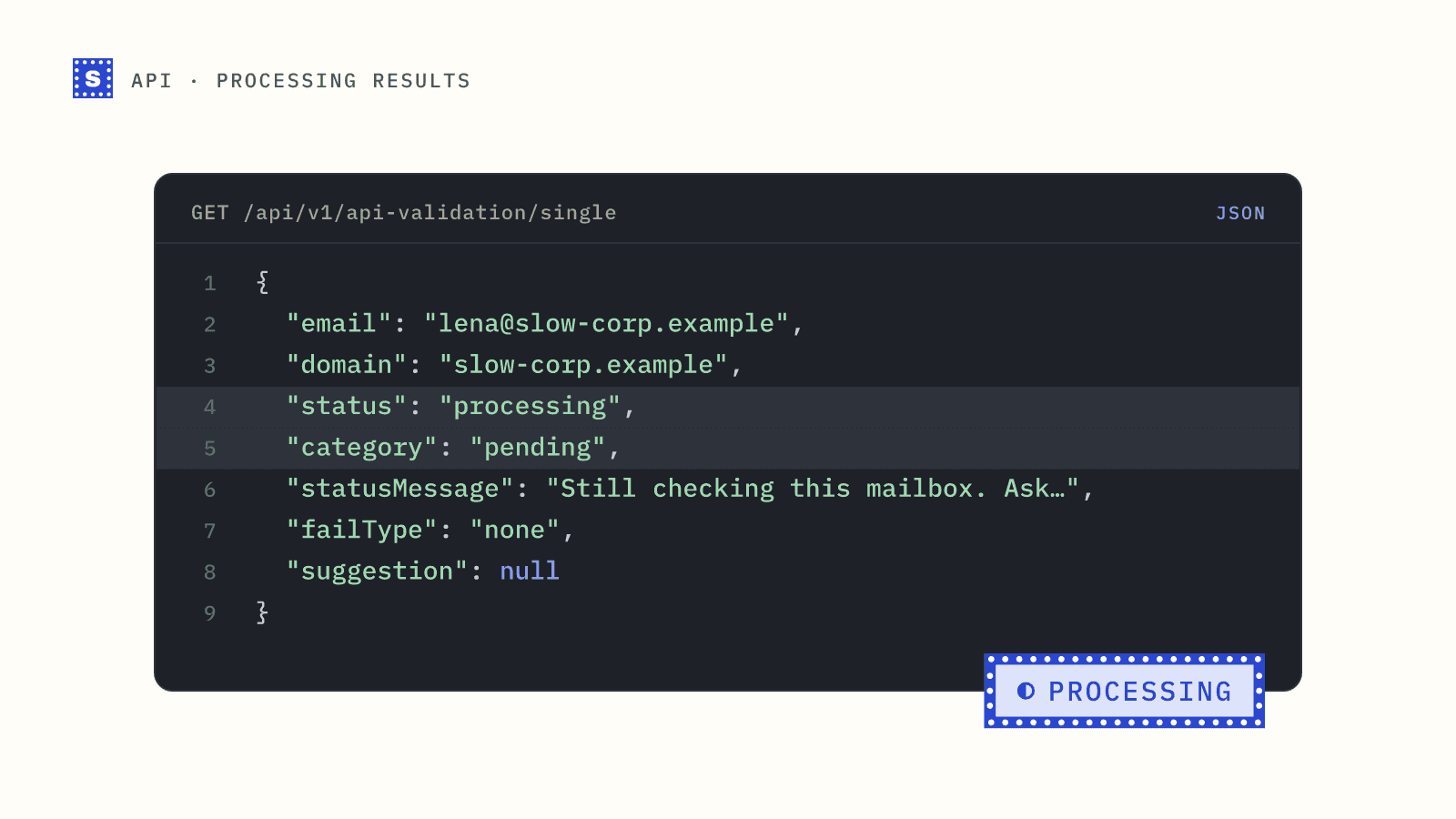
SimpleCold handles this by giving every request a deadline: about 12 seconds for a single address and about 25 seconds for a batch. Anything decided by then comes back as normal. Anything still waiting comes back like this:
{
  "email": "[email protected]",
  "domain": "slow-corp.example",
  "status": "processing",
  "statusMessage": "Still checking this mailbox. Ask again in about a minute; you will not be charged again.",
  "category": "pending",
  "failType": "none",
  "mxLocation": null,
  "siteLocation": null,
  "siteLanguage": null,
  "suggestion": null
}
The check keeps running after the response is sent. Your job is to come back for the answer.
Getting the final answer
Use the result endpoint with the same address:
curl -s -G https://simplecold.com/api/v1/api-validation/single/result \
  --data-urlencode "[email protected]" \
  -H "Authorization: Bearer $SIMPLECOLD_API_KEY"
It returns one of three things:
| Response | Meaning | What to do |
|---|---|---|
200 with status: "processing" | Still running | Wait and ask again |
| 200 with any other status | Finished | Store it. The pending marker is cleared. |
404, No check in progress for this email. | Nothing pending for this address | Either you already collected the result, or no check was started |
Collecting the result doesn't use a credit. Calling GET /api-validation/single again for an address that is still pending doesn't charge again either, so a retry loop around the single endpoint won't double-bill you. The result endpoint is still the better choice, because its response tells you plainly whether anything is outstanding.
Note the 404 after collection. Once you have read a finished result, a second call returns 404, so save the result the first time you see it.
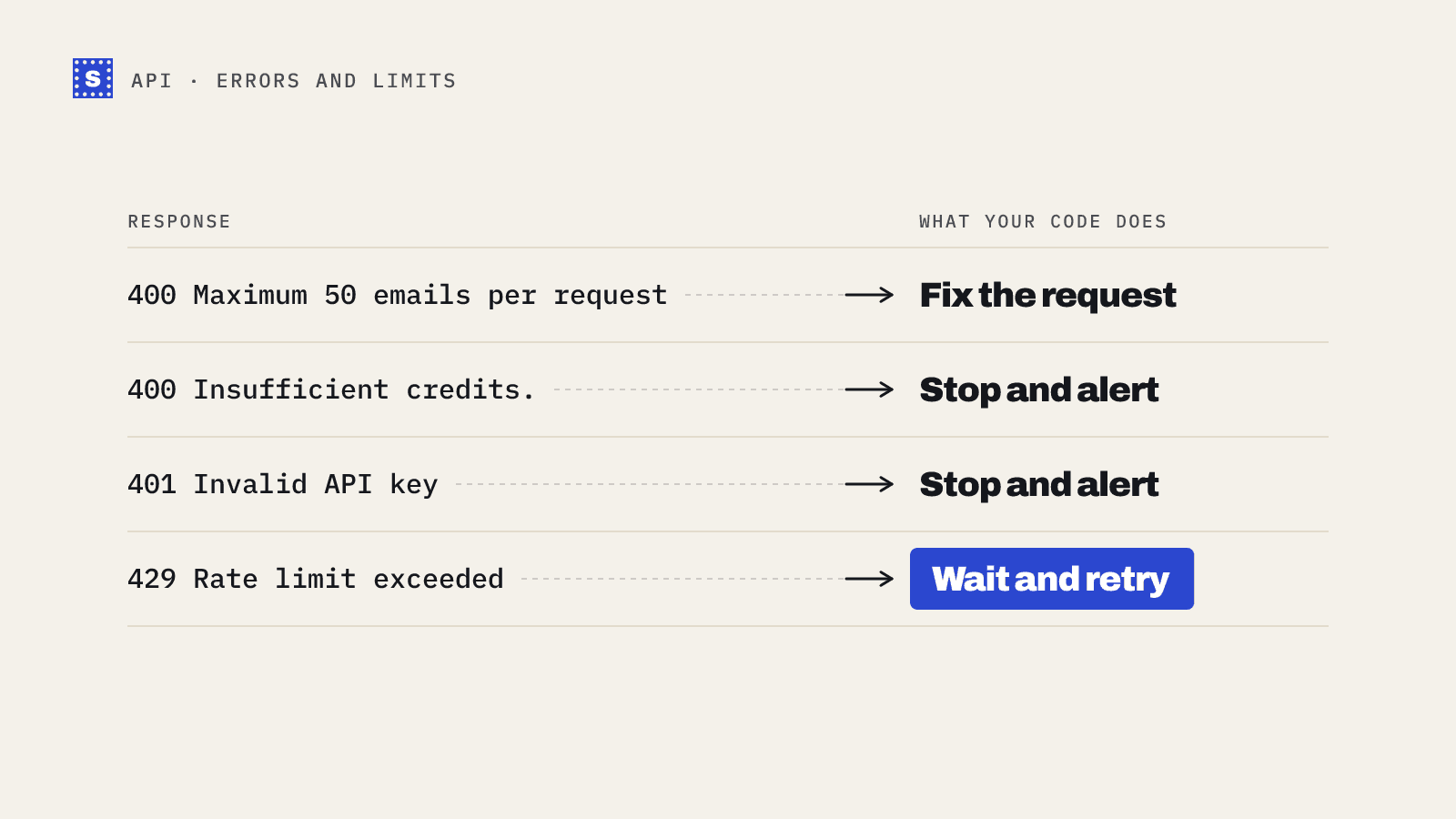
The result endpoint shares the single endpoint's limit of 100 requests per minute per key (300 per minute across your organization). On a 429, wait for the seconds in the Retry-After header before asking again.
You can also skip polling: subscribe a webhook to result.ready, and SimpleCold sends the final result to your server as soon as it is known.
A small polling helper in Node.js
const API = "https://simplecold.com/api/v1";
const auth = { Authorization: `Bearer ${process.env.SIMPLECOLD_API_KEY}` };
const sleep = (ms) => new Promise((r) => setTimeout(r, ms));

export async function verifyAndWait(email, { maxWaitMs = 5 * 60_000 } = {}) {
  const q = `?email=${encodeURIComponent(email)}`;
  let res = await fetch(`${API}/api-validation/single${q}`, { headers: auth });
  let body = await res.json();
  if (!res.ok) throw new Error(body.message ?? body.error);
  let result = body.payload;

  const started = Date.now();
  let delay = 15_000;
  while (result.status === "processing" && Date.now() - started < maxWaitMs) {
    await sleep(delay);
    delay = Math.min(delay * 1.5, 60_000);
    res = await fetch(`${API}/api-validation/single/result${q}`, { headers: auth });
    if (res.status === 404) break; // nothing pending any more
    if (res.status === 429) continue; // back off and try again
    body = await res.json();
    if (res.ok) result = body.payload;
  }
  return result; // may still be "processing" if maxWaitMs ran out
}
The first follow-up comes 15 seconds later, then the gap grows up to a minute. The status message says "about a minute". Most slow checks settle within a minute or two, since the mailbox check itself gives up after about two minutes. The pending marker lasts 30 minutes, so you have plenty of time to collect. Polling every second only spends your rate limit.
Don't hold a person or a worker hostage
The helper above is fine for a script. In a web request it is not: nobody should stare at a spinner for a minute. Two patterns work better.
Accept now, check later. On a sign-up form, let the user through when the result is processing, then finish the check in a background job and act on it afterwards, for example by flagging an account whose address turns out undeliverable. The sign-up guide does this.
Persist and sweep. In a pipeline, write pending addresses to a table with a next_check_at time, and let a scheduled worker collect them. This survives restarts and deploys. The polling guide builds that table.
Batch requests can mix finished and pending
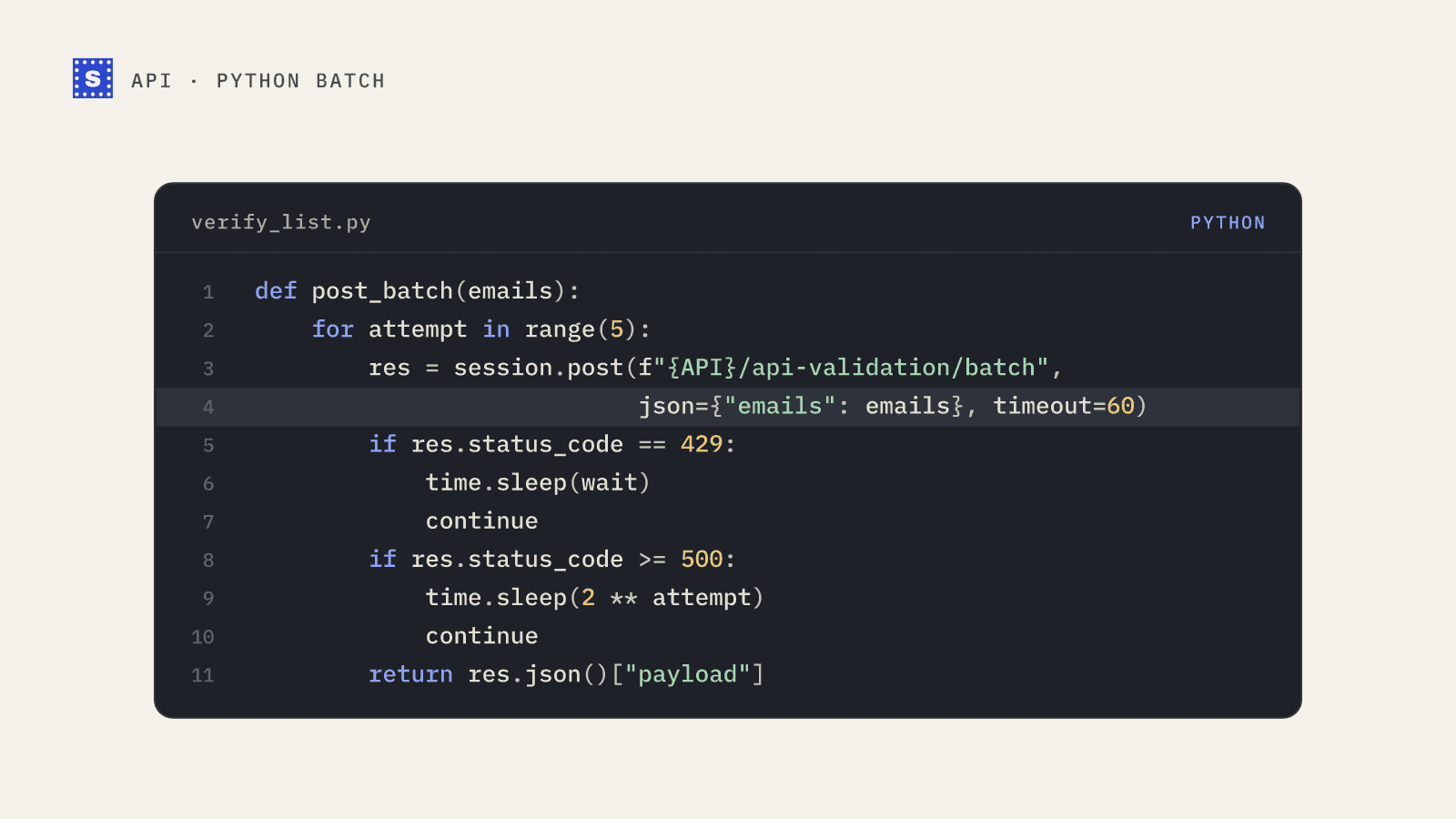
POST /api-validation/batch works the same way, with its 25-second deadline. In a batch of 50, most results are usually final and a few may be processing. Treat each item on its own. Do not retry the whole batch because one item is pending; collect only the pending ones with the result endpoint.
pending = [r["email"] for r in batch_results if r["status"] == "processing"]
Bulk jobs handle this for you
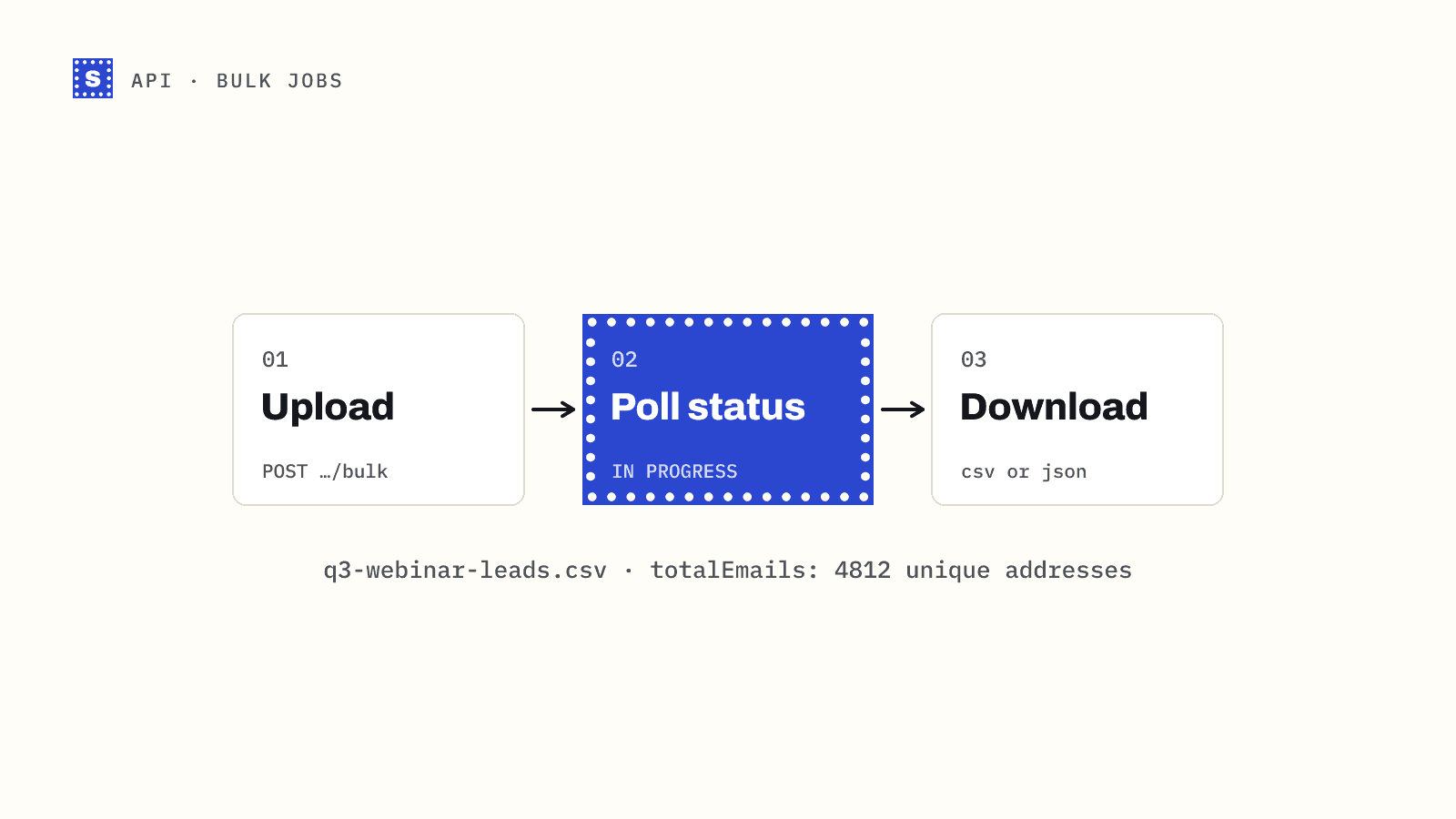
In a bulk CSV job, slow servers are part of the job. The job stays IN PROGRESS until rows are settled, and the status endpoint's etaSeconds and nextUpdateAt already account for the wait. If you cancel a job early, rows that were never checked come back as risky with the status no_response, and the credits reserved for them are released. See run a bulk job end to end.
No response is a different thing
Processing means "ask again". no_response means the check finished and the mail server refused to confirm or deny the mailbox. The result looks like this:
{
  "status": "no_response",
  "statusMessage": "The mail server would not confirm this address.",
  "category": "risky",
  "failType": "temporary"
}
This is a final answer, and it is charged like any other finished check. Polling again won't change it. The "no second credit" rule only covers asking again about an address that is still processing. A few related statuses also land in the risky category for similar reasons:
blocked_by_server: an anti-spam system blocked the check.mailbox_unconfirmed: the mailbox seems to exist, but the server would not confirm it accepts mail.accept_all: the domain accepts every address (a catch-all), so no single mailbox can be confirmed.
Treat these as "send carefully", not "delete". They are often real people at companies with strict mail setups. In cold outreach, the usual approach is a separate, smaller send to risky contacts with close watch on bounces. For a newsletter or a transactional flow, sending is usually fine.
A rule of thumb for your data model
Store four things per address: category, status, statusMessage, and when you checked. Then:
pending: not decided. Collect it later. Never suppress based on it.riskywithno_responseorblocked_by_server: decided as uncertain. Re-checking in a few weeks can give a different answer, since server behaviour changes.undeliverable: decided. Suppress.deliverable: decided. Send.
The category mapping guide turns this into a full table, and the API docs list every status code.