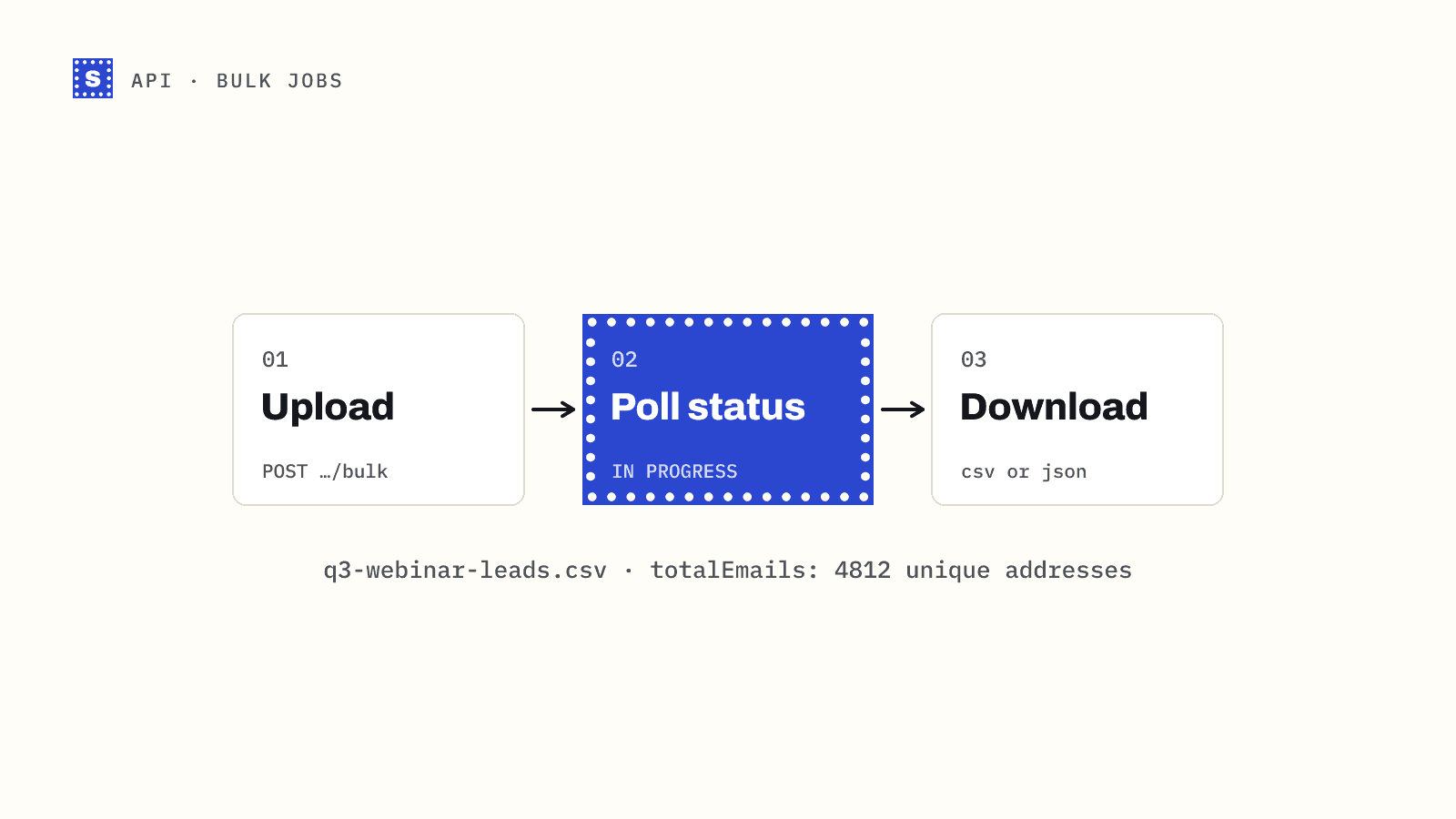
When you have a whole file to clean, the bulk endpoint is the right tool. You upload a CSV, SimpleCold works through it in the background, and you download a result file that keeps every original column and adds the verification fields at the end. This guide covers the full loop in three steps: upload, poll, download. Each step comes with code you can run.
This guide polls, so your code finds out a job is done by asking. The status endpoint tells you when to ask next, which keeps that cheap. If your server can receive requests, you can skip the polling loop: subscribe a webhook to bulk.finished and SimpleCold calls you when the job completes, fails or is canceled.
Prepare the file
The endpoint accepts a CSV up to 50 MB, sent as multipart form data in a field named file. A few rules about the contents:
- The first row must be a header row.
- One column must hold the addresses. SimpleCold finds it by name and accepts
email,e-mail,email address,emailaddress,emailsormail, ignoring case and surrounding spaces. If none match, the upload fails withEmail column not found in the file. - Commas, semicolons and tabs all work as delimiters. Spreadsheet exports from European locales often use semicolons, and they are fine as they are.
- Rows with an empty email cell are skipped. A file with no addresses at all fails with
No email addresses found in the file. - Any other columns ride along: names, company, owner, CRM IDs. Their values and headers are kept exactly as they are, so
Record IDstaysRecord ID. - Duplicate addresses are checked and charged once. Later copies of the same address are dropped, so the result file has one row per unique address.
The job takes its name from the file name, minus the extension, so q3-webinar-leads.csv shows up in the dashboard as q3-webinar-leads. Name files so you can find them later.
Step 1: upload
curl -s https://simplecold.com/api/v1/api-validation/bulk \
  -H "Authorization: Bearer $SIMPLECOLD_API_KEY" \
  -F "[email protected];type=text/csv"
The ;type=text/csv part sets the content type of the file part. The endpoint only accepts CSV, and some curl builds guess a different type from the extension, so set it explicitly.
A successful upload returns the job:
{
  "code": "SUCCESS",
  "message": "Successfully performed operation.",
  "payload": {
    "id": "b0f6c2a4-...",
    "name": "q3-webinar-leads",
    "totalEmails": 4812,
    "totalValidEmails": 0,
    "totalCreditsUsed": 4812,
    "status": "IN PROGRESS",
    "createdAt": "2026-07-30T09:14:02.511Z"
  },
  "requestId": "..."
}
Keep the id. Every later call needs it. totalEmails counts unique addresses after duplicates and blank rows are removed, and that's the number of credits reserved.
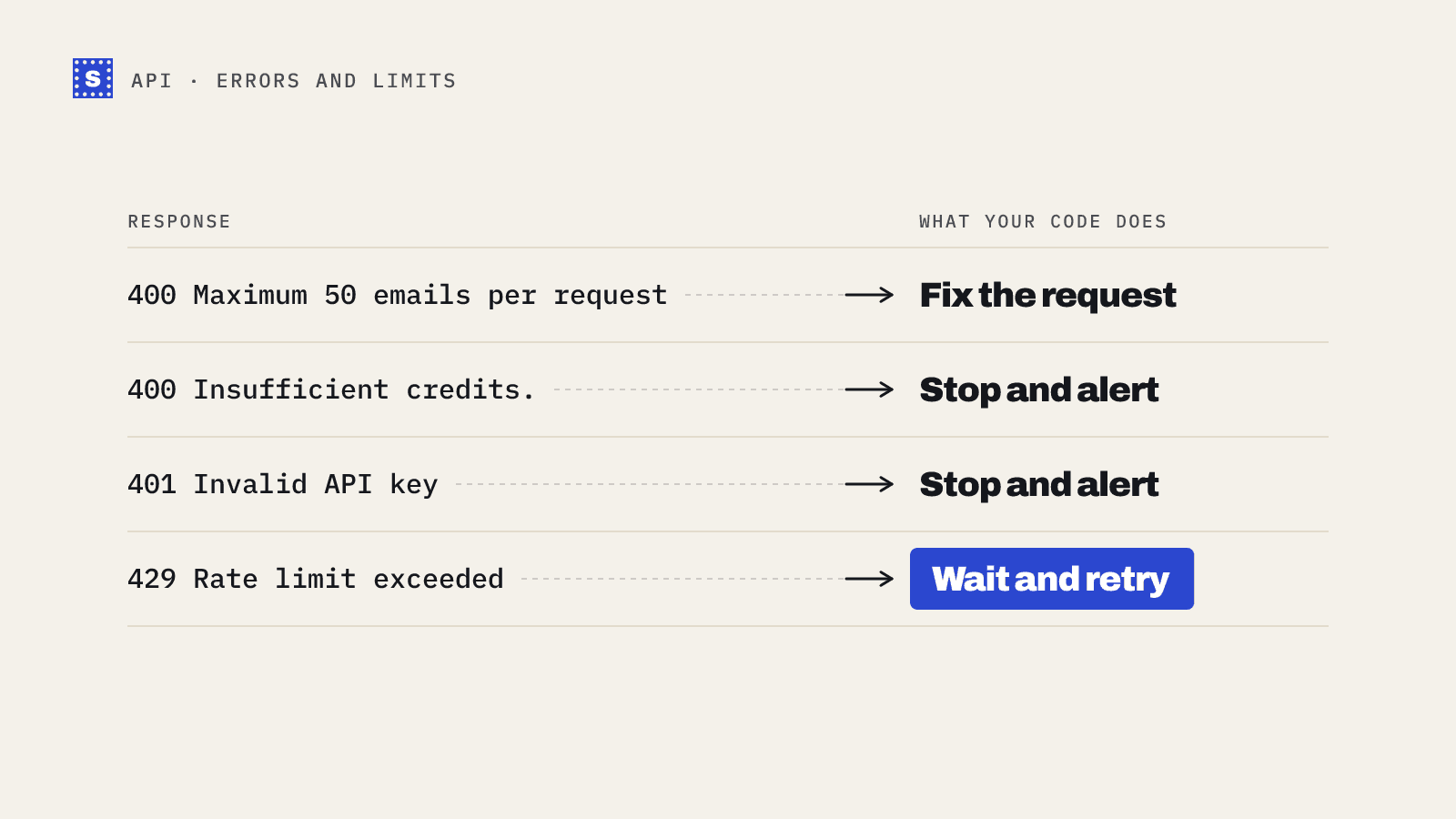
Credits for the rows are reserved at upload time. If your balance is too low, the upload is refused with a 400 and the message Insufficient credits. (or Please buy credits. if the balance is empty), and no job is created. Check your balance in the dashboard, or catch this error and alert a human, before scheduling large uploads.
Step 2: poll the status
curl -s https://simplecold.com/api/v1/api-validation/bulk/$JOB_ID/status \
  -H "Authorization: Bearer $SIMPLECOLD_API_KEY"
{
  "code": "SUCCESS",
  "message": "Successfully performed operation.",
  "payload": {
    "status": "IN PROGRESS",
    "totalProcessed": 2100,
    "progressPercent": 43.6,
    "etaSeconds": 310,
    "lastUpdatedAt": "2026-07-30T09:19:40.002Z",
    "nextUpdateAt": "2026-07-30T09:20:40.002Z",
    "queuedChunks": 0
  },
  "requestId": "..."
}
The fields you will use:
| Field | Meaning |
|---|---|
status | QUEUE, IN PROGRESS, COMPLETED, FAILED, CANCELED or CANCELING. Note the space in IN PROGRESS. |
totalProcessed, progressPercent | How far along the job is. |
etaSeconds | Estimated seconds left, or null when there isn't enough data for an estimate yet. |
nextUpdateAt | When the progress numbers will next change. Polling before this time returns the same numbers. |
The status endpoint has its own rate limit of 120 requests per minute per key, separate from uploads (10 per minute) and downloads (30 per minute). A loop that polls every second still hits it within two minutes, and it gains nothing, because progress only moves at nextUpdateAt. Wait until then, with a floor and a ceiling. On a 429, wait for the number of seconds in the Retry-After header.
COMPLETED and CANCELED are the states you can download from. In a canceled job, rows that were never checked come back as Risky with the reason code no_response, and the credits reserved for them are released. FAILED means the job stopped. You can retry a failed job from the dashboard.
Step 3: download
curl -s -o results.csv \
  "https://simplecold.com/api/v1/api-validation/bulk/$JOB_ID/download-result?output=csv&verifiedOnly=false" \
  -H "Authorization: Bearer $SIMPLECOLD_API_KEY"
Both query parameters are required:
output:csvorjson.verifiedOnly:truereturns only rows whose reason code ismailbox_found.falsereturns every row.
This endpoint returns the file itself, not the usual JSON envelope. With output=csv you get your original columns followed by Result, Reason, Reason code, Suggestion, Retry later, Domain, Mail server country, Website country and Website language. Result is Deliverable, Risky, Undeliverable or Processing. Reason is the plain sentence, and Retry later is Yes when a later check may give a different answer. If one of your own columns already uses one of these names, ours gets "(SimpleCold)" added to its name, for example Domain (SimpleCold).
With output=json you get an array of objects. Your fields keep their original keys, followed by result, reasonCode, reason, suggestion, retryLater (true or false), domain, mailServerCountry, websiteCountry and websiteLanguage.
Asking while the job is still IN PROGRESS returns a partial snapshot: rows checked so far have their results, and the rest show Result Processing with reason code processing. Jobs in QUEUE or FAILED return a 400 with Results are not available for this job., and an unknown job ID returns a 400 with Job not found. Wait for COMPLETED before you treat the file as final.
Your original columns keep their values and their exact headers. Every download uses this format, including files from older jobs.
verifiedOnly=true is handy when you only want a send-ready list. Most teams download everything instead, because the risky and undeliverable rows carry information you want in your CRM: which contacts to suppress, which domains are catch-all.
The whole loop in Node.js
// bulk.mjs  (Node 18+)
import { readFile, writeFile } from "node:fs/promises";
import { basename } from "node:path";

const API = "https://simplecold.com/api/v1";
const auth = { Authorization: `Bearer ${process.env.SIMPLECOLD_API_KEY}` };
const sleep = (ms) => new Promise((r) => setTimeout(r, ms));

async function upload(path) {
  const form = new FormData();
  const blob = new Blob([await readFile(path)], { type: "text/csv" });
  form.append("file", blob, basename(path));
  const res = await fetch(`${API}/api-validation/bulk`, { method: "POST", headers: auth, body: form });
  const body = await res.json();
  if (!res.ok) throw new Error(`upload failed: ${body.message ?? body.error}`);
  return body.payload;
}

function nextDelayMs(p) {
  const MIN = 5_000, MAX = 120_000;
  let wait = 15_000;
  if (p.nextUpdateAt) wait = new Date(p.nextUpdateAt).getTime() - Date.now() + 1_000;
  else if (p.etaSeconds != null) wait = Math.min(p.etaSeconds * 1000, 60_000);
  return Math.min(MAX, Math.max(MIN, wait));
}

async function waitForJob(id) {
  for (;;) {
    const res = await fetch(`${API}/api-validation/bulk/${id}/status`, { headers: auth });
    if (res.status === 429) {
      await sleep(Number(res.headers.get("retry-after") ?? 60) * 1000);
      continue;
    }
    const body = await res.json();
    if (!res.ok) throw new Error(`status failed: ${body.message}`);
    const p = body.payload;
    console.log(`${p.status} ${p.progressPercent}% eta=${p.etaSeconds ?? "?"}s`);
    if (p.status === "COMPLETED" || p.status === "CANCELED") return p;
    if (p.status === "FAILED") throw new Error("job failed; retry it from the dashboard");
    await sleep(nextDelayMs(p));
  }
}

async function download(id, output = "csv") {
  const url = `${API}/api-validation/bulk/${id}/download-result?output=${output}&verifiedOnly=false`;
  const res = await fetch(url, { headers: auth });
  if (!res.ok) throw new Error(`download failed: ${res.status} ${await res.text()}`);
  return res.text(); // raw CSV, or a JSON array as text
}

const file = process.argv[2];
const job = await upload(file);
console.log(`job ${job.id}: ${job.totalEmails} emails`);
await waitForJob(job.id);
await writeFile(file.replace(/\.csv$/i, "") + ".verified.csv", await download(job.id));
console.log("done");
Do not set a Content-Type header yourself when sending FormData. fetch adds it with the multipart boundary, and a hand-written header without the boundary breaks the upload.
The whole loop in Python
# bulk.py
import os
import sys
import time
from datetime import datetime, timezone

import requests

API = "https://simplecold.com/api/v1"
s = requests.Session()
s.headers["Authorization"] = f"Bearer {os.environ['SIMPLECOLD_API_KEY']}"


def upload(path):
    with open(path, "rb") as f:
        res = s.post(f"{API}/api-validation/bulk",
                     files={"file": (os.path.basename(path), f, "text/csv")}, timeout=300)
    body = res.json()
    if not res.ok:
        raise RuntimeError(f"upload failed: {body.get('message') or body.get('error')}")
    return body["payload"]


def next_delay(p):
    wait = 15.0
    if p.get("nextUpdateAt"):
        when = datetime.fromisoformat(p["nextUpdateAt"].replace("Z", "+00:00"))
        wait = (when - datetime.now(timezone.utc)).total_seconds() + 1
    elif p.get("etaSeconds") is not None:
        wait = min(p["etaSeconds"], 60)
    return max(5, min(120, wait))


def wait_for_job(job_id):
    while True:
        res = s.get(f"{API}/api-validation/bulk/{job_id}/status", timeout=30)
        if res.status_code == 429:
            time.sleep(int(res.headers.get("Retry-After", 60)))
            continue
        res.raise_for_status()
        p = res.json()["payload"]
        print(p["status"], f"{p['progressPercent']}%", "eta", p["etaSeconds"])
        if p["status"] in ("COMPLETED", "CANCELED"):
            return p
        if p["status"] == "FAILED":
            raise RuntimeError("job failed; retry it from the dashboard")
        time.sleep(next_delay(p))


def download(job_id, dest):
    res = s.get(f"{API}/api-validation/bulk/{job_id}/download-result",
                params={"output": "csv", "verifiedOnly": "false"}, timeout=300)
    res.raise_for_status()
    with open(dest, "wb") as f:
        f.write(res.content)


if __name__ == "__main__":
    path = sys.argv[1]
    job = upload(path)
    print("job", job["id"], job["totalEmails"], "emails")
    wait_for_job(job["id"])
    download(job["id"], path.rsplit(".", 1)[0] + ".verified.csv")
If your process restarts
Store the job id as soon as the upload returns, in a database row or even a text file. If the script crashes mid-poll, you can resume from step 2 with the saved ID. Uploading the file again would start a second job and reserve credits a second time. The polling guide shows a restart-safe version built on a jobs table.
Next steps
Once you have the result file, decide what to do with each category. The category mapping guide has a table you can copy. If the file came from a CRM, cleaning a CRM export covers mapping the results back to records. You can also do all of this without code: the bulk email verifier accepts the same CSV in the dashboard. The endpoint reference is in the API docs.