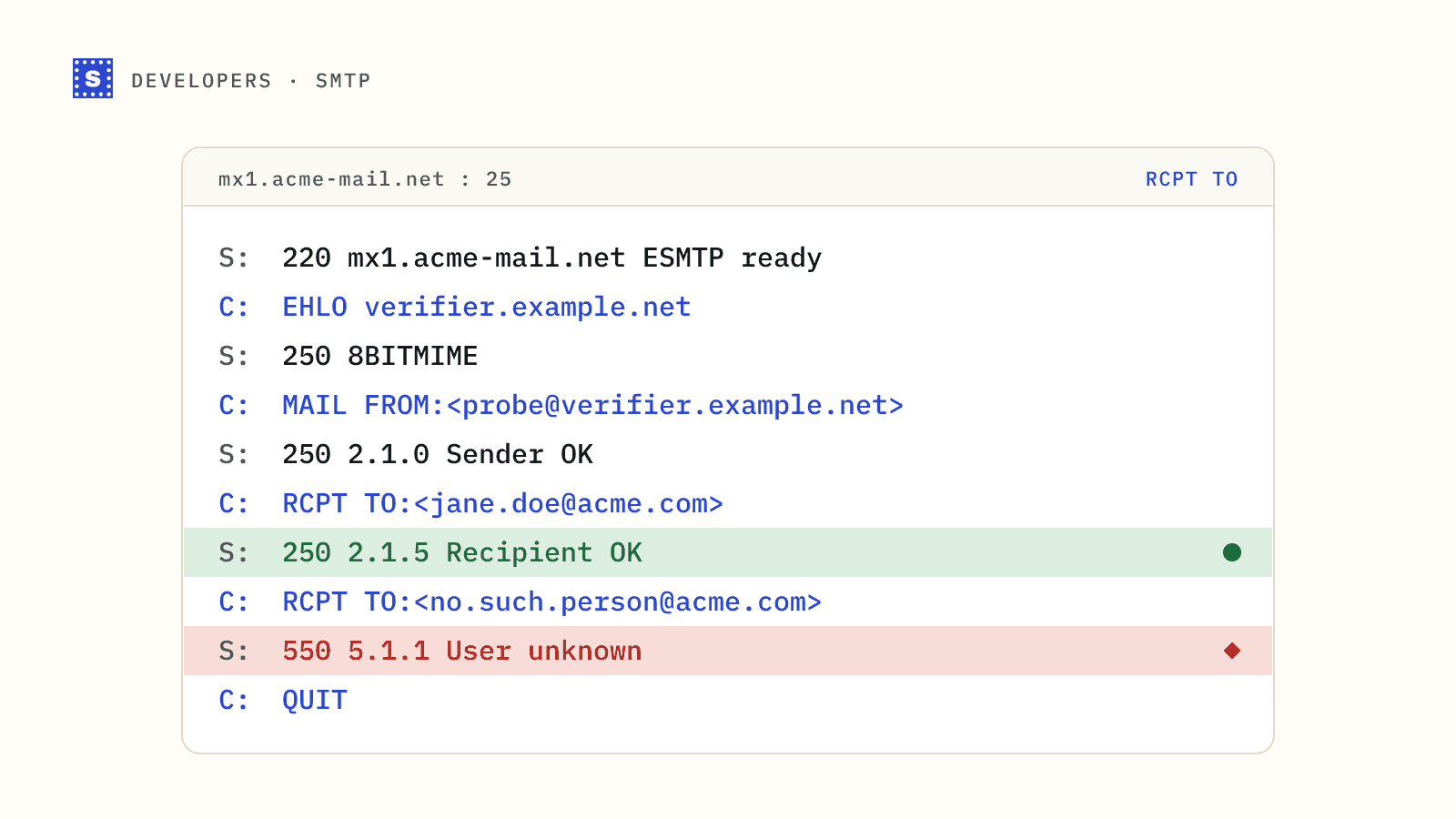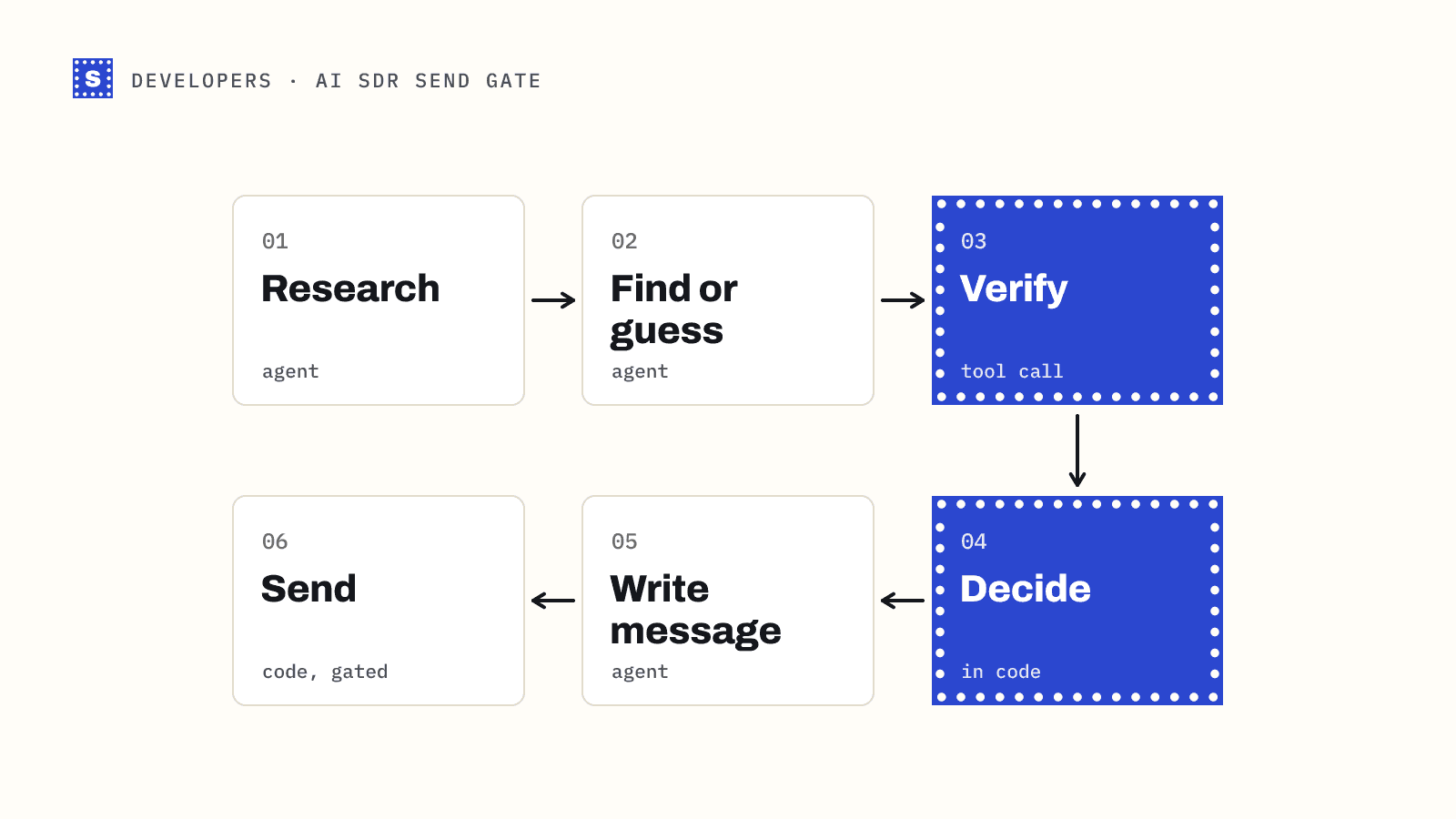
If you are a developer, there is a natural question before paying for an email verification API: how hard can it be? Look up the MX record, open an SMTP connection, send RCPT TO, read the reply. There are open source projects that do exactly that, some of them well maintained, and you can have one running in an afternoon.
Getting it running is the easy part. This post covers what open source email verification involves once it is in production, where it works well, and where an API earns its cost. We sell an API, so weigh our view accordingly; we have tried to be fair about where self-hosting is the better choice.
What the open source tools do
The typical open source verifier, whether a library or a self-hosted service, performs the same core steps:
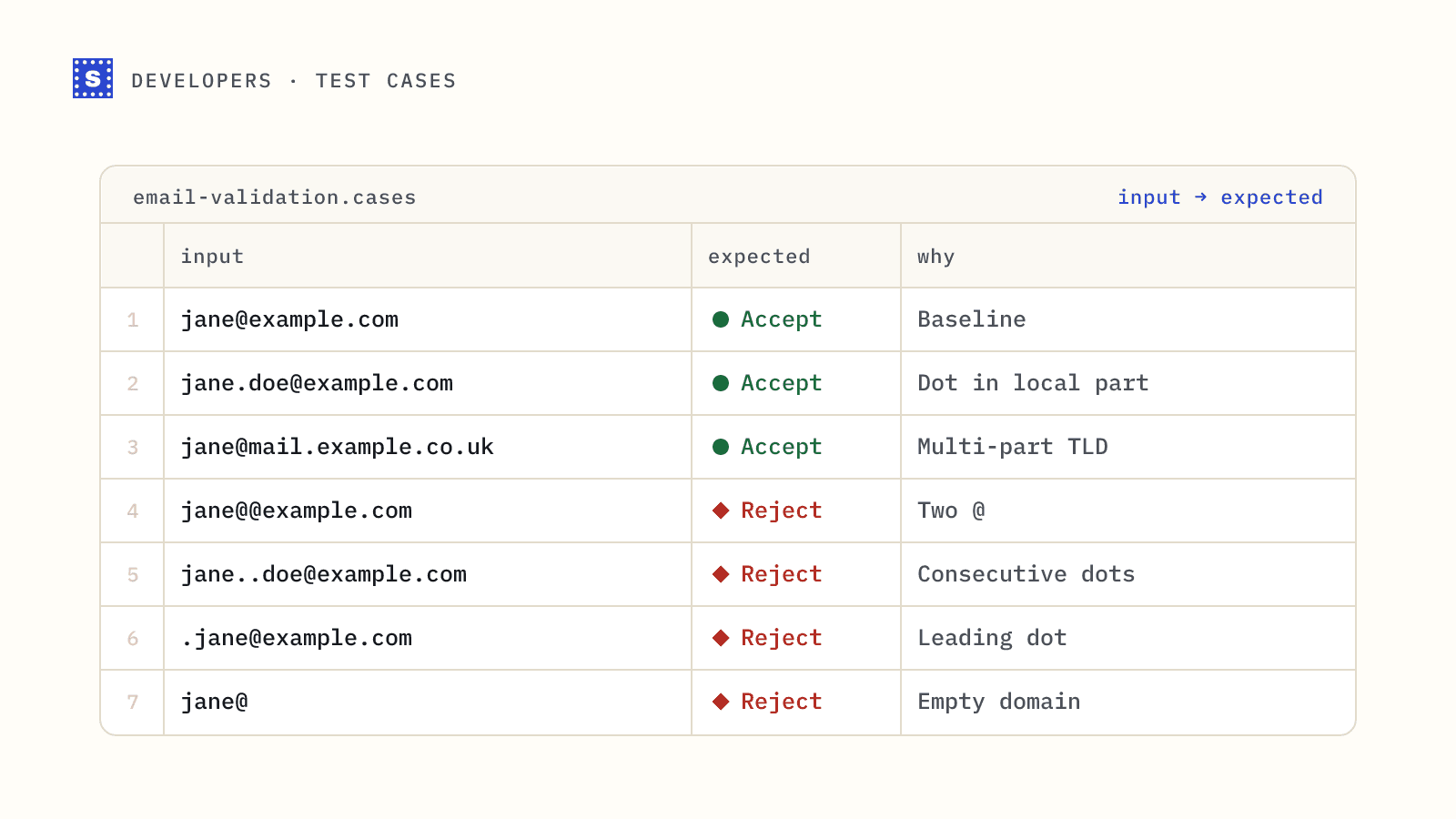
- Syntax check on the address.
- DNS lookup for MX records (falling back to the A record if there is no MX, as RFC 5321 allows).
- SMTP connection to the highest-priority mail server.
EHLO,MAIL FROM,RCPT TOwith the address, thenQUIT.- Interpret the reply:
250accepted,550rejected,4xxtry later.
Many add a catch-all check (send RCPT TO for a random address at the same domain), a disposable domain list and a role-based list. Some well-known projects in this space are maintained on GitHub and can run as a library, a CLI or an HTTP service.
The code is not the hard part. Everything around it is.
Problem 1: Outbound port 25
SMTP verification needs to connect to port 25 on the receiving server. Most major cloud providers block outbound port 25 by default on new accounts, because it is how spam leaves compromised machines. Some will lift the block on request, some only for certain account types, and some not at all.
So your first decision is where the verifier runs. Options include a provider that allows port 25, a dedicated server, or routing through a proxy or relay that does. Each has cost and setup time.
Problem 2: IP reputation
Mail servers see verification probes as suspicious, because they look like the first half of a spam run: connect, name a recipient, disconnect. If one IP sends many of them, especially to the same provider, expect:
- Temporary blocks and rate limiting (
421,450replies). - Listings on public blocklists, which then affect anything else that IP does.
- Silent tarpitting, where the server slows the conversation down to waste your time.
Running verification from the same IP as your application servers or, worse, your outbound mail is a bad idea. You need separate IPs, sensible per-domain rate limits, and a plan for when an IP gets listed. Check yours with a blacklist checker once you start.
Problem 3: Results that need interpretation
The protocol is simple; the answers are not. In production you will meet:
- Greylisting. A
4xxon the first attempt that clears if you retry minutes later. You need a retry queue, not a one-shot check. - Catch-all domains. The server says
250to everything. Your tool must detect this and report it as uncertain rather than valid. - Providers that accept at the edge. Some large providers and many secure email gateways accept the recipient during the SMTP conversation and decide later, or refuse to answer verification probes at all.
- Inconsistent codes. Servers use enhanced status codes loosely. Interpreting text like "mailbox unavailable" vs "policy rejection" takes rules you build up over time.
- Slow servers. Some take many seconds to answer. Your API callers will not wait forever, so you need a way to return "still checking" and finish later.
Each of these is solvable. Together they are a few weeks of work and an ongoing maintenance job.
Problem 4: Keeping lists current
Disposable email services appear constantly. A static disposable list from a repository goes stale unless someone updates it. The same goes for typo domains and role-based prefixes. Plan for who maintains these lists.
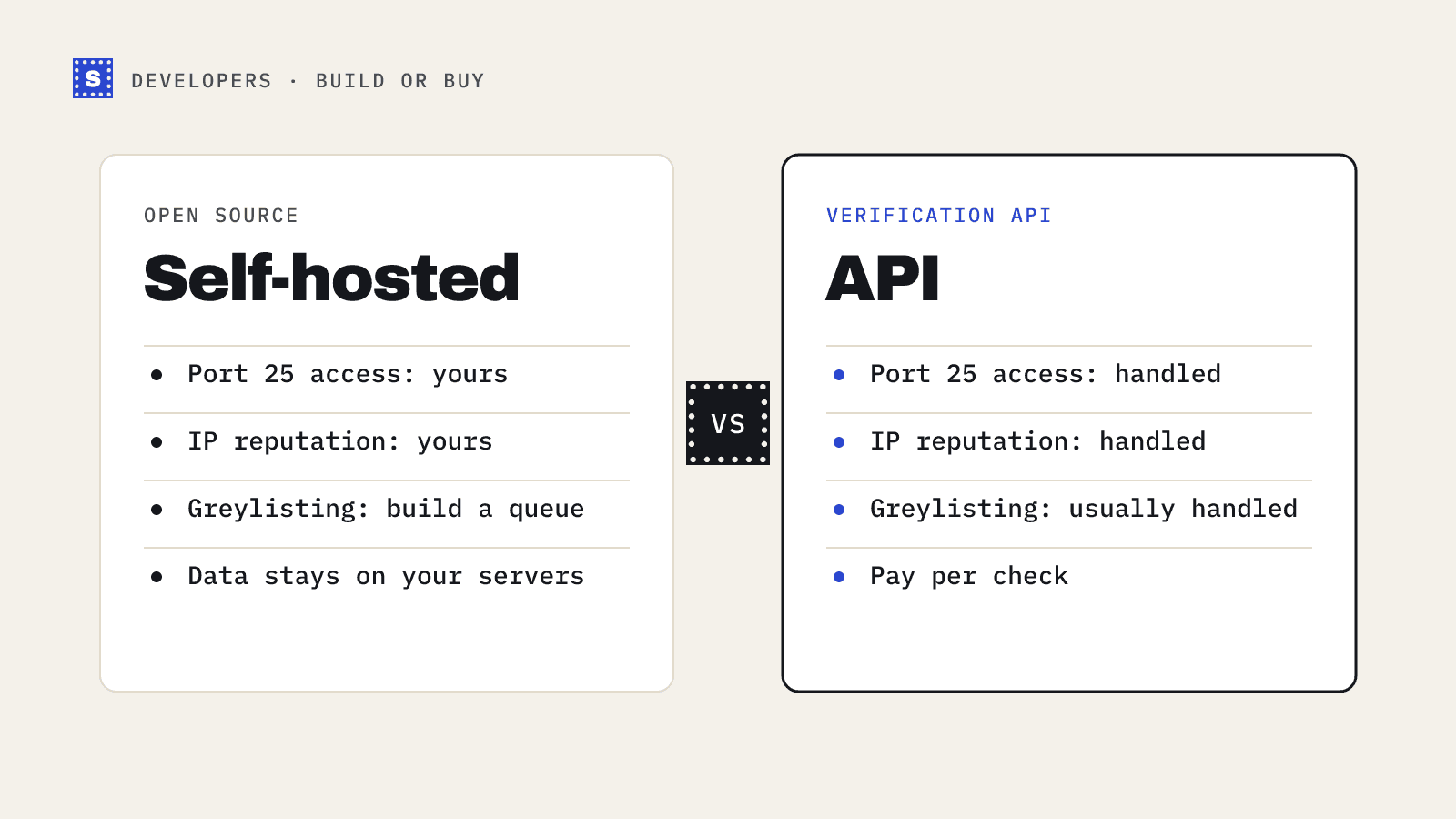
A comparison
| Concern | Self-hosted open source | Verification API |
|---|---|---|
| Upfront cost | Free software, plus servers and IPs | Pay per check |
| Port 25 access | Your problem | Handled |
| IP reputation and rotation | Your problem | Handled |
| Greylisting retries | Build a queue | Usually handled |
| Catch-all detection | Often included; check behaviour | Included |
| Disposable and role lists | Static unless you update them | Maintained by the vendor |
| Data stays on your infrastructure | Yes | No (addresses are sent to the vendor) |
| Maintenance | Ongoing | None on your side |
| Control over logic | Full | Limited to what the API exposes |
When self-hosting makes sense
Self-hosting is a good fit when:
- Data cannot leave your infrastructure for policy or regulatory reasons.
- Volume is very high and steady, and you have people who understand mail infrastructure.
- You only need validation, not mailbox checks: syntax, MX records, disposable and role-based lists. That part runs anywhere, needs no port 25, and causes no reputation risk.
- You want to learn. Running the protocol yourself is the best way to understand what verification can and cannot tell you. Our post on SMTP email verification walks through the handshake.
A hybrid also works well: do syntax, MX and disposable checks locally for every signup, and call an API only for the mailbox check on addresses that passed.
When an API makes more sense
An API is the better trade when:
- You need mailbox-level results without running mail infrastructure.
- Volume is spiky, such as list cleaning before campaigns, so fixed servers sit idle most of the month.
- You do not want blocklisting risk anywhere near your domains.
- You need predictable behaviour for slow servers and catch-all domains without building it yourself.
SimpleCold's email verification API has single, batch and bulk endpoints. Each result includes a category, a status code and a plain-language reason, and slow servers return a processing status you can poll instead of a guess. The quickstart guide gets you to a first call in a few minutes, and free test addresses let you try the main result types on single and batch calls without using credits.
Decide with a test
The cheapest way to decide is to run both on the same sample. Take a few hundred addresses you know something about (recent bounces, recent replies), run them through your self-hosted setup and through an API, and compare. Pay most attention to the uncertain cases, because that is where the two differ.