A role-based email address belongs to a function rather than a person. info@, sales@, support@, billing@, hr@ and admin@ are the usual examples. Mail sent there lands with whoever covers that role this week, or with a shared inbox that three people check, or with nobody at all.
Most email verifiers flag these addresses, and plenty of sending platforms treat them with suspicion. That does not make them useless. Whether you should send to one depends on who is behind it, what you are sending, and how much risk your sending domain can carry.
Common role based email addresses
| Prefix | Usually reaches |
|---|---|
| info@, hello@, contact@ | General inbox, often the founder at small firms |
| sales@ | Sales team or a CRM routing rule |
| support@, help@ | Ticketing system |
| billing@, accounts@, invoices@ | Finance team or an accounts-payable tool |
| hr@, jobs@, careers@ | Recruiting |
| admin@, webmaster@, postmaster@, abuse@ | IT or the hosting provider |
| marketing@, press@, media@ | Marketing or PR team |
| noreply@, no-reply@ | Nobody |
postmaster@ and abuse@ deserve their own warning. Mail standards expect domains to have them for reporting problems. Sending marketing or cold outreach there goes straight to the people who handle spam complaints.
Why verifiers flag them
A role address can be completely deliverable. The mailbox exists, the server accepts mail, nothing bounces. Verifiers still mark it as risky for reasons that have nothing to do with bounces.
- More complaints. Several people see the message. Any one of them can hit "report spam", and none of them asked for it.
- No clear owner. Nobody feels responsible for replying, so engagement is low. Low engagement can drag down how mailbox providers see your sending domain.
- Distribution lists. Some role addresses fan out to many people, or into a ticket system that sends an auto-reply.
- Trap risk. Role addresses get published on websites and scraped constantly. Old ones sometimes end up monitored by people who track unsolicited mail.
- Platform rules. Several email marketing platforms restrict role addresses on import or in some sending situations. If your tool rejects them anyway, there is no point paying to verify and import them.
When role addresses are worth it
There are good reasons to keep some of them.
Very small companies. At a five-person agency, hello@ often is the founder. If your list targets micro businesses, removing every role address may delete a large share of your real decision makers.
Inbound and transactional mail. If someone filled in your form with [email protected], they chose that address. Send their receipts and replies there.
When the role is the buyer. If you sell an accounts-payable tool, accounts@ is relevant. If you sell PR software, press@ might be too.
Existing relationships. A customer who has replied from support@ for two years is not a cold contact.
When to skip them
- Cold outreach to mid-size and large companies, where
info@goes to a queue and named contacts exist. - Fresh sending domains still building a reputation. Every complaint weighs more there.
noreply@,postmaster@,abuse@andwebmaster@, almost always.- Any role address you found by scraping a website, with no other sign of interest.
A simple decision rule
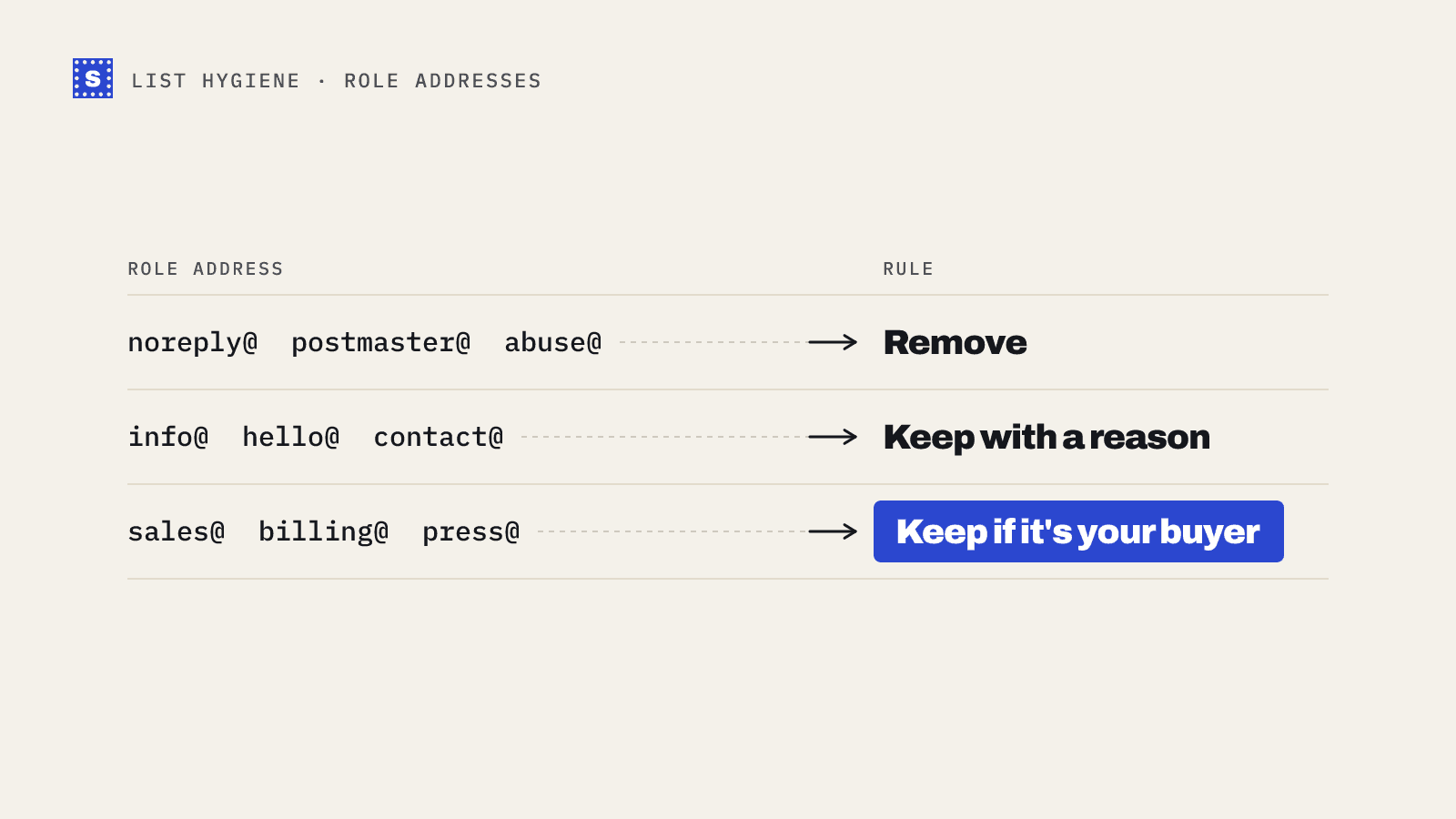
Sort role addresses into three groups before a campaign.
- Remove outright: noreply, postmaster, abuse, webmaster, hostmaster, mailer-daemon.
- Keep only with a reason: info, hello, contact, office. Keep them for small businesses, or where the person gave you that address themselves.
- Keep if the role is your buyer: sales, billing, press, hr and the like. Keep them only when the role matches what you sell.
Then send the kept role addresses in their own segment, separate from named contacts. If complaints or bounces rise in that segment, you will see it straight away instead of having it hidden in the overall numbers.
Finding the person behind the role
Often the better move is to replace the role address with a named contact.
- Check the company site's team or about page.
- Look at LinkedIn for the job title you want.
- Work out the company's email pattern from addresses you already know, such as first.last or first initial plus last name.
- Verify the guessed address before you use it. Guessed addresses on catch-all domains cannot be confirmed by any verifier, so treat those as risky. Our post on finding and verifying business email addresses walks through the process.
Role detection and your results
SimpleCold marks role addresses as Risky with the reason code role_address and the reason "This is a shared role address, like info@ or sales@, not a person", so you can see them clearly instead of having them mixed in with deliverable named contacts. You decide what to do with them. Filter them out, put them in their own segment, or keep the ones that match your rules. You can read more about how role-based email detection works, or check a single address with the free email checker.
If you are cleaning a list today, run it through a verifier, filter the risky rows by reason, and apply the three-group rule above. It takes a few minutes, and it keeps the complaint-prone addresses out of your best sending domain. The glossary entry on role-based email has a short definition you can share with your team.