Ask ten email marketers what a good bounce rate is and you'll hear "under 2%" from most of them. Ask where the number comes from and the room goes quiet. It's a useful benchmark, but it helps to know which thresholds are published by the companies that decide where your mail lands, and which are folklore that happens to work.
How bounce rate is calculated
Bounce rate is the share of sent emails that were rejected:
bounce rate = bounced emails / emails sent × 100
Some tools divide by emails sent, others by emails attempted after suppression. Check which your platform uses before comparing numbers across tools. The bounce rate calculator does the arithmetic and splits hard and soft bounces if you have them.
Bounces come in two kinds:
- Hard bounces are permanent: the mailbox or domain doesn't exist, or the server refuses mail for good. See hard bounce.
- Soft bounces are temporary: a full inbox, a server that's down, a message that's too large, or a deferral. See soft bounce.
When people quote a bounce rate benchmark, they usually mean hard bounces, or total bounces dominated by hard ones. Keep the two apart in your own reporting.
What mailbox providers publish, and what they don't
Here's the part most benchmark articles skip. Google and Yahoo's bulk sender requirements, which took effect in February 2024, set a clear threshold for spam complaints: keep the spam rate reported in Google Postmaster Tools below 0.3%, and Google recommends staying under 0.1%. Microsoft introduced similar authentication requirements for high-volume senders to Outlook.com in 2025.
None of them publish a bounce rate threshold. There's no rule that says "above 2% bounces, you go to spam."
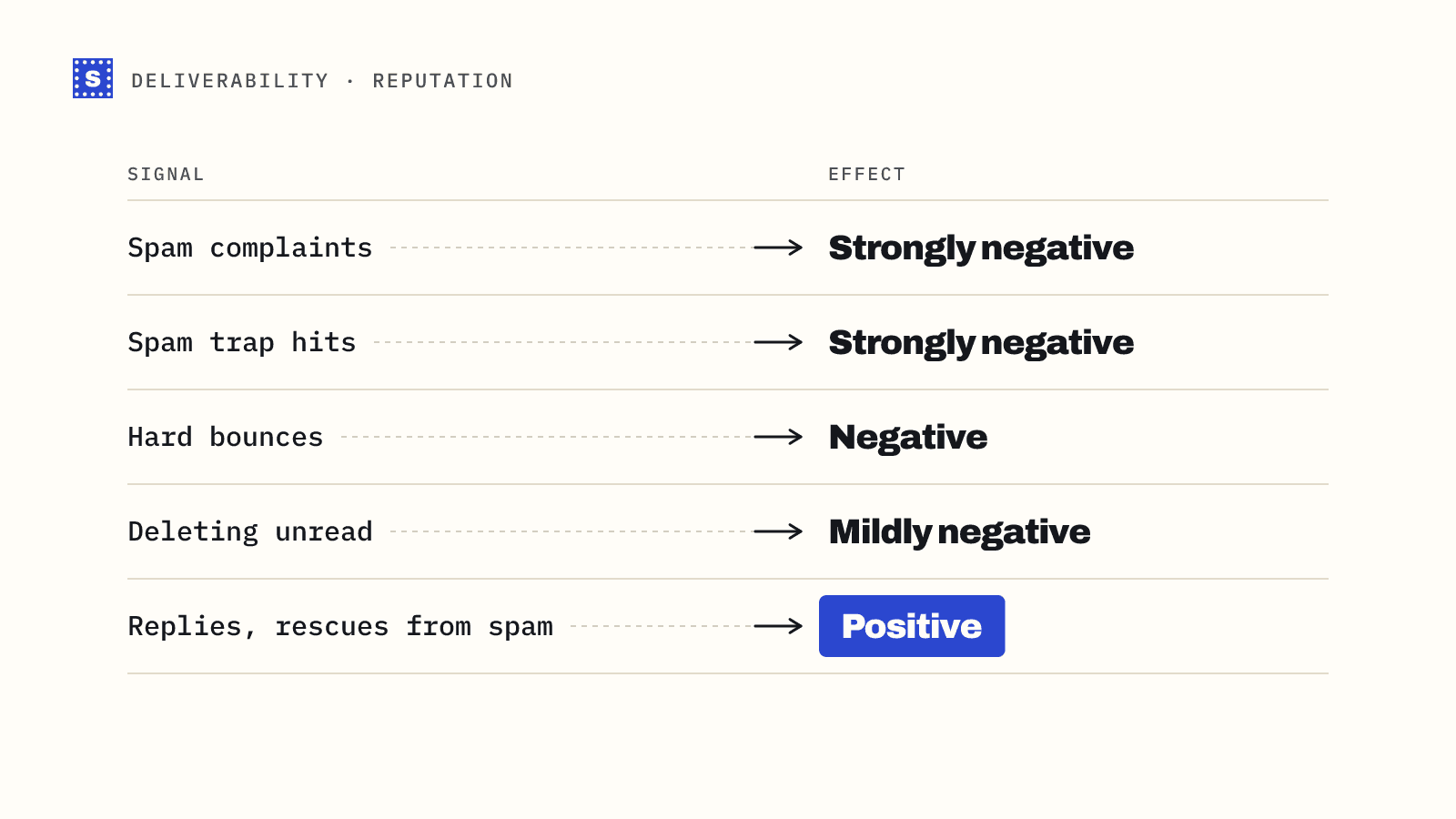
That doesn't make bounces harmless. Providers track how often a sender hits nonexistent addresses because it's a strong signal of how the list was built. A sender with a high hard bounce rate looks like someone mailing a purchased, scraped or very old list, and that pattern tends to come with spam complaints and spam trap hits. Bounces feed into reputation even without a published line.
The benchmarks people actually use
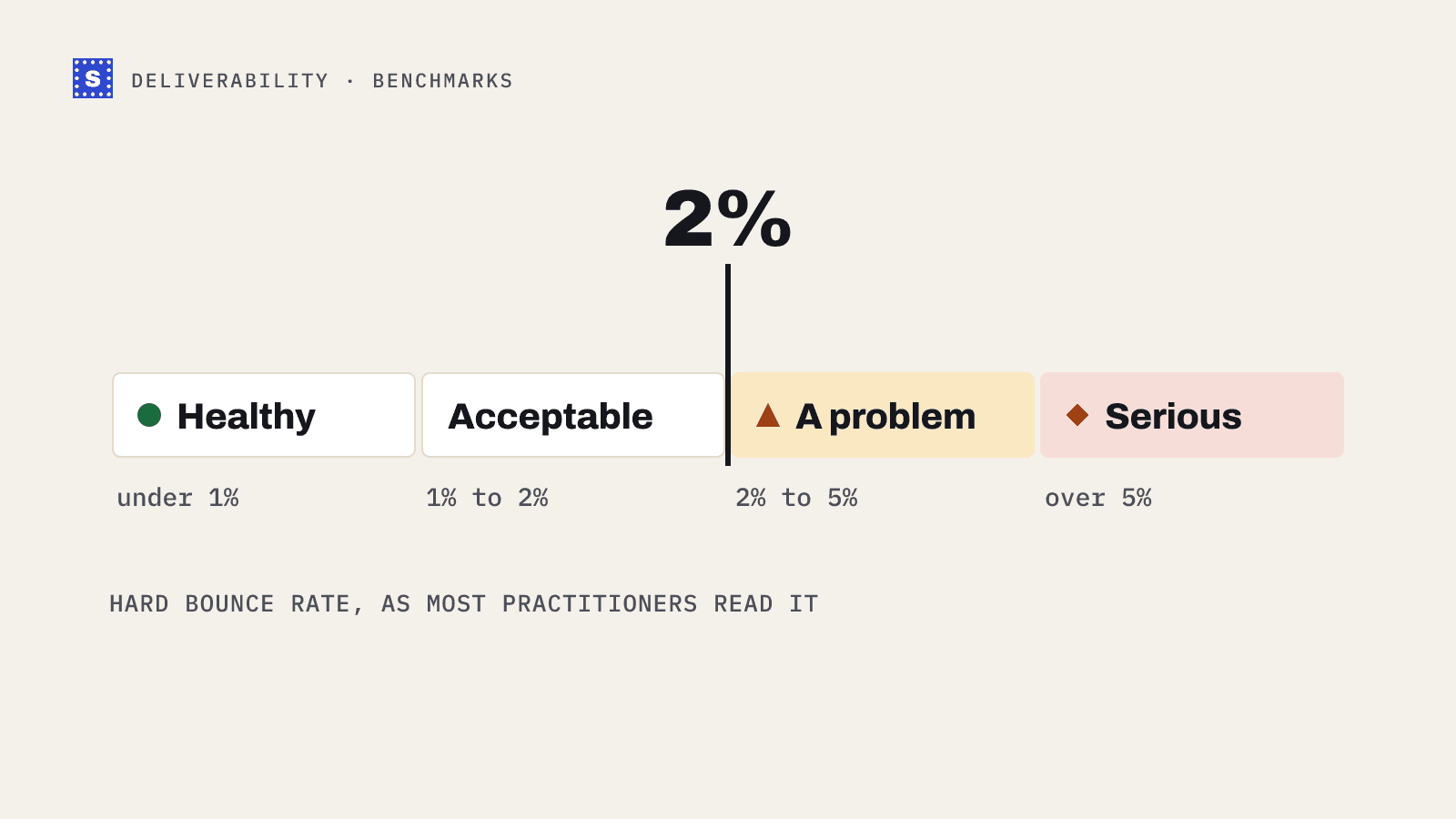
| Bounce rate (hard) | How most practitioners read it |
|---|---|
| Under 1% | Healthy. Typical for a well-maintained opt-in list |
| 1% to 2% | Acceptable, but worth investigating the source |
| 2% to 5% | A problem. Stop and clean before the next send |
| Over 5% | Serious. Expect reputation damage and possibly a paused account |
These bands are conventions, not rules. They're widely repeated because they line up with what ESPs and sequencers react to: many email platforms review or suspend accounts with persistently high bounce rates, since your bounces affect their shared infrastructure too. The exact trigger points differ by provider and are rarely published in full.
Newsletter and opt-in lists
For a list people subscribed to, with double opt-in and regular sends, hard bounces well under 1% per campaign are normal. Each send also removes the addresses that bounced, so a list mailed every week stays clean on its own. Spikes usually come from imports: a list from an event, a migration from another ESP, or a segment you haven't mailed in a year.
Cold email
Cold lists bounce more because nobody confirmed the address. Data comes from enrichment tools, scraping or guessing a pattern, and it ages fast. That's why outbound teams treat 2% as a ceiling, not a target, and verify every list before sending. More on that in how to keep cold email bounces under 2%.
What drives a high bounce rate
In rough order of how often we see them:
- Old data. People change jobs and their work addresses get closed. Company domains expire. A list that was clean a year ago isn't anymore. See B2B data decay.
- Unverified imports. Event badges, purchased lists and enrichment exports going straight into a campaign.
- Typos at sign-up.
gmial.comand friends, especially from mobile forms. - Guessed addresses. Pattern guesses like
first.last@that were never checked. - Catch-all domains. Addresses that passed verification as "accepts everything" and later bounced when the server actually processed the message.
Only some of these are fixed by verifying before sending. Typos need a check at the point of capture, and catch-all addresses need careful handling rather than blind sending.
How to read your own numbers
Look at bounce rate by segment rather than as one number per campaign:
- By list source (form, import, enrichment tool)
- By age of the contact
- By domain type (free mail, business domain, catch-all)
A 1.5% average that hides a 9% bounce rate on one imported segment is a problem worth fixing, even if the headline number looks fine.
Bringing the number down
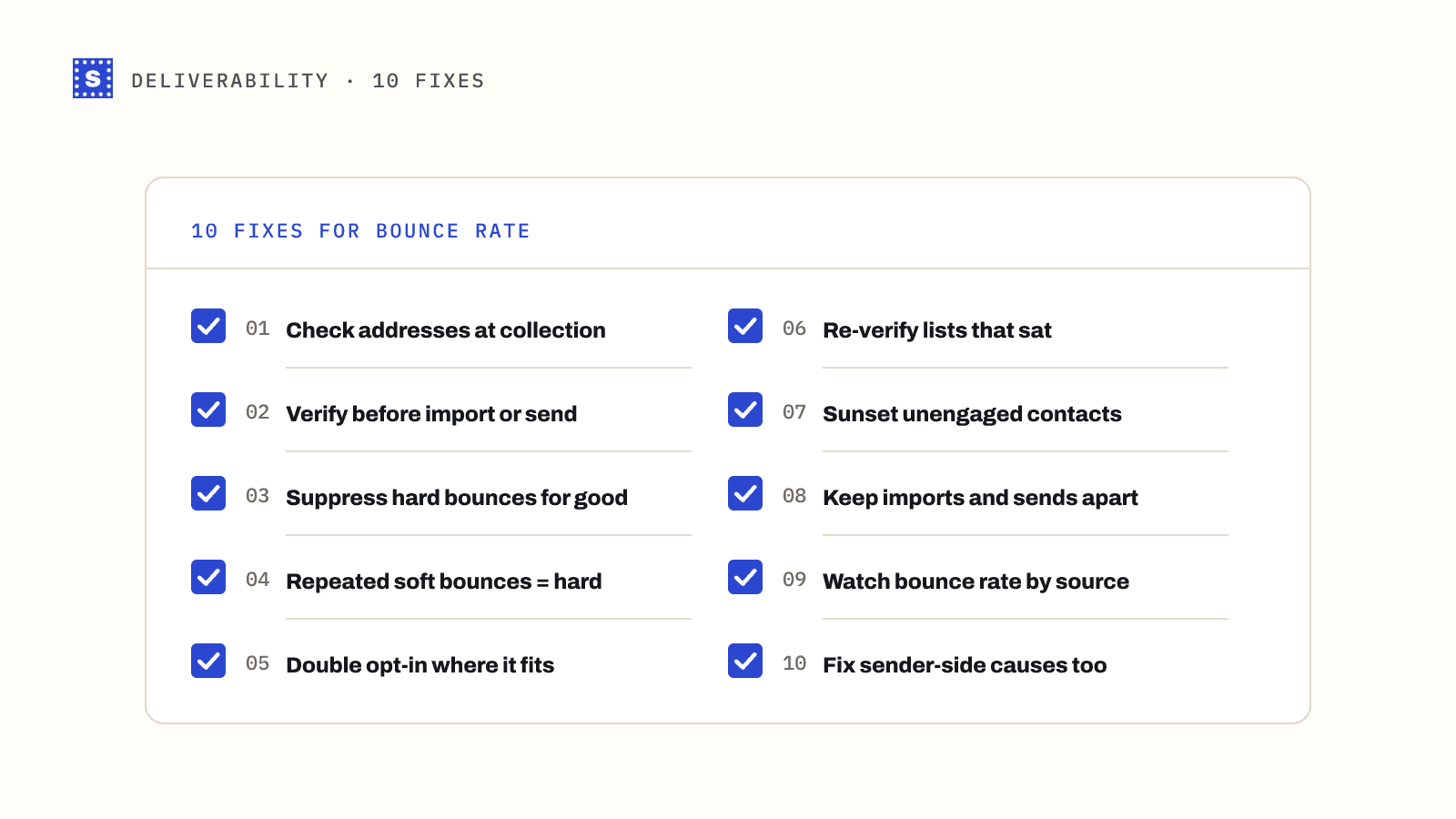
The short version: verify lists before you send them, verify addresses at sign-up, suppress anything that hard-bounces, and stop mailing contacts who haven't engaged in a long time. The longer version is in how to reduce email bounce rate.
If you want to check a list before the next send, upload it to the bulk email verifier. SimpleCold gives every address a category and a plain reason, so you can see which part of the list is dragging the number up.