Cold email deliverability comes down to one question: when a mailbox provider sees your message, does it trust you enough to show it to the recipient? Newsletter senders earn that trust from subscribers who asked for their mail. Cold senders don't have that, so every other signal has to be right.
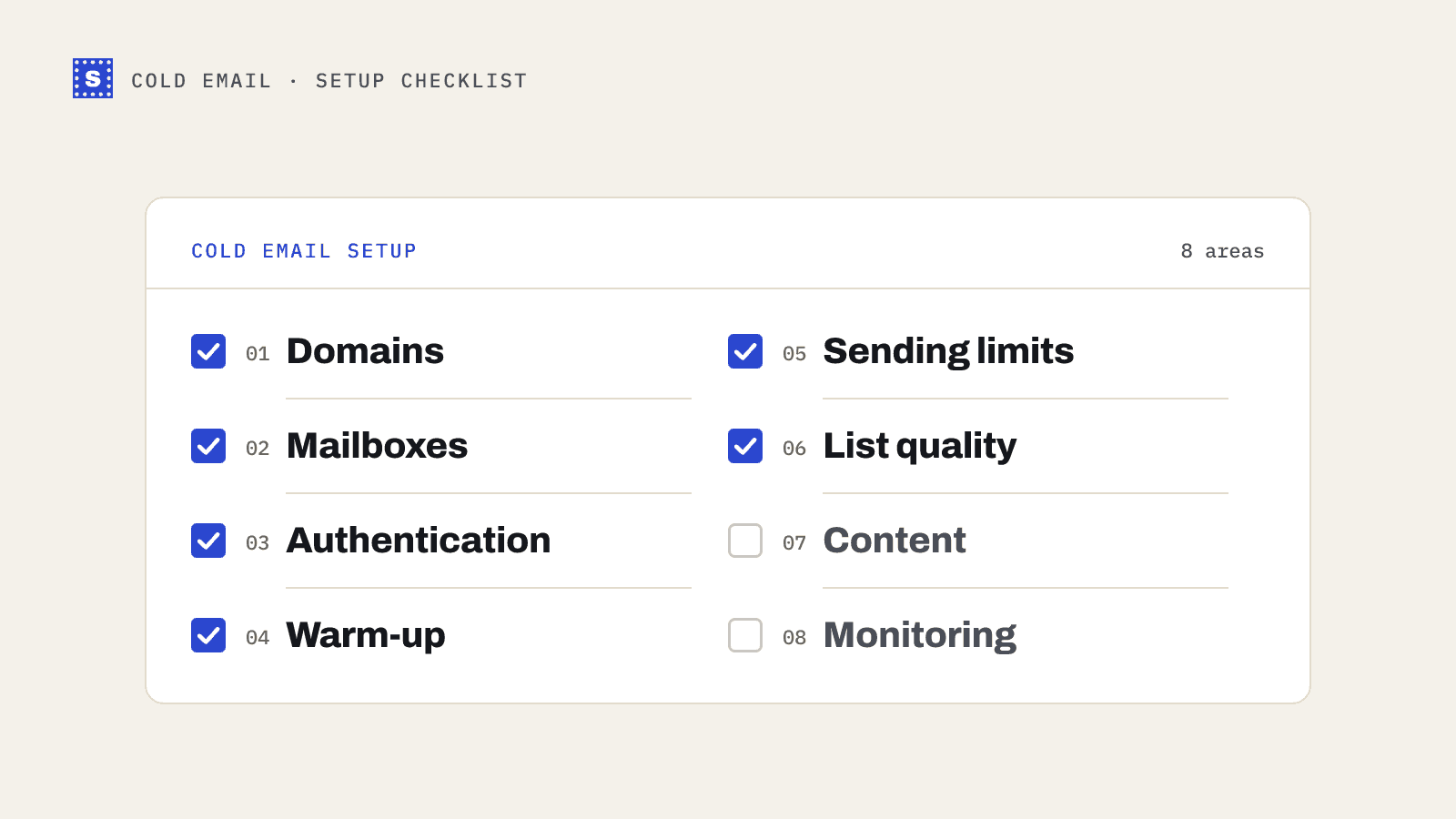
This checklist covers the setup in the order you'd do it on a new outbound program. If you're fixing an existing one, start at the section that matches your symptom.
1. Domains
- Send from secondary domains, not your main one. Register lookalike domains (for example
tryacme.comoracmehq.comalongsideacme.com) and keep your primary domain for customer and team mail. If an outbound domain's reputation drops, your invoices and support replies keep landing. - Redirect secondary domains to your website. Anyone who types the domain into a browser should reach your real site.
- Let new domains age a little. Brand-new domains attract more suspicion. Buying them a few weeks before you need them gives warm-up a head start.
- Avoid spammy-looking names. Hyphen chains and odd TLDs look like what they are.
2. Mailboxes
- Use a real mailbox provider. Google Workspace and Microsoft 365 are the common choices. Mail from their infrastructure starts with a better baseline than an unknown server.
- Create a few mailboxes per domain, under real names. Fill in the profile, photo and signature. Mailboxes that look abandoned get treated that way.
- Spread volume across mailboxes and domains instead of pushing one inbox hard. Sequencers call this inbox rotation.
3. Authentication
- SPF: one record per domain, including your mailbox provider and any service that sends as you. Stay under the 10-lookup limit.
- DKIM: generated in your provider's admin panel, published in DNS, signing switched on.
- DMARC: at least
p=nonewith a reporting address, on both the secondary domains and your main domain. - Custom tracking domain in your sequencer if you track opens or clicks.
- Test the headers. Send to Gmail and Outlook addresses you own and confirm SPF, DKIM and DMARC all pass.
If any of that is unfamiliar, read SPF, DKIM and DMARC in plain words first. You can confirm records with the SPF, DKIM and DMARC checkers.
Google and Yahoo's bulk sender rules from 2024 require SPF, DKIM and aligned DMARC for anyone sending around 5,000 or more messages a day to their users, plus a spam rate under 0.3%. Most cold programs spread across many mailboxes stay below that volume per domain, but the authentication rules are worth meeting anyway. Our Gmail and Yahoo sender requirements post has the full list.
4. Warm-up
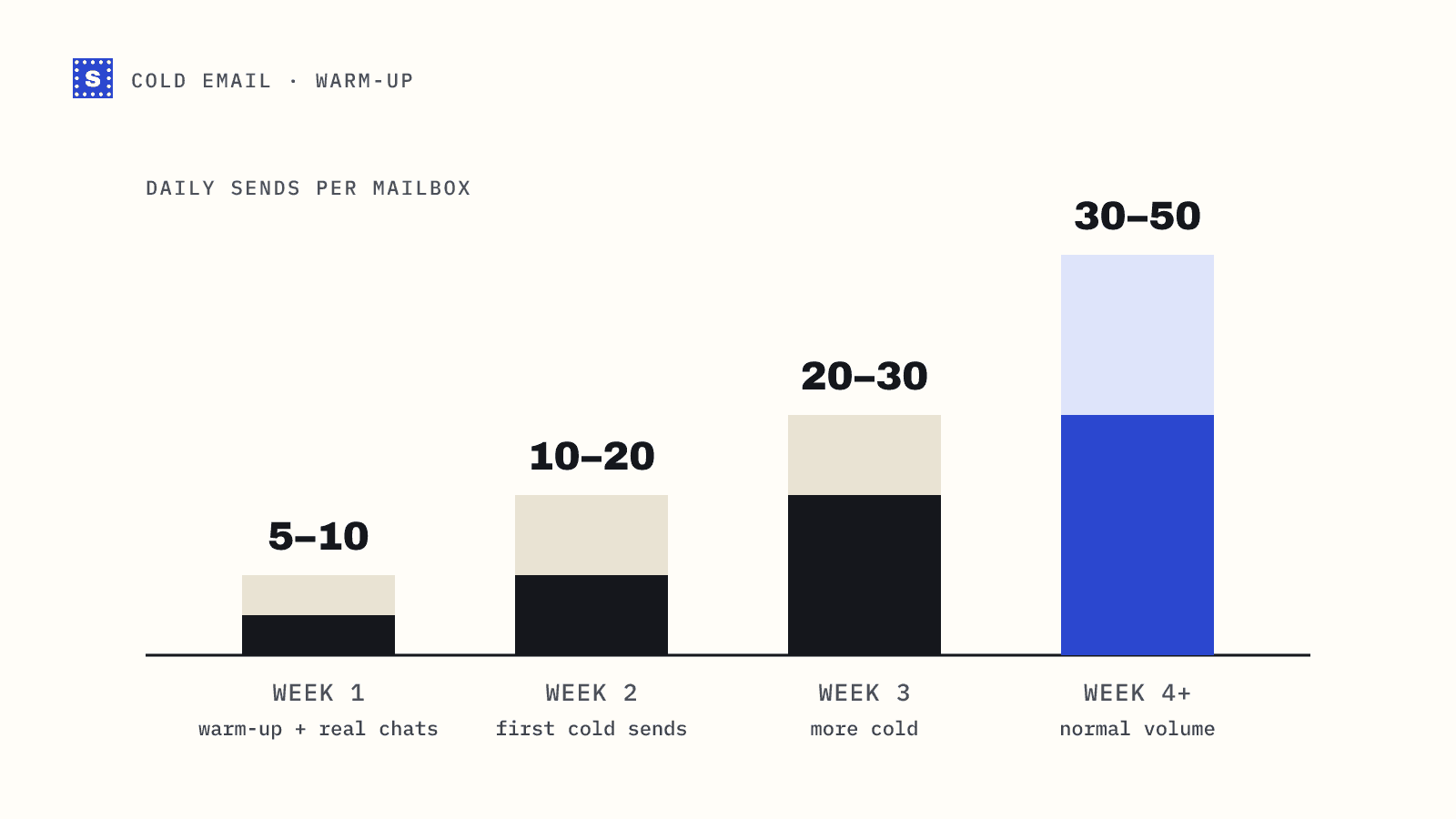
- Start low and ramp slowly. A new mailbox should send a handful of emails a day at first, increasing over several weeks.
- Send to people who'll reply. Early mail to colleagues, partners and friends who open and respond builds a better history than mail to strangers.
- Use warm-up tools as a supplement, not a substitute. Automated warm-up networks generate engagement, but mailbox providers know they exist. Real conversations count for more.
- Keep warm-up running at a low level after campaigns start, if your tool supports it.
The domain warm-up guide has a sample schedule.
5. Sending limits
- Cap daily sends per mailbox conservatively. Many teams keep each mailbox to a few dozen cold emails a day. There's no official number; the safer you go, the more headroom you have.
- Send during business hours in the recipient's time zone, with randomized gaps between messages.
- Raise volume gradually and watch bounce and reply rates as you go. A sudden spike in volume is itself a warning sign.
6. List quality
This is the section people skip, and it's often where the trouble starts.
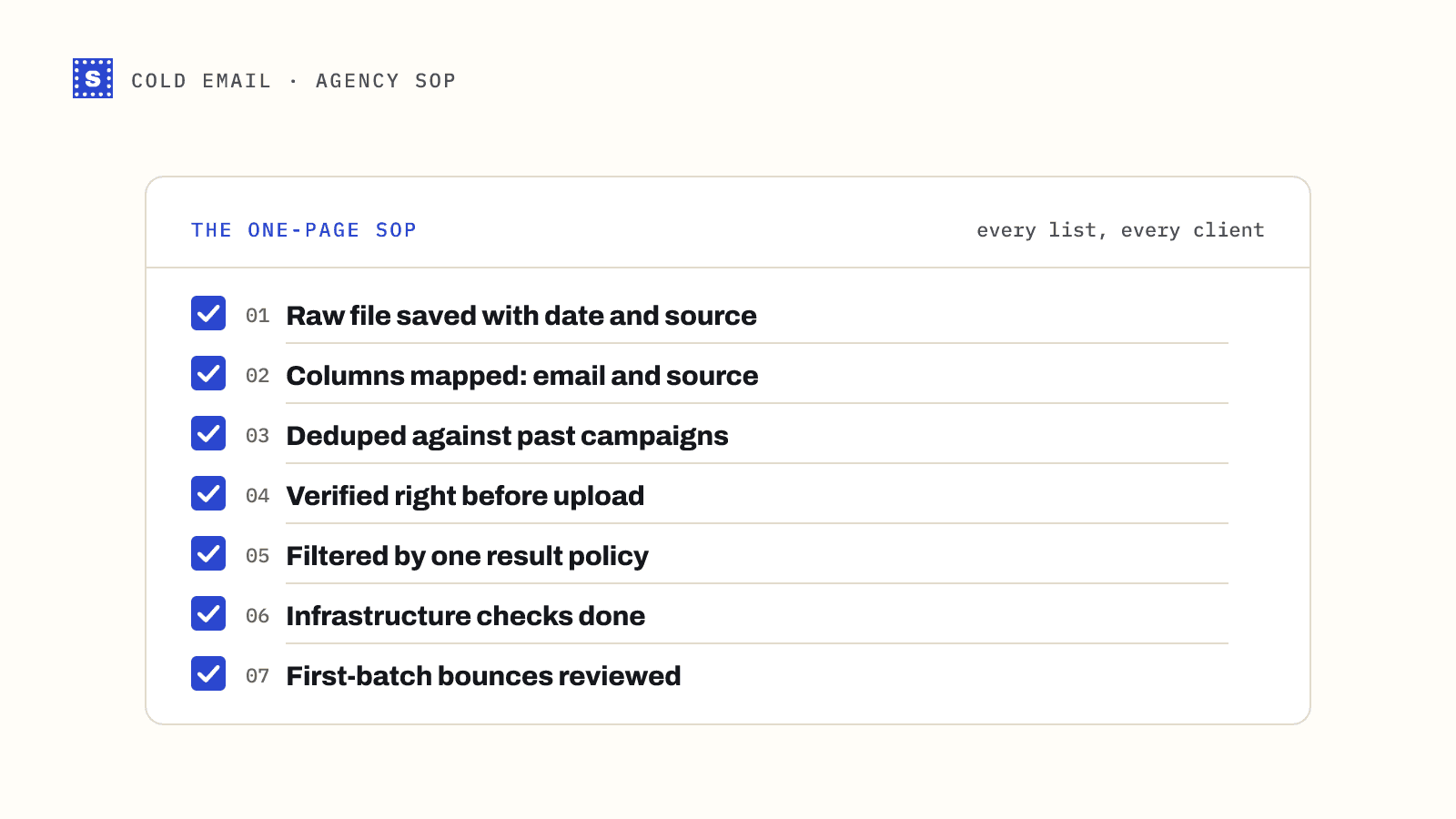
- Verify every list right before it goes into a sequence. Not when you bought the data, not last quarter. Contacts change jobs constantly, and a list from a data provider can contain addresses that stopped working weeks ago.
- Remove undeliverable addresses completely. Mailbox not found, dead domain, syntax errors.
- Decide what to do with risky addresses before importing. Catch-all addresses can't be confirmed by anyone. Send to them in smaller batches from your healthiest mailboxes, or skip them for new domains. See should you send to catch-all emails.
- Skip disposable addresses entirely. Role-based addresses like
info@are a judgment call. - Deduplicate across campaigns so one person doesn't get three sequences.
- Check your suppression list for past opt-outs and bounces before every import.
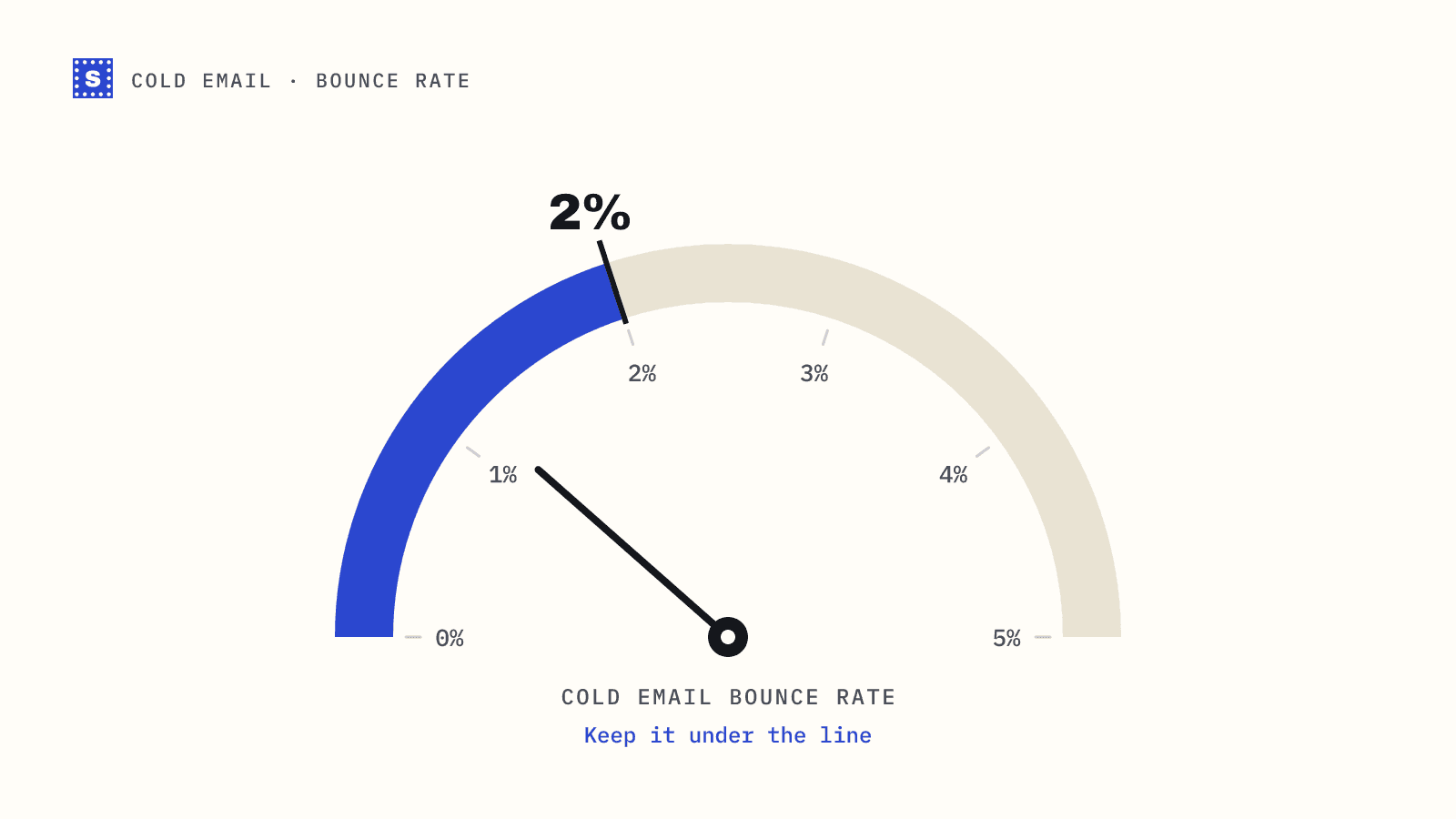
The working rule of thumb in outbound is to keep bounces under 2%. That's an industry convention, not a published provider threshold, but bounce rates well above it tend to come before deliverability problems. The cold email bounce rate guide goes deeper.
7. Content
- Write plain text, short emails. Heavy HTML, images and many links look like marketing.
- Limit links in the first email, ideally to none or one.
- Avoid attachments in cold emails.
- Personalize for real. Relevance is what drives replies, and replies are a strong positive signal.
- Include an easy opt-out and honour it everywhere.
8. Monitoring
- Watch bounce rate per campaign and per mailbox. Pause a mailbox when bounces climb and find out why.
- Set up Google Postmaster Tools for each sending domain to see domain reputation and spam rate (it needs enough volume to show data).
- Check blocklists periodically with the blacklist checker.
- Run placement tests when open rates drop without explanation.
- Track replies and negative replies as well as opens. Open tracking has become less reliable with privacy features in mail clients.
When something goes wrong
| Symptom | Likely area | First check |
|---|---|---|
| Bounce rate jumped | List quality | When was this list last verified? |
| Opens dropped across all campaigns | Reputation or authentication | DMARC pass rate, blocklists, Postmaster Tools |
| One mailbox underperforms | That mailbox's history | Volume, warm-up, recent bounces |
| Replies dropped but opens steady | Content or targeting | The offer and the list segment |
Putting it together
Authentication and warm-up get a domain to the starting line. List quality and content decide whether it stays there. SimpleCold handles the list part: upload an export to the bulk email verifier and you get each address back as deliverable, risky or undeliverable, with the reason, so you can filter before import. The cold email page shows how that fits with Instantly, Lemlist and Apollo exports.