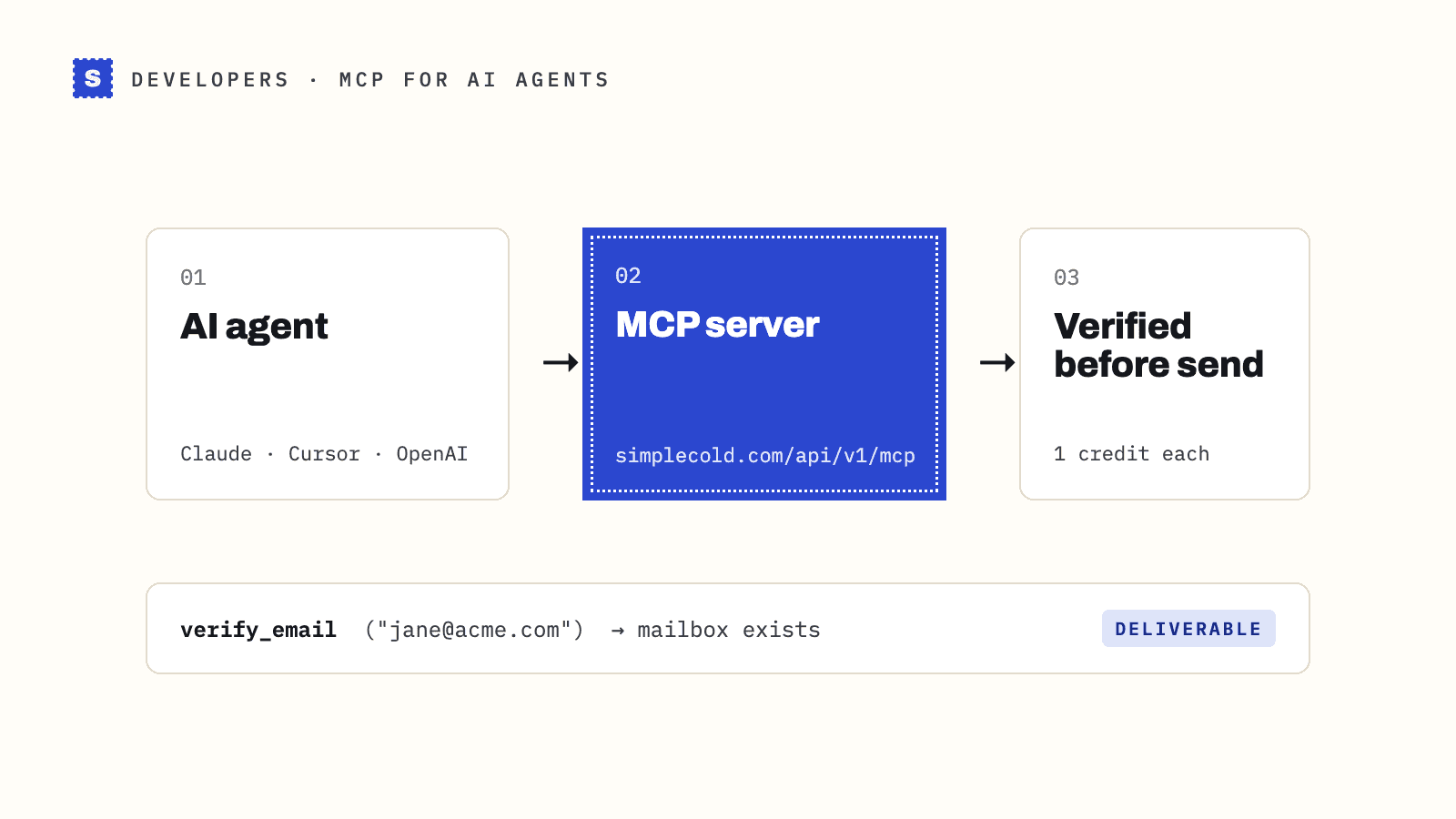
An AI assistant can verify email addresses if you connect it to an email verification MCP server. SimpleCold runs a hosted one at https://simplecold.com/api/v1/mcp: add that URL and your API key to Claude Code, Cursor, Claude Desktop or the OpenAI Responses API, and the assistant gets tools to verify one address, up to 50 at a time, or whole lists. Each address uses one credit, the same as the API, and a test key lets you try everything without spending any.
The rest of this post explains why an assistant can't do this on its own, what the tools are, and how to set each client up.
Why a language model can't check an email by itself
Ask a chatbot "is [email protected] a real address?" and it will give you an answer. It just won't be a verified one. A language model can spot a malformed address or a misspelled gmial.com, but it has no way to know whether a specific mailbox exists today. That takes a live check: look up the domain's mail servers, then ask the server over SMTP whether it would accept mail for that recipient, and stop before anything is sent.
Models also make up plausible addresses when asked to find one, and they'll happily guess jane.doe@ when the real pattern is jdoe@. A verification tool turns a guess into a checked result with a reason. The background is in how to verify an email address without sending.
What MCP is
The Model Context Protocol is an open standard for giving AI assistants tools. A service publishes an MCP server; the assistant connects to it, reads the list of tools and their inputs, and calls them when a request needs one. You don't write glue code per assistant. One server works with every client that supports the protocol.
SimpleCold's server is remote and hosted, so there's nothing to install or run. It uses the Streamable HTTP transport and authenticates with your API key as a Bearer token.
The six tools
| Tool | What it does |
|---|---|
verify_email | Verifies one address and returns the result, the reason and any typo suggestion |
verify_emails | Verifies up to 50 addresses in one call, results in the same order |
start_list_verification | Starts a list job from a public CSV link (up to 50 MB) or an array of up to 10,000 addresses |
get_list_status | Shows a list job's status and progress |
get_list_results | Returns the summary per result, plus the addresses a page at a time, optionally filtered by result |
get_credit_balance | Shows the credits available before you start a big list |
Each tool is the same as an API endpoint, with the same results. Every address comes back Deliverable, Risky or Undeliverable with a plain reason, such as a missing mailbox, a catch-all domain, a disposable inbox or a typo with the suggested fix. The tools can't change API keys, billing, team members or webhooks.
Set it up
First, create an API key in the dashboard under API keys. Choose a test key to start. It begins with sc_test_, runs in the sandbox and never uses credits. Replace YOUR_API_KEY below with it.
Claude Code
claude mcp add --transport http simplecold https://simplecold.com/api/v1/mcp \
  --header "Authorization: Bearer YOUR_API_KEY"
Run /mcp inside Claude Code to check that simplecold is connected.
Cursor
Open Settings, then MCP, then add a new server, or edit ~/.cursor/mcp.json (all projects) or .cursor/mcp.json (one project):
{
  "mcpServers": {
    "simplecold": {
      "url": "https://simplecold.com/api/v1/mcp",
      "headers": { "Authorization": "Bearer YOUR_API_KEY" }
    }
  }
}
Don't commit a project mcp.json that holds a live key.
Claude Desktop
Claude Desktop's custom connectors sign in with OAuth, which SimpleCold doesn't offer yet. Use the mcp-remote bridge instead, which sends your key as a header. In Settings, Developer, Edit Config, add:
{
  "mcpServers": {
    "simplecold": {
      "command": "npx",
      "args": ["-y", "mcp-remote", "https://simplecold.com/api/v1/mcp", "--header", "Authorization:${SIMPLECOLD_AUTH}"],
      "env": { "SIMPLECOLD_AUTH": "Bearer YOUR_API_KEY" }
    }
  }
}
Restart Claude Desktop. This needs Node.js 18 or later. The key sits in an environment variable because some systems split arguments on spaces.
ChatGPT and the OpenAI API
ChatGPT's custom connectors also sign in with OAuth, so they can't send an API key yet. For OpenAI models, use the MCP tool in the Responses API, which passes your key as a header:
import os
from openai import OpenAI

client = OpenAI()
response = client.responses.create(
    model="gpt-4.1",
    tools=[{
        "type": "mcp",
        "server_label": "simplecold",
        "server_url": "https://simplecold.com/api/v1/mcp",
        "headers": {"Authorization": f"Bearer {os.environ['SIMPLECOLD_API_KEY']}"},
        "require_approval": "never",
    }],
    input="Is [email protected] deliverable?",
)
print(response.output_text)
Use any model your OpenAI account offers. With a live key, set require_approval to "always" so you approve each call.
Other clients
Any MCP client that supports Streamable HTTP and custom headers works the same way: point it at https://simplecold.com/api/v1/mcp and send Authorization: Bearer YOUR_API_KEY. The MCP docs have the full reference.
Try it with a test key
With a test key, the result depends on the part of the address before the @, so you can see every outcome without verifying anyone real. Ask the assistant to verify:
[email protected]: a mailbox that exists[email protected]: a missing mailbox, Undeliverable[email protected]: a catch-all domain, Risky[email protected]: a throwaway inbox, Risky[email protected]: a typo, withgmail.comsuggested[email protected]: a slow server that answers about 20 seconds later
Watch what the assistant does with each one. If it treats Risky as safe, or retries the slow address in a loop, fix that in your instructions before you switch to a live key. The sandbox docs list every test address.
Prompts that work
Once connected, ask in plain words. The assistant picks the tool:
- "Verify [email protected] and tell me whether it's safe to send to."
- "Check these 20 addresses and list the risky ones with the reason."
- "Verify the CSV at https://example.com/leads.csv, wait for it to finish, then show me the undeliverable rows."
- "How many SimpleCold credits do I have left?"
For a pasted list or a table in the chat, the assistant uses verify_emails. For anything over 50 addresses, it starts a list job, checks the status, then reads the results page by page.
Limits and costs
- Credits: one per address, exactly like the API. Test keys use none.
- Rate limits: the same as the API. The single check allows 100 requests a minute per key and 300 a minute across your organisation.
- Slow servers: some mail servers answer slowly on purpose. The result comes back as pending, and asking
verify_emailagain within 30 minutes collects it without another credit. - List jobs: up to 10,000 addresses passed directly, or a public CSV link of up to 50 MB. Private and internal URLs are refused.
Keep the assistant on a short leash
The assistant acts with your key and spends your organisation's credits, so anyone who can talk to it can spend them. Give it its own key, start with a test key, and disable the key when you stop using it.
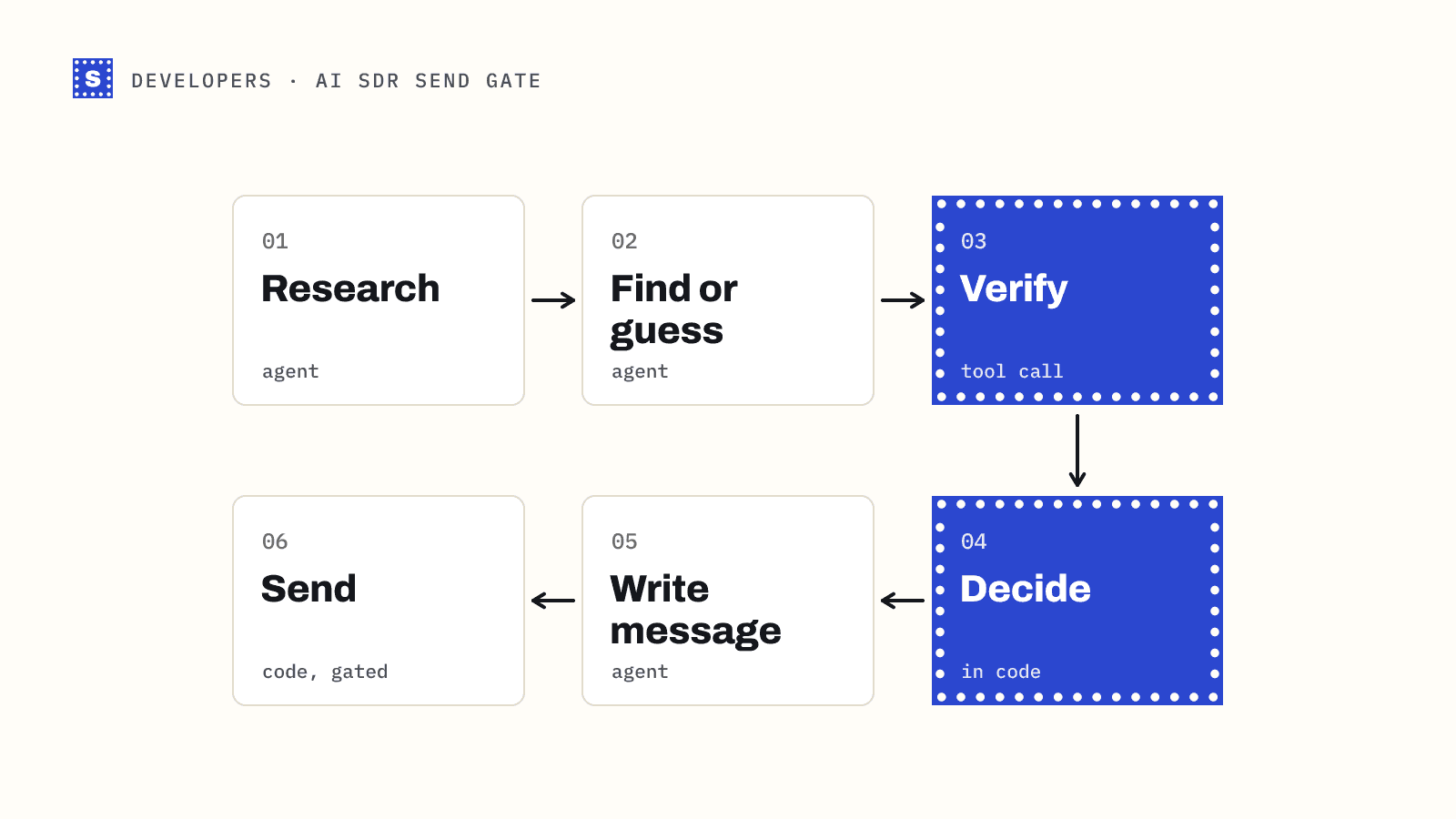
If an agent sends email on its own, don't rely on the prompt to stop it sending to bad addresses. Put the send rule in code: send Deliverable, skip Undeliverable, hold Risky and pending for review. AI SDR email verification shows that gate with code.
Where to go next
- The MCP server page summarises the tools and supported clients.
- The email verification API covers the same checks for your own code, and the Node and Python SDKs wrap it.
- New to SimpleCold? Sign-up comes with 200 free credits and no card, and the free email checker shows the results on a real address first.